

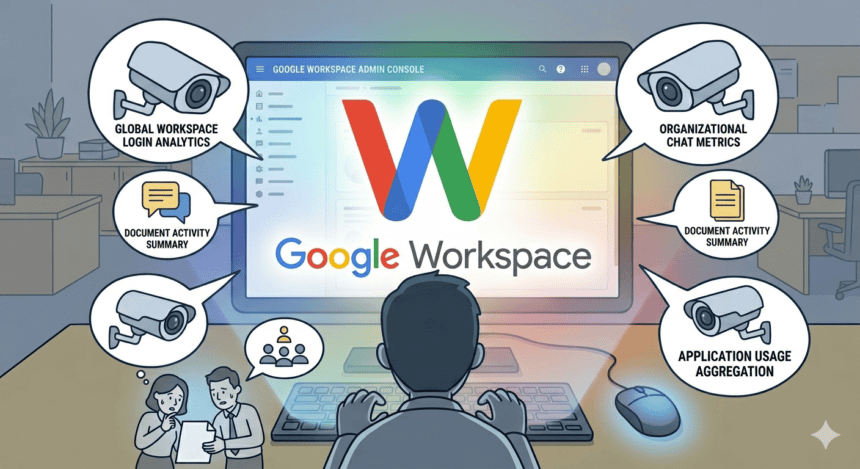

There is a tab inside your company’s Google Admin Console that most employees will never see. It is called “Audit and Investigation.” It is not glamorous. It does not look threatening. It looks, if anything, like a spreadsheet born of bureaucratic necessity, full of dropdown filters and date range pickers. But if you sit with it long enough, you start to understand what it actually is: a near-complete diary of everything you have done at work, written without your knowledge, stored in Google’s infrastructure, and readable by whoever your company designates as administrator.
- What the Admin Console Actually Sees
- The Productivity Framing Problem
- Meet Tracking: The Detail That Surprises People Most
- The Login-to-Logout Picture
- “Employees Have No Expectation of Privacy”
- The Science of Being Watched
- The IT Admin’s Perspective
- The Gemini Problem
- What Most Workers Actually Know
- What Reform Would Actually Look Like
I spent several weeks going through Google’s own documentation, reading forum threads, and digging into the academic research on workplace surveillance. What I found was not a conspiracy. It was something more mundane, and in some ways more troubling: a set of features sold as productivity and security tools that, used in combination, give employers a surveillance capability that would have seemed extraordinary just a decade ago. And most workers have no idea it exists.
What the Admin Console Actually Sees
Let’s start with the basics, because the basics are already quite a lot.
Google’s own support documentation1 describes what an administrator can access through the reporting dashboard. The “User Reports: Apps usage” section gives managers information about “your organization’s Gmail and Drive usage, like types of email activity, the number of docs created and shared, and how much Drive storage each team member is using.” The “Audit and investigation” section provides “information about specific events, like administrator activity, mobile activity, and more.”
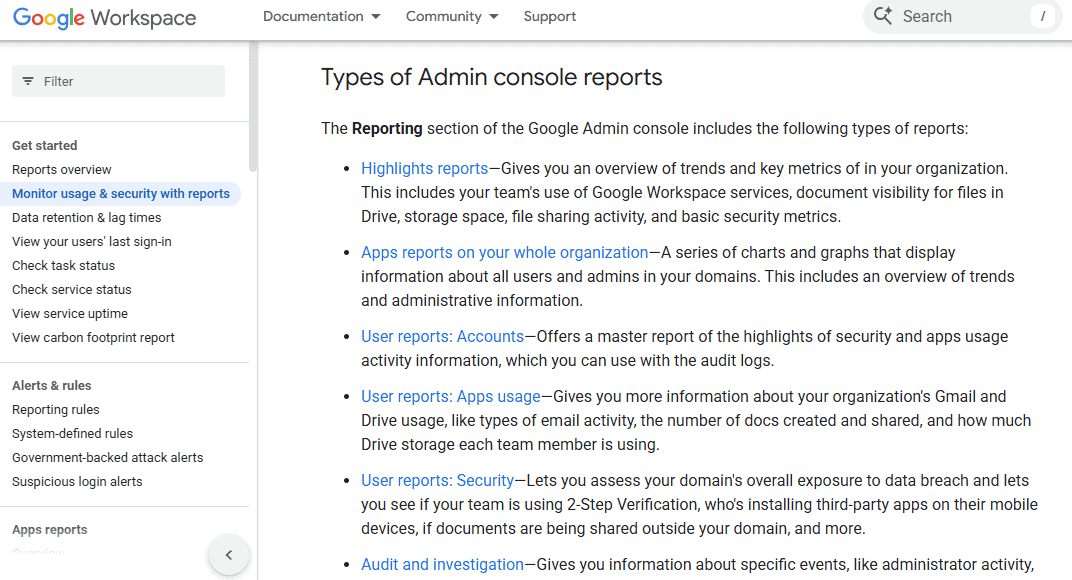
That is the polite version. Here is the fuller picture.
According to Inventive2, audit logs for Google Workspace enable tracking of login attempts (successful and failed), file access and sharing in Google Drive, email activity in Gmail, including sent, received, and spam reports, and every change made in the Admin Console. Drive logs go further: they record when a file is downloaded, when it is previewed, when it is synced to a local device, and even when it is “prefetched,” meaning that a Google app retrieved the data without you even opening it. These logs are available to administrators who can search them by user email, date range, event type, and resource. It is a granular, searchable timeline of a worker’s digital day.
And then there is Google Vault.
Vault is Google’s eDiscovery and retention tool. As explained by Cloudasta3, it allows admins to search data from Gmail, Drive, and Chat, and export results in PST and MBOX formats. Once a “matter” is created in Vault, an admin can search by date range, subject, sender, recipient, and pull the actual content of emails. Not metadata. The emails themselves. On Enterprise Plus subscriptions, the Security Investigation Tool goes one step further: it allows admins to view Gmail messages directly in the console, with a prompt asking for a justification before access is granted. That justification is logged. But the access happens.
The site adds that there are local laws to consider, and that best practice is to involve legal and compliance teams. But the technical capability is there, waiting, in any organization running a qualifying Workspace plan.
The Productivity Framing Problem
Here is where things get interesting, and where I think the real story lives.
None of this is marketed as surveillance. Google4 doesn’t call it that. The language across every help page, every product announcement, and every feature rollout uses words like “insights,” “visibility,” “adoption,” and “compliance.” The Work Insights tool, available for Enterprise Plus customers, frames itself as a reporting tool that gives insights into the “impact of your Google Workspace deployment.” It offers adoption charts to track users’ “level of engagement with Google Workspace over time,” and it lets administrators and “change management staff” determine “whether users need more training in particular apps” or if “legacy products are still in use.”
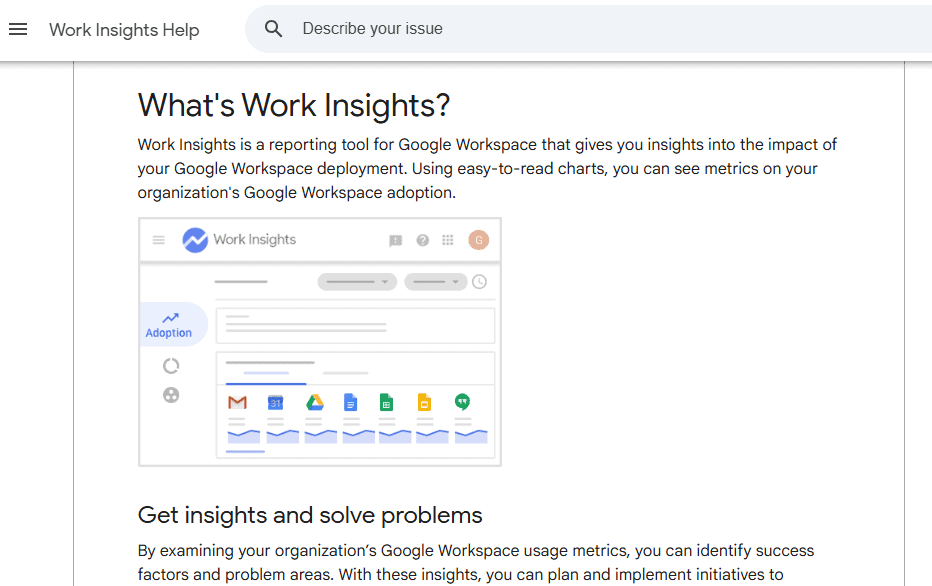
Read that again. There is a dashboard that tracks how much an individual employee uses specific Google apps, and when, and for how long. The stated purpose is training and adoption. But the data itself, in the hands of a manager with different motivations, becomes something else entirely.
A Washington Post5 investigation found that apps like Zoom, Slack, and Google Workspace “give managers the ability to find everything from the number of video meetings in which you’ve actively participated, to how much you chatted online with co-workers and the number of documents you saved to the cloud.” The piece noted that employers have “enough data about your digital activities to get a snapshot of your workday, without using any special monitoring software.”
That is the key line. No special monitoring software. Just the tools your company already pays for.
Third-party analytics firms have built entire business models on top of this data pipeline. Worklytics6, for instance, offers a “12-week implementation blueprint” for building an “employee productivity score” using Google Workspace metadata. The pitch is that it uses “metadata-based measurement” rather than content, which the company argues eliminates “common survey problems like response lag, recency bias, and survey fatigue.” What it actually does is replace subjective manager assessment with quantified behavioral data, drawn from meeting participation, document creation frequency, and collaboration patterns. Whether that is better or worse for workers is a question the marketing copy does not pause to ask.
Meet Tracking: The Detail That Surprises People Most
Of all the surveillance capabilities baked into Workspace, the one that catches most workers off guard is the Google Meet attendance report.
Google’s support documentation7 describes the feature clearly: when attendance tracking is enabled, meeting organizers receive an email after the call with an attached Google Sheets report listing every attendee’s name, join time, leave time, and total minutes on the call. If someone gets ejected from a call, that timestamp is recorded. As of May 2024, breakout room attendance is now tracked separately in its own spreadsheet tab.
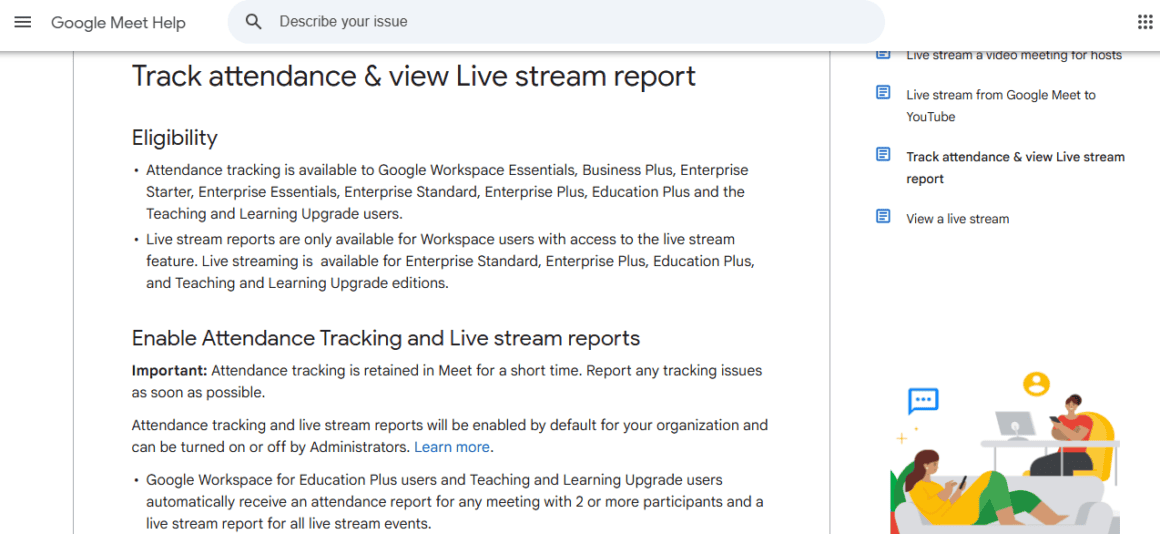
Administrators control whether this feature is available and can apply it at the organizational unit level, meaning they can enable it for specific departments without others knowing. The feature is available on Business Standard, Business Plus, and all Enterprise tiers. And beyond what organizers see, administrators with enterprise-level access can pull broader attendance information through the Admin Console’s audit logs.
Think about what this means in practice. A manager who schedules the weekly all-hands owns a spreadsheet record of every person who joined, when they joined, whether they dipped out early, and exactly how many minutes they spent. They have this for every meeting they ever hosted, automatically, without doing anything special to enable it. Workers attending these meetings are often told nothing about it.
The Login-to-Logout Picture
Piece it together and the composite portrait that emerges is detailed.
An admin with appropriate privileges can know: when you logged in and from what device and IP address; every file you opened, edited, downloaded, or shared in Drive including to whom; every email you sent and received (metadata on all plans, content on Enterprise Plus via Vault or the investigation tool); every Google Meet you joined and for how long, including breakout rooms; which third-party applications you authorized through your Google account; whether you are using two-step verification; how much storage you are using; and whether you are still using legacy applications the company wants to phase out.
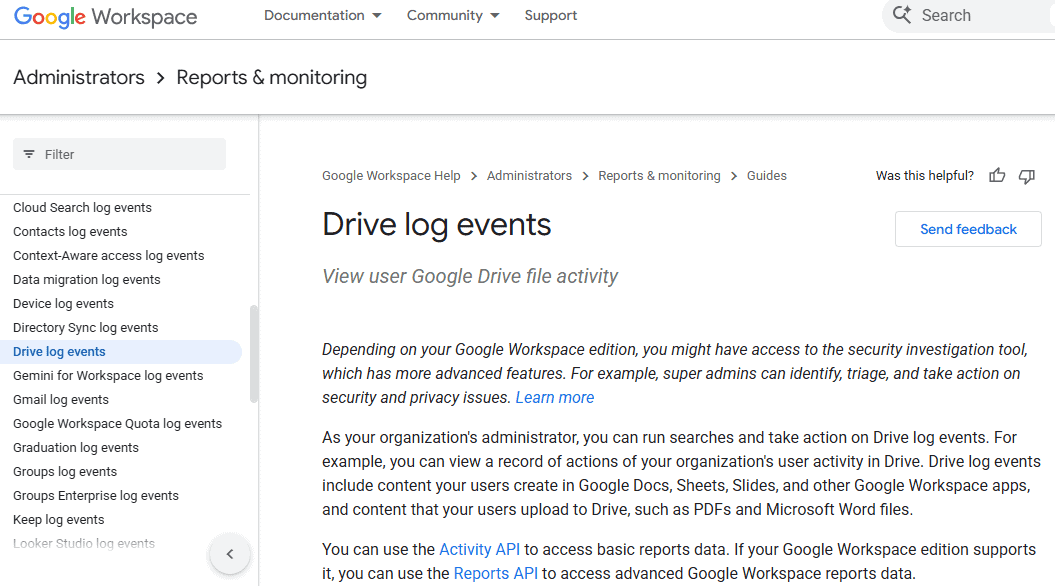
Google’s Drive log events documentation8 notes that content synced to a local device via Drive for Desktop is logged as a “Download” event. So when you sync a file to your laptop for offline work, that is recorded. When you preview a file and nearby files are prefetched, that may be logged too.
The audit log API enhancements announced in December 2025 deepened this capability further, expanding available datasets and adding in-depth filtering on resource details, allowing organizations to pull “more granular logs.” Google framed these changes as critical to “cybersecurity incident investigation.” They are. But they are also critical to building a minute-by-minute record of every employee’s digital workday.
Tech Profuse9 reported that Google announced enhanced Admin Audit Logs with more granular event-level data for activities across Gmail, Drive, account security settings, and app access controls. The transition to the new framework becomes standard in August 2026.
“Employees Have No Expectation of Privacy”
That phrase appears in a JustAnswer10 guide on auditing employee email in Google Workspace. It is presented as a justification: since company policy says workers have no privacy expectation, these tools can be used to audit email activity “while remaining compliant with Workspace capabilities.”
This is legally accurate in most of the United States. The Electronic Communications Privacy Act of 1986, the foundational federal law on the matter, permits employers to monitor electronic communications on company-owned devices when they have legitimate business purposes or employee consent. States have begun to add their own requirements on top of that baseline. New York, Connecticut, and Delaware all require written notice. California’s CCPA amendments expanded employee rights to access monitoring data. California’s proposed Assembly Bill 1221 would require 30 days advance notice before any new surveillance tool is deployed, with a broad definition that could sweep in productivity and analytics software. Texas enacted disclosure requirements that became fully effective in January 2025.
But legality and disclosure are two different things. The International Association of Privacy Professionals11 notes that in the U.S., employers can mostly eliminate workers’ privacy expectations simply by providing “clear notice of monitoring practices.” Notice is often buried in onboarding paperwork, in acceptable use policies that employees sign without reading, in IT handbooks that nobody reviews after the first day. The legal burden of notice has been met. The practical reality of informed consent is something else entirely.
In Canada, the legal environment is stricter. Employers must “balance operational needs such as safety, security and productivity, with the privacy rights of their employees.” A 2024 British Columbia decision resulted in mid-five-figure damages for a public sector employer that treated semi-private online content as open for monitoring without clear justification. Under Alberta’s Personal Information Protection Act, employers generally need consent before collecting personal employee information.
In India, where Google Workspace is extensively used in technology firms, the 2024 Digital Personal Data Protection Act limits passive tracking without notice, though enforcement mechanisms remain nascent.
The Science of Being Watched
There is a word for what happens when people know, or even suspect, that they are being monitored: the Panopticon effect. The philosopher Jeremy Bentham designed it as a prison architecture in the 18th century, and Michel Foucault later used it as a metaphor for modern surveillance: you do not need to actually be watching everyone all the time. You just need people to believe they might be watched. The behavioral modification happens on its own.
Research from the University of Montreal, as reported by The Psychology Perspective12, showed that workplace surveillance can activate the body’s threat response system, leading to higher cortisol levels, reduced decision-making ability, and lower job satisfaction. A 2019 study in the Journal of Applied Psychology found that electronic monitoring significantly decreased employees’ motivation and creativity, especially when workers felt the monitoring was excessive or unjustified.
GAO13 showed that a U.S. Government Accountability Office report, revised in December 2025, reviewed 122 studies on digital worker surveillance. It found that “eight studies found that constant surveillance negatively affects workers’ mental health,” with workers who were continuously monitored reporting feeling “anxious and demoralized.” Another study found higher rates of depression among gig workers who were constantly tracked through platforms. The GAO also flagged the problem of transparency: seven stakeholders told researchers that employers’ “lack of transparency about digital surveillance can increase workers’ stress and anxiety,” because workers often do not know what information is collected, who has access to it, or how it is used.
A 2025 survey cited by Remotly14 found that 63% of employees express concern about surveillance overreach. Another survey found that employees subject to monitoring showed a 2.3 times higher likelihood of intending to quit their jobs.
According to Apploye15, a Morning Consult survey found that more than half of tech workers would quit rather than work somewhere that records them with cameras, microphones, or face scanners. 56% of workers who felt they were being watched reported stress. 43% described it as a violation of trust.
Corporate Wellness Magazine16, in a 2025 analysis, described the cumulative psychological cost:
“Surveillance environments often require constant vigilance, emotional regulation, and compliance with rigid expectations. Over time, this effort depletes emotional reserves, increasing burnout risk even among employees who remain outwardly productive.”
The irony is complete. The tools deployed to improve productivity, when overused or applied without transparency, destroy the very thing they were meant to measure.
The IT Admin’s Perspective
It would be unfair to write this piece without acknowledging what these tools are actually for, and what the people who use them professionally think about the balance.
I looked through Google Workspace Admin Community forums and IT management blogs. The picture that emerges from the admin side is more complicated than a simple story of employer malice. Many IT administrators use audit logs primarily for the purposes they were designed for: investigating data breaches, recovering deleted files, identifying compromised accounts, tracking down malware spread through shared documents, and ensuring regulatory compliance. In financial services, FINRA-compliant archiving of communications in Gmail, Chat, Meet, Drive, and Calendar is a legal requirement, not a surveillance choice.
Risk Digital Tech17 advises administrators to “narrow their search as much as possible to satisfy investigative requirements without risking unnecessary exposure to irrelevant and potentially sensitive information,” to “maintain a log of access to user data,” and to “consult with their legal team when in doubt.” These are reasonable professional norms. The problem is that they are norms, not enforced constraints.
There is no technical barrier inside Google Workspace that prevents an administrator from pulling a full timeline of a specific employee’s Drive activity for the past year, cross-referencing it against their email log search results, comparing it to their Meet attendance records, and presenting that analysis to HR. The only barriers are policy, law, and ethics. Two of those are jurisdiction-dependent. One depends on the character of the humans involved.
The Gemini Problem
The surveillance architecture of Google Workspace is about to get more powerful and less visible, because of AI.
Google is integrating Gemini, its AI assistant, throughout Workspace. The June 2025 update blog18 announced “scheduled actions” in Gemini that allow users to set up daily or weekly automated summaries of their calendars, email, and task lists. For workers, this is a convenience. For organizations, Gemini’s access to the full corpus of Workspace data means that AI-generated summaries and insights about employee behavior will become easier to produce and harder to interpret critically.
Worklytics’ 2026 blueprint19 for building employee productivity scores using Workspace metadata notes that with the “Workspace BigQuery connectors introduced in May 2025,” organizations now have structured data export capabilities that allow comprehensive behavioral scoring at scale. The company claims privacy compliance because it operates on metadata rather than content. But the line between metadata and content surveillance is blurring. If an AI model can infer from metadata alone when you took a long lunch, whether you are disengaged, and how often you collaborate with colleagues outside your team, the distinction matters less than it once did.
The GAO report20 flagged this specifically, noting that “digital surveillance tools may use flawed productivity benchmarks, may not account for the full range of worker tasks and responsibilities,” and could limit employers’ ability to accurately assess performance. The federal Department of Labor published best practices in October 2024 calling for transparency and human oversight of AI-based monitoring tools. By June 2025, those best practices had been removed from the DOL website “as part of a review to ensure that available resources align with current policy.”
What Most Workers Actually Know
When I think about how to describe the gap between what Google Workspace administrators can see and what most workers believe they can see, I keep coming back to the simplest possible framing: most workers think their work email is like their personal email. It is not. It never was. But the design of these tools reinforces the illusion of privacy. Your Gmail inbox, whether personal or work, looks the same. The interface is identical. The psychological sense of ownership is identical. The actual ownership is not.
As one IT consultancy put it:
“Ideally, you should never read a user’s email without explicit consent from your legal and compliance team.”
The word “ideally” is doing a lot of work in that sentence.
The Panopticon, in its original design, worked precisely because prisoners could not tell when they were being observed. They had to assume they always were. In the modern workplace, most employees have the opposite problem. They do not know the watching is even possible. They are not, in most organizations, told about audit logs at onboarding. They are not informed when their Drive activity is pulled for a review. They do not receive a notification when an administrator resets their password and reads their inbox. They find out, if they find out at all, after the fact.
The IAPP21 notes that from January 2026, some U.S. employers are required to conduct risk assessments before using automated processing to “infer performance at work” from monitoring data. That is a start. It is not enough.
What Reform Would Actually Look Like
There are people working on this. California’s AB 1221, if enacted, would require 30 days notice before deploying new surveillance tools, detailed disclosure of what data is collected and why, and restrictions on transferring or selling that data. The bill covers not just cameras and keystroke loggers but also “behavior detection” and “continuous incremental time-tracking tools,” a category that could plausibly include productivity analytics built on Workspace data.
At the federal level, proposals exist to require disclosure when AI analyzes employee behavior or performance. The CFPB issued guidance in October 2024 clarifying that surveillance-based employee scores may be subject to the Fair Credit Reporting Act, meaning workers could have rights to access and correct that data. That guidance matters. It has not yet been widely enforced.
The most direct solution, the one that would not require new legislation, is transparency by default. Google could, if it chose to, notify employees when their account data is accessed by an administrator through the investigation tool. It already requires administrators to provide a justification before viewing an email. It already logs that access. It does not send the employee a notification. That notification would cost almost nothing to build and would change the power dynamics of these tools considerably.
Employers could, as a matter of policy rather than legal obligation, disclose their monitoring practices in plain language rather than buried boilerplate. They could publish the categories of data they collect, the purposes for which it is used, and the process for workers to request access to their own records. Some forward-thinking companies already do this. They are not the majority.
Google Workspace is a good product. For most of the 6 million businesses that use it, the surveillance capabilities described here are never deployed aggressively. Most IT administrators are not reading employee emails or building behavioral profiles for HR. The tools exist for legitimate purposes, are used mostly for those purposes, and the alternative, having no audit trail at all in a cloud environment, would create genuine security risks.
But the architecture of the system deserves scrutiny that it rarely receives. There is a version of this story where the framing of surveillance as productivity insight is a cynical rebranding job. There is a more generous version where Google built powerful administrative tools, and those tools can be misused in ways the company did not specifically intend. Neither version changes what the tools actually do.
I keep thinking about a line from the GAO report22: workers who were continuously monitored reported feeling “anxious and demoralized.” Not watched. Not caught doing something wrong. Just monitored. The psychological cost arrives even in the absence of consequences, even when nothing bad happens, even when the administrator never looks at the data. It arrives because the data is there, and the worker knows, or suspects, or simply wonders.
That wondering is enough. The Panopticon does not need an eye in the tower to do its work. It just needs the tower to exist.
And the tower exists. It is at admin.google.com. It has been there the whole time.
Sources
- “Monitor usage & security with reports | Reports & monitoring | Google Workspace Help” support.google.com/a/answer/6000239?hl=en. Accessed 29 Apr. 2026. ↩︎
- “Google Workspace Audit Logs: Track User Logins, File Access & Admin Actions” Inventive HQ, inventivehq.com/knowledge-base/google-workspace/how-to-monitor-user-activities-with-google-workspace-audit-logs. Accessed 29 Apr. 2026. ↩︎
- “Can Google Workspace Admin see Emails?” Cloudasta, www.cloudasta.com/post/can-google-workspace-admin-see-emails. Accessed 29 Apr. 2026. ↩︎
- “What’s Work Insights?” Work Insights Help, support.google.com/workinsights/answer/9262835?hl=en. Accessed 29 Apr. 2026. ↩︎
- 7 Oct. 2022, www.washingtonpost.com/technology/2022/10/07/work-app-surveillance/. Accessed 29 Apr. 2026. ↩︎
- Arkcoll, Philip. “How to Build an Employee Productivity Score with Google Workspace Metadata: A 12-Week Implementation Blueprint” Worklytics, 24 Mar. 2026, www.worklytics.co/resources/build-employee-productivity-score-google-workspace-metadata-12-week-blueprint. Accessed 29 Apr. 2026. ↩︎
- “Track attendance & view Live stream report” Google Meet Help, support.google.com/meet/answer/10090454?hl=en. Accessed 29 Apr. 2026. ↩︎
- “Drive log events | Reports & monitoring | Google Workspace Help” support.google.com/a/answer/4579696?hl=en. Accessed 29 Apr. 2026. ↩︎
- “Google Workspace Enhanced Audit Logs (2026 Update Guide)” Techprofuse, 20 Feb. 2026, www.techprofuse.com/google-workspace-enhanced-audit-logs/. Accessed 29 Apr. 2026. ↩︎
- Just Answer, www.justanswer.com/software/qqkxe-aaronn521-recently-saw-audit-activity.html. Accessed 29 Apr. 2026. ↩︎
- Engfeldt, Helena. “Employee monitoring in the US and Canada: What employers need to know” IAPP, 9 Dec. 2025, iapp.org/news/a/employee-monitoring-in-the-us-and-canada-what-employers-need-to-know. Accessed 29 Apr. 2026. ↩︎
- Bailey, Darya. “The Psychology of Workplace Surveillance: When Productivity Becomes Paranoia” The Psychology Perspective, 26 June 2025, www.thepsychologyperspective.org/post/the-psychology-of-workplace-surveillance-when-productivity-becomes-paranoia. Accessed 29 Apr. 2026. ↩︎
- GAO, www.gao.gov/products/gao-25-107126. Accessed 29 Apr. 2026. ↩︎
- Begum, Sazia. “Workplace Monitoring in 2025: Key Statistics, Compliance Laws, and Top Tools” Remotly, 31 July 2025, www.remotly.tech/workplace-monitoring-in-2025-key-statistics-compliance-laws-and-top-tools/. Accessed 29 Apr. 2026. ↩︎
- Author, About. “Negative Effects of Employee Monitoring & How to Avoid Them” Apploye, 16 Apr. 2025, apploye.com/blog/employee-monitoring-negative-effects/. Accessed 29 Apr. 2026. ↩︎
- Hawthorne, Elizabeth. “The Psychological Effects of Workplace Surveillance Technologies” Employee Well-Being, www.corporatewellnessmagazine.com/article/the-psychological-effects-of-workplace-surveillance-technologies. Accessed 29 Apr. 2026. ↩︎
- Newman, Christian. “Can Google Workspace admins view user emails? The ultimate guide.” Rise Digital, 21 Sept. 2024, risedigital.tech/blog/can-google-workspace-admins-view-user-emails-the-ultimate-guide. Accessed 29 Apr. 2026. ↩︎
- “Google Workspace Updates: June 2025” Workspace Updates Blog, 30 June 2025, workspaceupdates.googleblog.com/2025/06/. Accessed 29 Apr. 2026. ↩︎
- Arkcoll, Philip. “How to Build an Employee Productivity Score with Google Workspace Metadata: A 12-Week Implementation Blueprint” Worklytics, 24 Mar. 2026, www.worklytics.co/resources/build-employee-productivity-score-google-workspace-metadata-12-week-blueprint. Accessed 29 Apr. 2026. ↩︎
- GAO, www.gao.gov/products/gao-25-107126. Accessed 29 Apr. 2026. ↩︎
- Engfeldt, Helena. “Employee monitoring in the US and Canada: What employers need to know” IAPP, 9 Dec. 2025, iapp.org/news/a/employee-monitoring-in-the-us-and-canada-what-employers-need-to-know. Accessed 29 Apr. 2026. ↩︎
- GAO, www.gao.gov/assets/www.gao.gov/assets/gao-25-107126.pdf. Accessed 29 Apr. 2026. ↩︎


