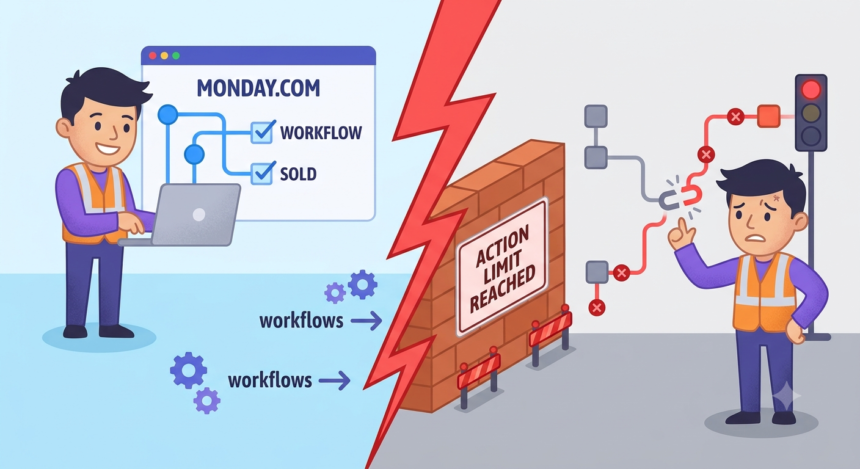

I want to start with a number. Two hundred and fifty. That is how many automation actions a Standard plan account on Monday.com1 gets every month, according to the company’s own support documentation. Two hundred and fifty sounds like a lot until you remember what an action actually is. Moving one item counts. Sending one notification counts. Assigning one person counts. A single new client landing on a twelve-person marketing agency’s board, the kind of onboarding sequence Monday.com sells in every demo video, can eat through a dozen actions before lunch. Multiply that by a busy month and the number stops sounding generous. It starts sounding like a trap.
This is a story about what happens when a company builds its entire pitch around “no-code automation” and then meters that automation like a utility bill, with a shutoff valve nobody can see until the lights go out.
The Pitch Versus the Plumbing
Monday.com sells itself as the tool that lets non-technical teams stop doing repetitive work by hand. Set a rule. When status changes to Done, notify the client. When a form gets submitted, create a board item and assign an owner. The marketing language is seductive because the underlying idea is good. Everhour’s2 guide to the platform calls automations the thing that frees teams from manual updates when tasks are flying and deadlines are looming. That is the pitch.
The plumbing is different. Every one of those rules draws from a shared, finite pool of monthly “actions.” Monday.com3 support documentation confirms that Standard accounts receive 250 actions per month, full stop, and that this ceiling applies whether the automation runs inside the platform or reaches out to Slack, Gmail, or any other integration. Automation actions and integration actions draw from separate pools, but both are capped, and both can run out mid-month with no warning built into the workflow itself.
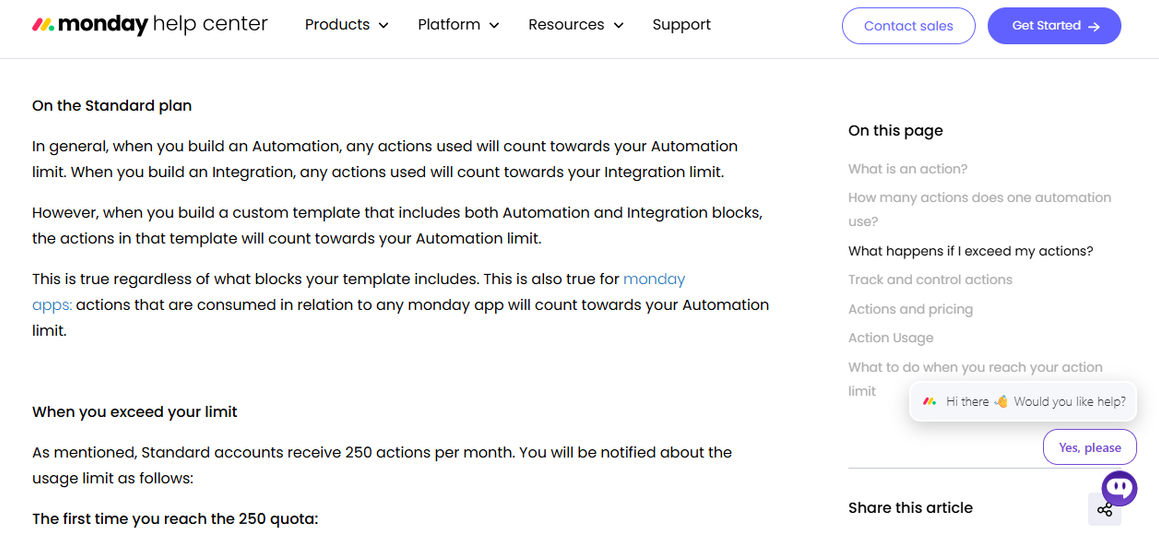
Here is the part that surprised me most while reporting this. Monday.com’s4 own pricing article states plainly that it is possible to use so many actions that you consume the current month’s limit and the following month’s as well, which means a team can start a new billing cycle already at zero. Imagine paying rent a month in advance only to find the landlord already spent it.
I read through dozens of threads on the official Monday.com community forum5 while researching this piece, and a pattern showed up again and again. Teams do not find out they have hit their action limit because Monday.com tells them clearly and in the moment. They find out because something downstream broke and somebody had to go looking for why.
One user, managing automation volume across a growing account, laid out the confusion plainly in a forum post asking whether the 250 or 25,000 action limit applies per account or per user as the team scaled from three people to ten. The math did not work in their favor. Adding headcount meant adding automation volume, but the action pool did not grow with it in any way the user could predict from the pricing page alone.
Another thread, titled plainly enough, asked for a notification when automations fail. The request came from a simple, common failure mode: an automation tries to send an email through a connected account, that account gets disconnected somewhere upstream, and the automation fails with no alert to the user at all. Nobody gets pinged. The task that was supposed to fire just doesn’t.
A third thread put it in the most human terms I found anywhere in this research. A team running automations across multiple workspaces and boards described watching several of them fail for no apparent reason. They rebuilt the automations from scratch, identically, and the rebuilt versions worked. The problem was never diagnosed. It was just quietly overwritten. The team only found out days later, when a colleague happened to notice something was missing.
That is the throughline of nearly everything I read. Not catastrophic failure. Quiet failure. The kind that costs you a week before you notice, and then costs you another few hours figuring out what actually broke.
The Silent Deactivation Problem
Monday.com’s support team has a name for one specific flavor of this. It is called automatic deactivation, and it happens more often than the marketing materials would suggest. According to the Monday.com’s6 own help article on the subject, an automation gets automatically deactivated when its target disappears. That could be a deleted group, a deleted board, a status label that got renamed, or a user who left the team and got removed from a private board.
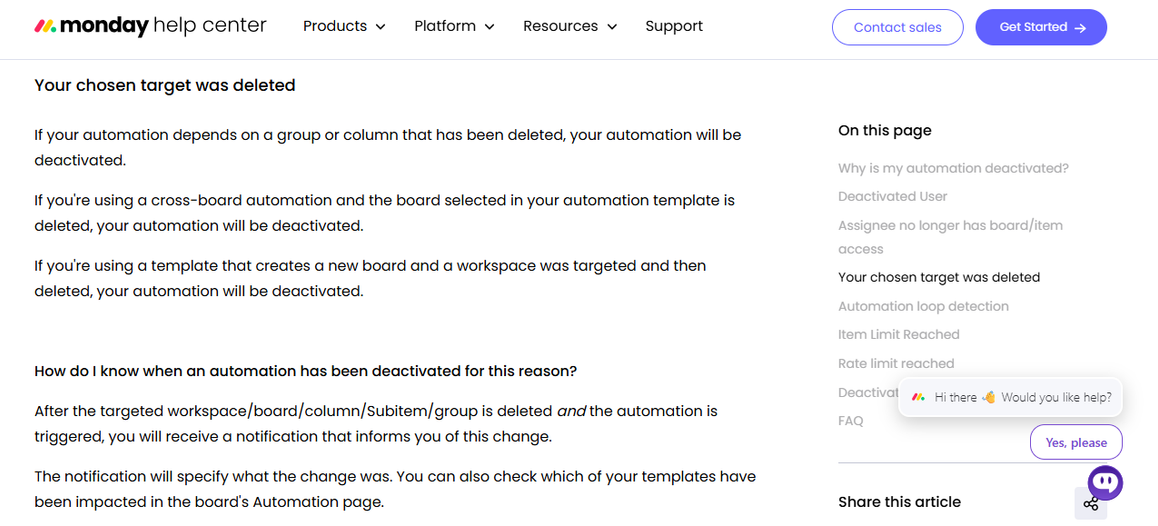
None of that sounds unreasonable on its face. Of course an automation that points at a deleted group can’t run anymore. What is unreasonable is what happens next, which is nothing. The consulting firm FlowFam, which specializes in fixing exactly this kind of breakage for clients, documented the pattern clearly. A “move item to group” automation pointed at a group that got cleaned up during a routine board reorganization. The result: the automation silently deactivated and stopped firing for weeks before anyone noticed. FlowFam’s7 own diagnosis is blunt. You won’t receive an alert. You have to go check the Automations center yourself, on a schedule, like checking smoke detector batteries in a house that never tells you when the battery dies.
I keep coming back to that phrase. You have to check. In a tool sold explicitly on the promise that you no longer have to check things by hand, the automation layer itself demands manual auditing to confirm it is still alive.
When the Limit Hits Mid-project, Not Mid-month
The timing of these failures is its own kind of cruelty. FlowFam’s writeup describes a common scenario in granular detail: a busy operations team running notifications, item creation rules, and daily reminders across a dozen boards. Everything works fine for weeks. Then, on the twentieth of the month, automations start randomly stopping across multiple boards, because the account has quietly burned through its monthly action allotment with eleven days still left on the calendar. There is no queue. There is no retry. The automation does not wait patiently for the new billing cycle. It just stops, and the operations team is back to doing by hand exactly what they built the system to avoid.
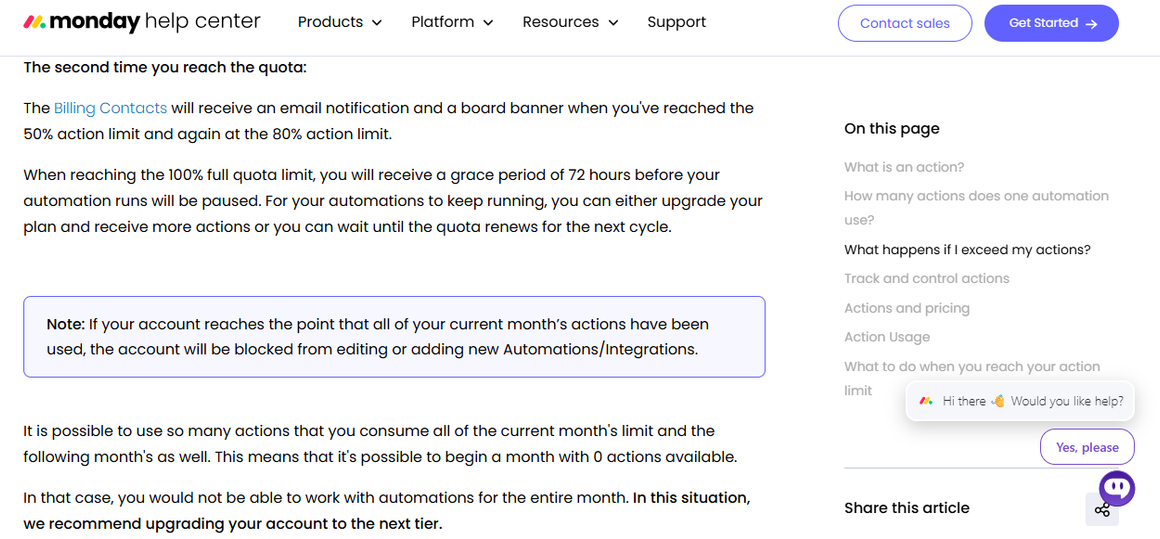
Monday.com’s8 own support material confirms the mechanics of this. When an account reaches 100 percent of its quota, there is a 72-hour grace period before runs pause, which sounds generous until you realize the grace period exists mainly to give you time to upgrade, not time to fix your workflow design. After that window closes, the account is blocked from editing or adding new automations entirely, not just running the ones that hit the ceiling.
Bulk operations make this worse in a way that feels almost designed to punish diligence. It is noted that importing something as ordinary as a two-thousand-row CSV can trigger two thousand “item created” automations almost simultaneously, which can blow through a rate limit or a monthly quota in a single afternoon of legitimate, necessary work. The reward for migrating your data properly, all at once, the way any sane consultant would tell you to do it, is getting your automations shut off before the migration finishes.
Here is a detail that stuck with me because it reveals something about how the product was built, not just how it fails. There is no safe way to test a Monday.com automation before it goes live. TaskRhino9, an automation consultancy that works inside the platform daily, put it as clearly as I have seen it put anywhere: when you test a “send email when status changes” automation, it sends a real email to a real person. There is no preview mode. There is no dry run. Competing platforms like Make, Zapier, and n8n all offer some form of test-before-you-trigger functionality. This gap has been requested in Monday.com’s own community forums for more than three years with no official response.
The workaround teams have invented is to build fake test boards with dummy data. It mostly works, until it doesn’t. If a test item accidentally connects to a real board, or a real person column, the test automation fires against an actual client or vendor. I do not think most people building on Monday.com are reckless. I think they are working inside a system that never gave them a safe place to make a mistake, so the mistakes happen live, in front of the people they were least meant to happen in front of.
Numbers and mechanics are one thing. What this actually costs people is another, and the clearest evidence of that lives in the reviews customers leave when nobody from the company is standing over their shoulder.
On G210, one reviewer described a specific and quietly devastating failure mode. Their team discovered that if a user gets deactivated from the workspace, and an automation tries to assign that now-gone user to a people column, the automation outright fails, with an error message too generic to explain what happened. They had to reverse-engineer the cause themselves. In their words, it was a niche case, but it still caused work items to get missed.
One user who left a positive review also had some complaints:
The main thing I dislike about monday AI Work Platform is that some AI features can take time to learn and set up properly. The AI results may also need manual checking and refinement, especially for complex tasks. It would be better if more advanced AI features were available with simpler setup and more flexible customization.
On the AWS Marketplace11 review page, one customer put the tradeoff about as honestly as I have seen anyone put it. Support is excellent, they said. But Monday.com “does break very frequently with automation, which does hurt our productivity when that happens.” The saving grace, in their account, was that the company at least notified them when it broke. Not everyone gets that courtesy, based on everything else I read.
Another user claimed:
I used Monday.com for years, and the software constantly glitched, causing me to lose hundreds of hours work and thousands of dollars.
Trustpilot12 tells a harsher version of the same story. One long-time user, five years into the platform, summed up their frustration this way: the product is overpriced, and “upgrades change too often so vital plug-ins stop working.” Another review, all capital letters and understandable fury, described eleven straight days in which a business could not create a deal or a quote inside the platform, support offering nothing but the same update on repeat, “developers are looking into this,” while the company’s sales team lost real money in real time.
One frustrated user remarked:
Honestly, just so sick and tired of paying for this and that at every turn. If you really want to use the platform in any meaningful way you have to use the pro version.
None of these are isolated cranks venting into the void. They are the predictable output of a system where the automation layer can fail invisibly, deactivate silently, and cap out mid-project, and where the burden of noticing, diagnosing, and fixing that failure falls entirely on the customer.
Why the Metering Model Exists At All
I do not think Monday.com built this system out of malice. I think they built it out of a pricing philosophy, and the philosophy has a logic to it even if the experience of living inside it does not feel logical. An action is, in the company’s own words, a main component of the pricing model. Every automation you build, every integration you connect, draws down a shared resource that is explicitly tied to your subscription tier. Monday.com’s13 Enterprise plan gets 250,000 actions a month for automations and another 250,000 for integrations. Standard gets 250. That gap is not an accident. It is the sales funnel, built directly into the plumbing of the product.
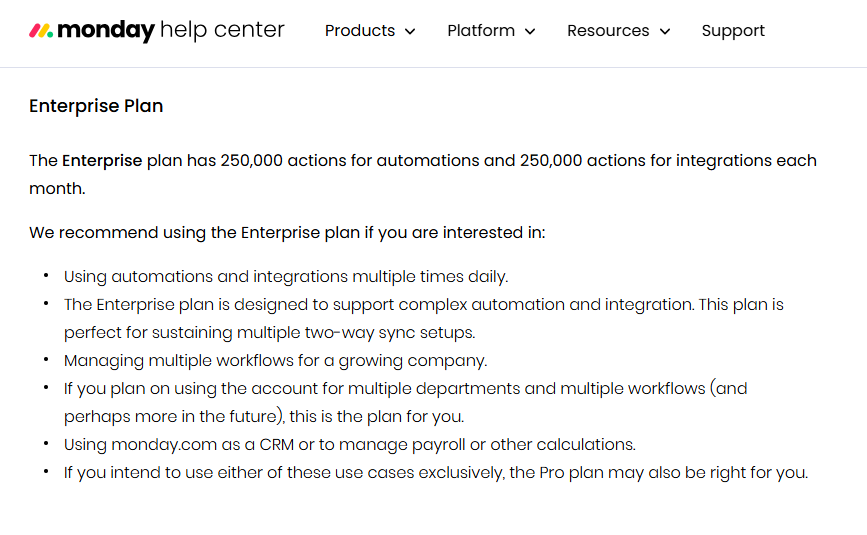
Consider what that structurally incentivizes. A team on Standard or Pro that automates well, that builds smart, cascading rules across boards the way the marketing material tells them to, is the team most likely to hit the ceiling. The reward for using the product as intended is running out of the product. The only paths forward, per Monday.com’s14 own support documentation, are to upgrade the plan or wait for the quota to reset. Only Enterprise customers can even purchase additional actions outside of a plan change. Everyone else waits, or pays.
I am not accusing anyone of bad faith here. Usage-based pricing is common across software, and Monday.com is transparent, at least in its documentation, about the fact that limits exist. The problem is not that limits exist. The problem is the gap between how confidently the product is marketed as hands-off automation and how much manual vigilance it actually demands to keep that automation alive. A tool that requires you to check a usage dashboard weekly, monitor an Automations center for silent deactivations, and rebuild broken recipes from scratch is not hands-off. It has just moved the manual labor from the task itself to the maintenance of the thing that was supposed to replace the task.
The response from experienced users has been to build a shadow layer of vigilance around the product. Consultants recommend setting alerts at 80 percent of quota utilization, an idea echoed by multiple implementation guides, because Monday.com’s own email warnings, sent at 50, 75, and 100 percent, often arrive too late to change course mid-project. Teams are told to audit which automations burn the most actions and consolidate redundant status flips into single, decisive triggers rather than long chains that each fire separately. Some organizations route their highest-volume, most complex logic through third-party platforms like Make or Zapier instead of Monday.com’s native automation engine, essentially building around the very feature the platform is famous for.
That last point is the one that lingers with me. When power users of a workflow tool start systematically avoiding that tool’s flagship feature for anything complex, and routing it through a competitor’s infrastructure instead, that is not a minor UX complaint. That is a vote of no confidence cast with actual engineering time.
The Deeper Problem
Automation is supposed to be invisible in the good way. It should disappear into the background and simply work, the way electricity disappears into the wall until you flip a switch. What I found, reading through years of forum threads, support tickets, and reviews, is a product where automation disappears into the background in the bad way. It fails quietly. It deactivates without asking. It runs out without warning at whatever moment happens to be least convenient, which, because Murphy’s Law does not respect billing cycles, is usually the middle of something that actually mattered.
The people most frustrated by this are not the people who dabble. They are the power users, the operations managers, the twelve-person agencies running client onboarding at scale, the exact customers Monday.com’s own case studies love to showcase.
I don’t think the fix here is complicated, even if it isn’t cheap for Monday.com to build. Real-time failure alerts. A genuine sandbox mode that doesn’t email real clients during a test. Usage visibility that updates before the crisis, not after. Grace periods long enough to actually plan around instead of just long enough to justify an upsell email. None of that is exotic. Competitors already do versions of it. What Monday.com has built instead is a product that asks its customers to trust automation with one hand while quietly demanding they babysit it with the other.
That gap, between the promise on the landing page and the maintenance burden in the Automations center, is the real story here. Not that Monday.com breaks sometimes. Every platform breaks sometimes. It’s that when Monday.com breaks, it tends to do so in silence, and silence is the one failure mode no automation tool should ever be allowed to have.
I have spent a lot of time this year writing about platforms that quietly shift risk onto the people least equipped to absorb it. Gig drivers whose pay algorithms change without notice. Sellers whose reserves get frozen without explanation. Freelancers whose accounts get flagged by a system nobody can see inside. Monday.com is not that kind of story exactly. Nobody’s paycheck depends on an automation firing correctly. But the pattern underneath is familiar. A company builds a system, prices access to that system by volume, and leaves the burden of noticing when the system fails entirely on the customer’s side of the relationship. The customer pays either way. They pay in subscription fees when things work, and they pay in lost hours, missed deadlines, and quiet client embarrassment when things don’t. The only party guaranteed not to feel that second cost is the platform itself.
That asymmetry is worth naming plainly, because it rarely gets named in the onboarding call or the sales deck. Nobody demoing Monday.com to a prospective twelve-person agency walks through what happens on day twenty of a heavy month when the automations just stop. Nobody shows the Automations center usage tab as a required weekly stop on the calendar. Those lessons get learned the hard way, one broken workflow at a time, usually by whoever happens to notice first that something isn’t firing anymore. Until Monday.com decides that silence is the actual problem and not just an acceptable side effect of a metered pricing model, that lesson will keep getting relearned by a new customer every single month.
Sources
- Monday.com, support.monday.com/hc/en-us/articles/360017556179-Automation-and-Integration-actions-and-limits. Accessed 22 Sept. 2026. ↩︎
- Maria. “Monday Automations: Best Recipes, AI Features & Troubleshooting Guide” 9 Sept. 2025, everhour.com/blog/monday-automations/. Accessed 22 Sept. 2026. ↩︎
- Monday.com, support.monday.com/hc/en-us/articles/360017556179-Automation-and-Integration-actions. Accessed 22 Sept. 2026. ↩︎
- Monday.com, support.monday.com/hc/en-us/articles/360017556179-Automation-and-Integration-actions-and-limits. Accessed 22 Sept. 2026. ↩︎
- “The official monday.com community:” Monday.com, community.monday.com/. Accessed 22 Sept. 2026. ↩︎
- Monday.com, support.monday.com/hc/en-us/articles/360010415679-Why-is-my-automation-deactivated. Accessed 24 Sept. 2026. ↩︎
- Paul. “monday.com Automation Not Triggering: Causes and Fixes” FlowFam, 9 Mar. 2026, flowfam.co/monday-com-automation-not-triggering-why-it-happens-and-how-to-fix-it/. Accessed 24 Sept. 2026. ↩︎
- Monday.com, support.monday.com/hc/en-us/articles/360017556179-Automation-and-Integration-actions-and-limits. Accessed 24 Sept. 2026. ↩︎
- Patel, Rakesh. “monday.com Workflow Automation: Boost Team Productivity” www.taskrhino.ca/blog/monday-com-workflow-automation/. Accessed 24 Sept. 2026. ↩︎
- “G2.Com” g2.com/products/monday-com-monday-com/reviews/monday-com-review-4732592. Accessed 24 Sept. 2026. ↩︎
- “Monday.Com Work Management” aws.amazon.com/marketplace/reviews/reviews-list/B09W84CQB3?page=894. Accessed 24 Sept. 2026. ↩︎
- Trustpilot, www.trustpilot.com/review/www.monday.com?page=9. Accessed 24 Sept. 2026. ↩︎
- Monday.com, support.monday.com/hc/en-us/articles/360002826680-Automations-and-integrations-pricing. Accessed 24 Sept. 2026. ↩︎
- Monday.com, support.monday.com/hc/en-us/articles/360017556179-Automation-and-Integration-actions-and-limits-. Accessed 24 Sept. 2026. ↩︎