

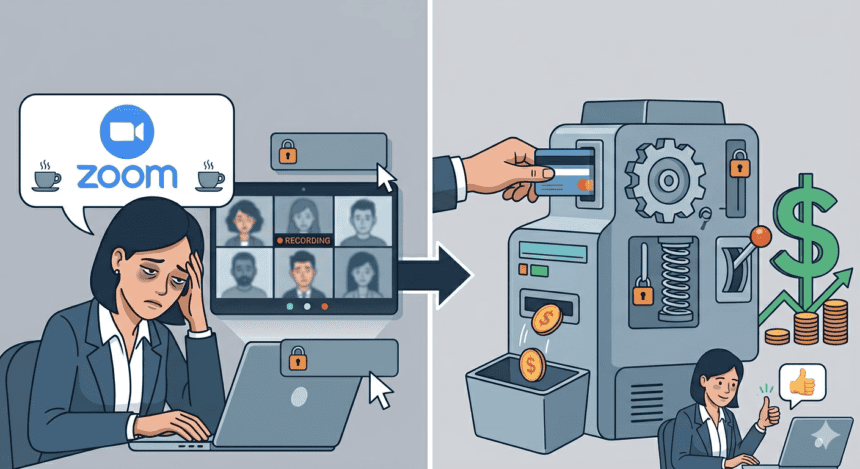

There is a particular moment that everyone who works remotely knows. It comes around 4 p.m. on a Tuesday. You have been on calls since nine in the morning. The little camera icon glows at you. Your face, reflected back in that thumbnail square, looks like a stranger’s. Your brain hums with something that is not quite thought. Zoom calls the solution to this moment, AI Companion. Zoom also calls it a premium feature. To really use it, you need to pay more.
That is the story I want to tell: not just that video calls make people tired, because we knew that already. The story is what the company selling you those calls is doing about your exhaustion, and more importantly, how it is profiting from the moment you are too drained to push back.
The Fatigue That Built a Business
I started thinking seriously about this after coming across a story from an anonymous user. She told that her company runs twelve scheduled Zoom calls per week per employee, across three time zones. “By Thursday afternoon,” she said, “people are just bodies on screen. Nobody is actually thinking.” She had read somewhere that camera-on meetings were worse, so she started asking people to turn their cameras off. Her manager told her it looked unprofessional.
Her experience matches what researchers have found. A study published in the Journal of Applied Psychology1 found that the number of hours employees spent on camera was directly tied to fatigue, not just the number of hours spent in virtual meetings overall. It was camera time that drained people, not meeting time. The implication is both obvious and overlooked: the camera is a physiological burden that most enterprise meeting cultures treat as a social nicety.
The Stanford Virtual Human Interaction Lab2 went further, with communications professor Jeremy Bailenson identifying four specific mechanisms behind the exhaustion: excessive close-up eye contact, dramatically reduced mobility compared to in-person meetings, seeing your own face constantly, and the cognitive load of continuously transmitting and decoding nonverbal cues across a compressed digital channel. In short, video conferencing is physically hard. Your brain is doing more work than it looks like.
There is good news buried in the research, though it comes with caveats. A 2024 study from Johannes Gutenberg University Mainz3, published in the same journal, found that people had adapted. The researchers studied 125 workers across 945 meetings and found that video meetings under 44 minutes were actually less exhausting than in-person ones. Zoom fatigue, the study suggested, may have been as much a symptom of pandemic lockdowns as it was a symptom of the technology itself.
“People were missing their old way of life, their social contacts, and were no longer enjoying their work,” lead author Hadar Nesher Shoshan told reporters.
That nuance matters. But it should not obscure what happened in the years of peak Zoom fatigue, which were also the years of peak Zoom growth, and it should not distract us from what the company built in the shadow of that exhaustion: a monetization architecture designed to sell relief.
From Pandemic Lifeline to Enterprise Lock-In
Zoom’s rise is one of the stranger stories in corporate technology. A company that was largely a niche enterprise tool in 2019 became, almost overnight, a verb. According to Monetizely4, daily meeting participants jumped from 10 million in December 2019 to over 300 million by April 2020. Revenue leaped from $622.7 million in fiscal year 2020 to $2.65 billion in fiscal year 2021, a 326 percent increase. The market cap peaked at $159 billion in October 2020. These numbers are not just extraordinary. They are the product of a global crisis that left hundreds of millions of people with no other option.
I find it instructive to look at what Zoom did during that period with its pricing. It resisted raising rates. CEO Eric Yuan spoke publicly about removing barriers to communication during an unprecedented time. The company offered free access to schools. It was genuinely good behavior in a moment of widespread suffering, and worth acknowledging. But it was also a strategy. Every school district, every law firm, every hospital system that normalized Zoom during the pandemic became a potential enterprise account when the world reopened. As Forrester analyst Art Schoeller5 put it plainly,
“Zoom is executing a classic enterprise SaaS playbook, using the pandemic-driven name recognition to expand upmarket while managing the inevitable churn at lower tiers.”
Post-pandemic, the strategy sharpened. SaaStr6 reported that Zoom’s $100,000-plus enterprise customers grew 46 percent year-over-year, even as growth among small businesses stalled. The company moved decisively upmarket. And as it did, it began building something that would prove highly profitable: a tiered feature architecture that makes burnout relief a commercial proposition.
The Paywall Architecture of Relief
Here is the thing about Zoom’s feature structure that I cannot stop thinking about: the tools most designed to reduce the cognitive burden of video meetings are the ones that cost the most money.
Take transcription. Automatic meeting transcription, the ability to have your call converted to searchable text rather than forcing you to frantically take notes while also trying to think, is perhaps the single most practical tool for reducing the toll of back-to-back meetings. You can stop paying attention. You can trust the record. Except, as Brass Transcripts7 confirms, automatic transcription is only available on Business and Enterprise plans. The Business plan runs roughly $199.90 per user per year. Zoom Pro, at $149.90 per user per year, does not include it. The free tier certainly does not.
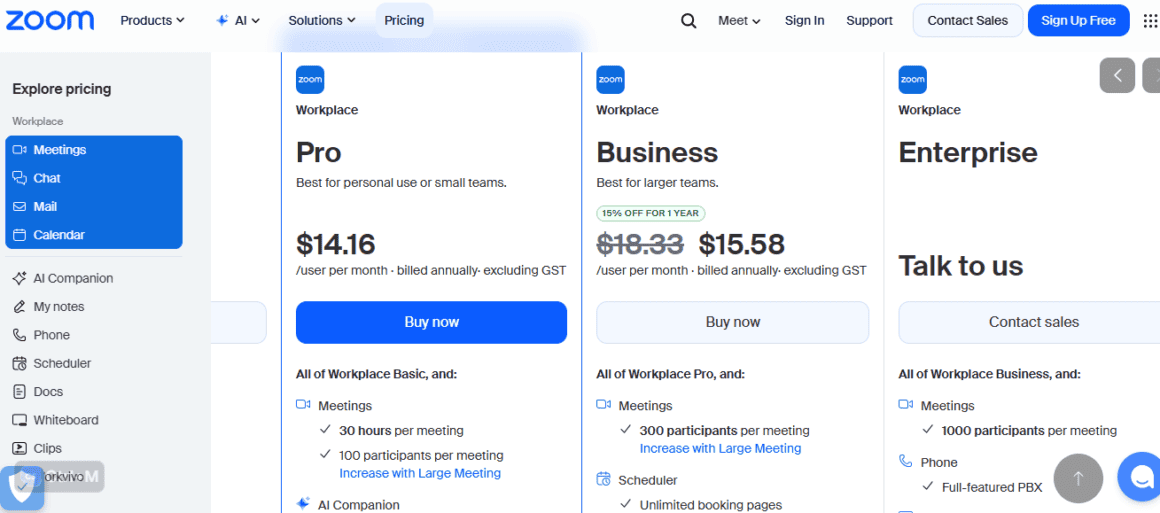
Zoom’s AI Companion, which can generate meeting summaries, identify action items, draft follow-up communications, and answer questions about what was discussed, sits a tier above that again. The official line, which Zoom repeats proudly, is that AI Companion is included at no extra cost with all paid Zoom Workplace plans. This framing is accurate but demands scrutiny. “Paid Zoom Workplace plans” begin at the Pro tier. If your organization decided, as many small ones did during the pandemic, to stay on the free plan because the meeting cap was acceptable, you do not get AI Companion. If you are on Pro but your company operates in a region where AI Companion has not yet fully rolled out, you may not get it either. And the more advanced AI features, including custom AI persona, integration with internal knowledge bases, and personalized employee coaching, are restricted to enterprise-tier accounts that must negotiate pricing directly with Zoom’s sales team.
Burning Bright, Paying More
Let me say clearly what the business model is. Zoom, like most SaaS companies operating at enterprise scale, sells tiers. The tiers go up in price as they go up in usefulness. This is not unusual. But Zoom’s position is unusual because the thing it sells, video meetings, generates the condition that its premium features claim to solve. Zoom fatigue creates demand for Zoom’s expensive anti-fatigue features. The platform creates the problem and then monetizes the solution.
I do not say this with the expectation that Zoom is deliberately engineering exhaustion. That would be a conspiratorial reading of what is really a structural reality. But the structural reality is important. According to Ainvest8, Zoom now commands roughly 56 percent of the global video conferencing market and generates over $4.5 billion in annual revenue. Seventy percent of Fortune 100 companies are customers. The company describes its platform as a “system of action.” The action it is most systematically taking, at the moment, is selling AI on top of meetings that humans are too tired to process.
On another thread from around 2020, one commenter wrote something that has aged remarkably well:
“The real power of digital communication is that it is searchable, remixable and that you don’t need to be at a specific place at a specific time to take part, and yet we now all have slots in our calendar requiring us to be in something that has none of those benefits. This is an anti-pattern.”
That anti-pattern is what Zoom sells. The tools that would partially restore those lost benefits are sold as premium add-ons.
The burnout numbers support this framing. A Medium9 cited in a recent analysis of AI tools in the workplace found that “digital exhaustion has jumped to 84 percent” among workers, with “workloads unmanageable for 77 percent,” even as 70 percent are now using AI weekly. A Harvard Business Review-backed study10 found that at one U.S. technology company, AI-assisted workers “worked at a faster pace, took on a broader scope of tasks, and extended work into more hours of the day, often without being asked to do so.” The AI was not reducing its workload. Employers were consuming the productivity gains as additional output. The researchers warned that this trajectory leads to “fatigue, burnout, and a growing sense that work is harder to step away from.”
The Cost Comparison Nobody Runs
There is a practical dimension to this that rarely gets discussed honestly: for many enterprises, Zoom is not actually the cheapest option for doing what it does. The comparison that matters most is against Microsoft Teams, and that comparison is humbling for Zoom.
For any organization already running Microsoft 365, which means most large enterprises in the world, Teams is effectively included. The video conferencing you need comes at no additional marginal cost. Teams Essentials starts at $4 per user per month as a standalone product. Zoom’s minimum paid tier runs $13.33 per user per month. Zoom’s Business plan, the one where transcription is included, runs $18.33 per user per month. For an enterprise with 500 employees, the annual difference between the two platforms at comparable feature levels can run into hundreds of thousands of dollars.
The AI feature gap is equally stark. Microsoft’s Copilot costs an additional $30 per user per month on top of any subscription, which is genuinely expensive. Zoom’s AI Companion is included in paid plans at no extra cost, which is the right call and worth crediting. But the baseline plan cost differential means you may well be paying more in total for Zoom than you would for Teams with Copilot, depending on your headcount and existing software agreements.
I ran this math for a hypothetical 200-person company currently on Zoom Business. Annual Zoom cost: roughly $440,000. Annual Microsoft 365 Business Premium cost, which includes Teams and access to Copilot: roughly $264,000. That is a $176,000 annual gap, and it does not account for the integrations, the storage, the document collaboration tools that come with the Microsoft bundle. Zoom’s pitch, that it offers superior video quality and a better meeting experience, has merit on its own terms. But “better video” is a thin justification for a six-figure annual premium in a world where video quality has become a commodity.
Zoom’s latest quarterly earnings told the same story from the other direction. Enterprise net dollar expansion fell to 98 percent, meaning existing enterprise customers are spending slightly less with Zoom than they did the year before. Online monthly churn ticked up. Revenue growth decelerated. Management flagged lengthening sales cycles. Microsoft Teams’ bundling advantage, which Zoom’s own leadership acknowledged openly, is compressing Zoom’s room to maneuver.
What the Workers Actually Want
I spent some time in professional communities online reading what actual knowledge workers say about this, and the consistent theme is not that people hate Zoom. Most of them use it without much complaint. What they hate is the combination of meeting culture, camera-on policies, and paywalled relief.
On various professional forums, the complaints tend to cluster around a specific frustration: features that feel basic get locked behind upgrade prompts. The 40-minute cutoff on the free tier forces awkward breaks in conversations. Transcription, which people working in fast-paced environments genuinely need, is only available once you pay up. The AI summary they heard about from a colleague at a company with a bigger budget is not available on their organization’s plan. One verified Capterra11 reviewer from November 2025 put it directly:
“We use Phone, Video Conferencing, Zoom Rooms and digital signage. As we don’t use the chat, email or storage functions this makes it feel like we are paying for a lot of things we don’t need.”
This is the other side of the paywall problem. The tiering does not just withhold useful features from the people who need them. It bundles useful features with irrelevant ones, forcing enterprises to buy whole platform suites when they just wanted the transcription to work. The cost of access rises faster than the value delivered.
A 2022 Atlassian12 report cited a worker who left a job she otherwise loved, with people she respected, doing work she found meaningful, because of the unrelenting meeting load. “I agonized over leaving,” she wrote. “But in the end, I just couldn’t take the constant stream of video calls.” That is not a productivity story. That is a talent story. The cost of that churn, when multiplied across an enterprise, almost certainly exceeds whatever the company saved by not upgrading its Zoom plan to include meeting summaries.
The AI Companion Paradox
In March 2026, Zoom announced a fresh wave of AI features under the Zoom Workplace banner, including what it calls AI Companion 3.0. The press release described it as bringing “greater flow and connection to the workday,” reducing friction, and helping teams stay focused. Shawn Rolin13, Zoom’s general manager for Zoom Workplace, said:
“By integrating AI directly into the flow of work, we’re helping teams move faster, communicate more naturally, and stay focused on outcomes that drive their business forward.”
This is probably true. AI-assisted meetings are genuinely better than unassisted ones for people who need to cover a lot of ground quickly. The problem is that Zoom is simultaneously commissioning surveys to prove that AI tools help workers take real lunch breaks and reclaim their afternoons, while those same AI tools require paid plan access that many of the most burned-out workers, the freelancers, the employees at companies with tight IT budgets, and the small teams still on the free tier simply do not have.
Zoom’s14 own Take Back Lunch survey found that 76 percent of workers already using AI tools say those tools save them at least 30 minutes per day. The implied message is that the solution to burnout is the AI Companion. The unstated premise is that you need to upgrade to access the AI Companion. The survey was, to be direct about it, a marketing document designed to create purchase intent among people experiencing work exhaustion.
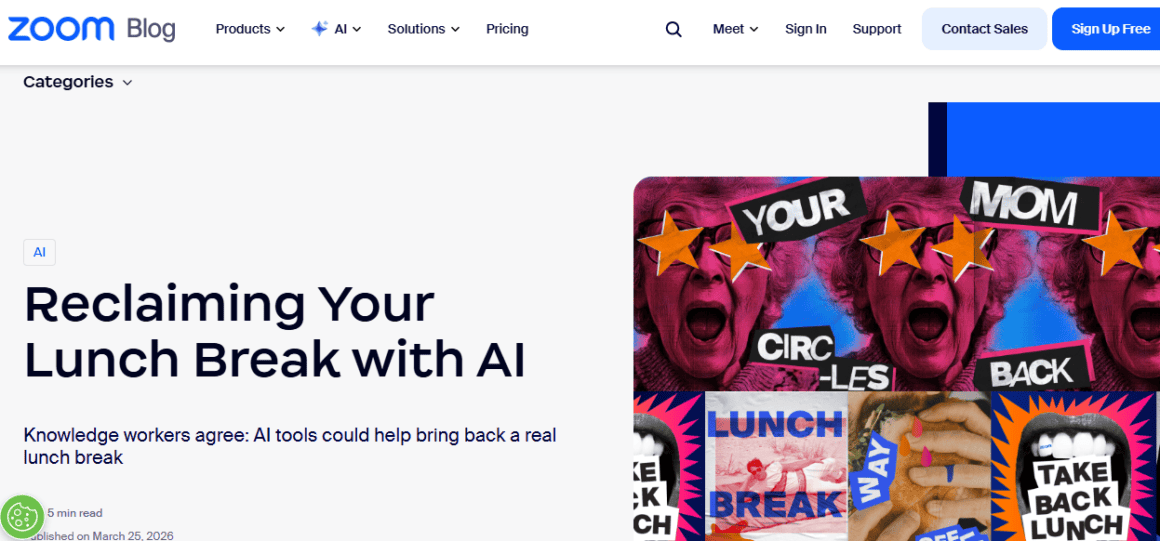
That is not a scandal. Companies commission surveys to sell things. But it is worth naming clearly: Zoom is measuring the pain it helps create and then advertising the premium remedy.
The Structural Question
I want to be fair to Zoom here. The company did not invent meeting culture. It did not tell companies to schedule twelve video calls a week. It did not mandate camera-on policies. It built a video conferencing tool that worked when everything else failed, and that is genuinely worth something. The exhaustion that people feel on Zoom calls is not primarily Zoom’s fault. It is organizational behavior, manager culture, and a remote-work transition that nobody was adequately prepared for.
But Zoom did build a pricing architecture that places the most humane features behind the highest commercial walls. And it is doing so in a market where meeting fatigue research from Nature15 shows that fatigued meeting participants are more likely to simply agree with the majority rather than contributing their actual thinking. The cognitive toll of meetings is not just a wellness issue. It is a decision-quality issue. Organizations are literally making worse decisions because their people are too tired from video calls to think straight, and the tools designed to mitigate that toll are the expensive ones.
The Computer Weekly analysis of Zoom’s AI strategy noted that MIT research suggests the highest return on AI investment typically comes from back-office automation, not front-office communication tools. Yet Zoom is concentrating its AI development precisely on the communication layer, because that is where the upsell opportunity lives. The features that would generate the most measurable business value are, by Zoom’s own product roadmap, not the priority. The features that are easiest to price and sell are.
From a pure business standpoint, this is rational. Zoom needs to grow. It is running out of room at the bottom of the market. The enterprise tier is where the money is. AI features are the most defensible premium offering in the current technology moment. The company is doing what publicly traded technology companies do, which is to optimize for revenue expansion in the segment with the highest willingness to pay.
From a worker’s standpoint, it is something else. It is a tool that benefits the most from your exhaustion, being the same tool that charges the most to relieve it.
What Comes Next
The scenario I see playing out, based on where Zoom’s financials are pointing and where the competitive landscape is moving, is a continued push upmarket combined with increasing pressure from Microsoft’s bundle. Zoom knows it cannot compete on price with Teams for organizations already in the Microsoft ecosystem. So it is competing on experience, on AI quality, on the value of “being a Zoom shop” as a distinct cultural and operational choice.
That competition will probably accelerate the paywall trend. If Zoom’s best argument is that its AI is better than Microsoft’s and that its meeting experience is superior, it needs to keep those features premium enough to justify the price gap. The AI Companion will get more capable, and the most capable version of it will cost more. The Revenue Accelerator will add features, and the negotiated pricing will go up. The basic transcription will probably stay where it is, available on Business but not below, because moving it to Pro would reduce the upgrade incentive.
For workers, the practical advice is depressingly simple: if your company is paying for Zoom at any tier below Business, it is paying for the medium that creates fatigue without paying for the features designed to reduce it. The gap between what the free and Pro tiers offer and what the Business and Enterprise tiers offer is not marginal. It is the difference between a tool that records what happened in your meeting and a tool that actually helps you work less hard in your meeting.
The larger structural advice is harder. Meeting culture is an organizational problem, not a software problem. No amount of AI summary generation will fix a company that schedules six hours of video calls per day per person. The Indeed16 analysis of Zoom fatigue interventions found that the most effective tools are not technological: they are a ten-minute buffer between meetings, camera-optional policies, consolidated meeting blocks with protected deep-work time. These cost nothing. They require only organizational will.
But organizational will is hard. Software upgrades are easy. Which is, in the end, why the paywall business model works.
I keep coming back to the moment I described at the start. The late-afternoon blur of the fourth hour of video calls. The face in the thumbnail doesn’t look like yours anymore. Zoom did not invent that moment. But Zoom did look at that moment and decide it was a feature opportunity.
In the previously mentioned Nature17 study on conformity in online meetings, researchers found that fatigued participants were significantly more likely to simply agree with whatever the majority said, regardless of their actual opinion. “Just say yes and agree with the majority, and the discussion will find an end,” the researchers wrote, describing the internal logic of an exhausted meeting participant. That passivity is costly for organizations. Ideas go unspoken. Dissent evaporates. Decisions calcify around whoever had the energy to advocate.
The cure for that passivity is shorter meetings, better meeting design, fewer mandatory cameras, and yes, AI tools that reduce cognitive load. The cure is available. It costs extra.
Sources
- “What’s at the Heart of ‘Zoom Fatigue’” 11 Aug. 2022, www.pcma.org/zoom-fatigue-causes-new-research/. Accessed 5 Apr. 2026. ↩︎
- Laoyan, Sarah. “Tips to stop feeling drained after your video calls [2026]” asana.com/resources/videoconferencing-fatigue. Accessed 6 Apr. 2026. ↩︎
- Cordis. “Is it time to say goodbye to Zoom fatigue?” CORDIS, 9 Oct. 2025, cordis.europa.eu/article/id/461151-is-it-time-to-say-goodbye-to-zoom-fatigue. Accessed 5 Apr. 2026. ↩︎
- “How Zoom’s SaaS Pricing Strategy Evolved During COVID-19: A Case Study” Monetizely Inc, 18 July 2025, www.getmonetizely.com/articles/how-zooms-saas-pricing-strategy-evolved-during-covid-19-a-case-study. Accessed 6 Apr. 2026. ↩︎
- “How Zoom Navigated from COVID Boom to Post-Pandemic Pricing Reality” 4 Aug. 2025, www.getmonetizely.com/articles/how-zoom-navigated-from-covid-boom-to-post-pandemic-pricing-reality. Accessed 6 Apr. 2026. ↩︎
- Lemkin, Jason. “5 Interesting Learnings from Zoom at $4.3B in ARR” SaaStr, 8 June 2022, www.saastr.com/5-interesting-learnings-from-zoom-at-4-3b-in-arr/. Accessed 6 Apr. 2026. ↩︎
- Team, BrassTranscripts. “Free Zoom Transcription: 5 Methods That Actually Work” BrassTranscripts, 5 Nov. 2025, brasstranscripts.com/blog/free-zoom-transcription-5-methods-that-work. Accessed 6 Apr. 2026. ↩︎
- “Zoom’s AI-Driven Growth and SaaS Resilience in a Slowing Market” www.ainvest.com/news/zoom-ai-driven-growth-saas-resilience-slowing-market-2508/. Accessed 6 Apr. 2026. ↩︎
- Medium, medium.com/@brain1127/the-burnout-paradox-of-ai-why-productivity-tools-are-exhausting-knowledge-workers-62195f15d8c0. Accessed 6 Apr. 2026. ↩︎
- Axios, 10 Feb. 2026, www.axios.com/2026/02/10/ai-chatgpt-claude-jobs-productivity. Accessed 6 Apr. 2026. ↩︎
- Capterra, www.capterra.com/compare/144037-168668/Zoom-Video-Conferencing-vs-Microsoft-Teams. Accessed 6 Apr. 2026. ↩︎
- Waldbieser, Jill. “Science just confirmed what you already knew: Zoom fatigue is real” Work Life by Atlassian, 11 June 2021, www.atlassian.com/blog/teamwork/science-just-confirmed-what-you-already-knew-zoom-fatigue-is-real. Accessed 6 Apr. 2026. ↩︎
- Zoom News, news.zoom.com/ec26-zoom-workplace/. Accessed 6 Apr. 2026. ↩︎
- “Reclaiming your lunch break with AI” Zoom, 25 Mar. 2026, www.zoom.com/en/blog/reclaiming-your-lunch-break-with-ai/. Accessed 6 Apr. 2026. ↩︎
- Masjutin, Lisa. “Fatigued individuals show increased conformity in virtual meetings” Scientific Reports, 30 May 2025, www.nature.com/articles/s41598-024-69786-6. Accessed 6 Apr. 2026. ↩︎
- “How to Help Employees Avoid Zoom Fatigue (With 5 Tips)” www.indeed.com/hire/c/info/zoom-fatigue-ways-to-help-employees-avoid-it. Accessed 6 Apr. 2026. ↩︎
- Masjutin, Lisa. “Fatigued individuals show increased conformity in virtual meetings” Scientific Reports, 30 May 2025, www.nature.com/articles/s41598-024-69786-6. Accessed 6 Apr. 2026. ↩︎





Detaylı açıklama için emeğinize sağlık. Özellikle detaylı bakış açısı hoşuma gitti.