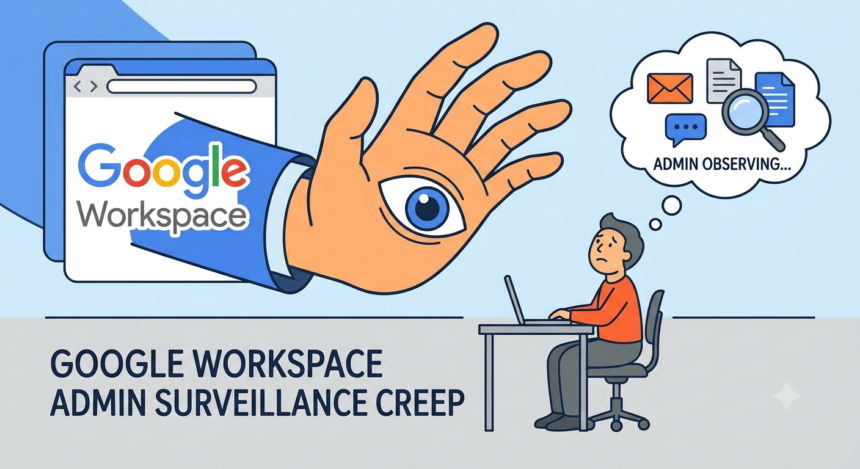

I wrote this piece in Google Docs. My editor will read it in Gmail. Somewhere between those two facts sits a person with a title like IT Manager or Head of Systems who can, if they choose, see every draft I saved and discarded before I found the right lede. That person did not need my password. They did not need a warrant. They needed an admin seat and a few minutes in a dashboard called the Admin console.
This is the quiet architecture of modern work. Google Workspace runs the back office of something like three billion users worldwide, and a meaningful share of them are employees who never opted into anything resembling surveillance. They opted into email. What they got, layered in over a decade of feature releases, is a monitoring system so broad that most of the people living inside it do not know its edges.
What the Console Actually Shows
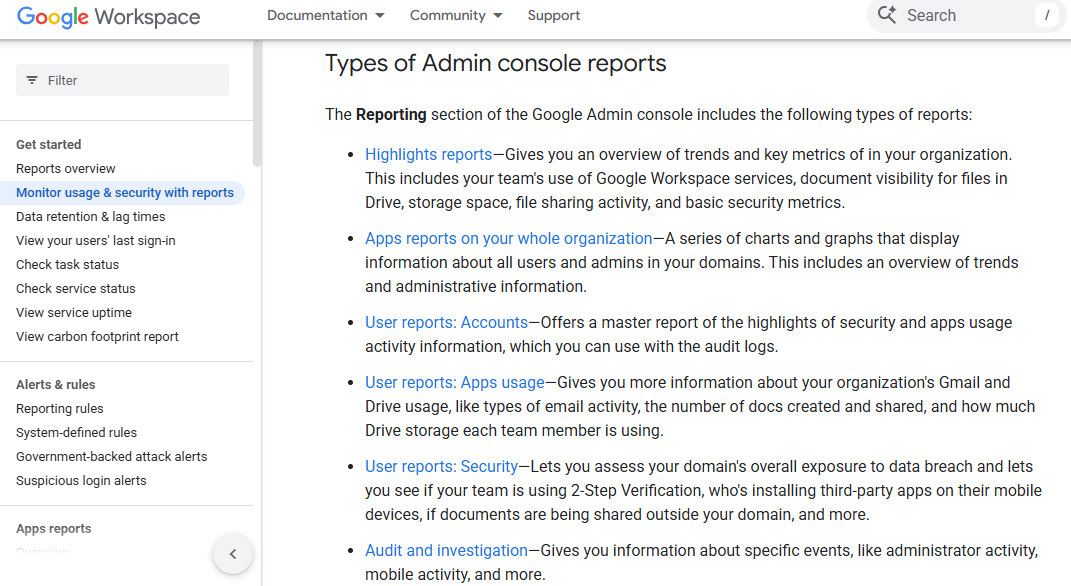
Start with the plain version, the one Google1 puts in its own help pages. The Admin console’s reporting section includes an audit and investigation tool that gives administrators information about specific events, including “administrator activity, mobile activity, and suspicious login attempts”. There are also usage reports covering document visibility, storage, and file sharing activity across the whole organization.
That sounds like IT hygiene, and often it is. A company needs to know if someone shared a client spreadsheet with the wrong domain. But the framing matters. Google’s2 own admin marketing page pitches this as a way to help IT teams achieve what it calls 10x administrator efficiency, unlocking automation and control across an entire domain from one interface. Efficiency for the admin is visibility into the worker. Those are the same feature, described from two different chairs.
Where it stops being hygiene and starts being something else is a matter of degree, and degree is exactly what most employees cannot see from where they sit. A blog written for IT consultants lays out the honest version of what Workspace itself will not touch. The Admin Console audit logs record who accessed which file and when someone signed in, but they do “not record everything happening on the device outside Google’s app ecosystem”, things like non-Google software, websites visited outside the Google stack, and idle time. Read that sentence twice. It is not reassurance. It is a map of the gap that a whole industry has built products to fill.
Vault Remembers What You Meant to Delete
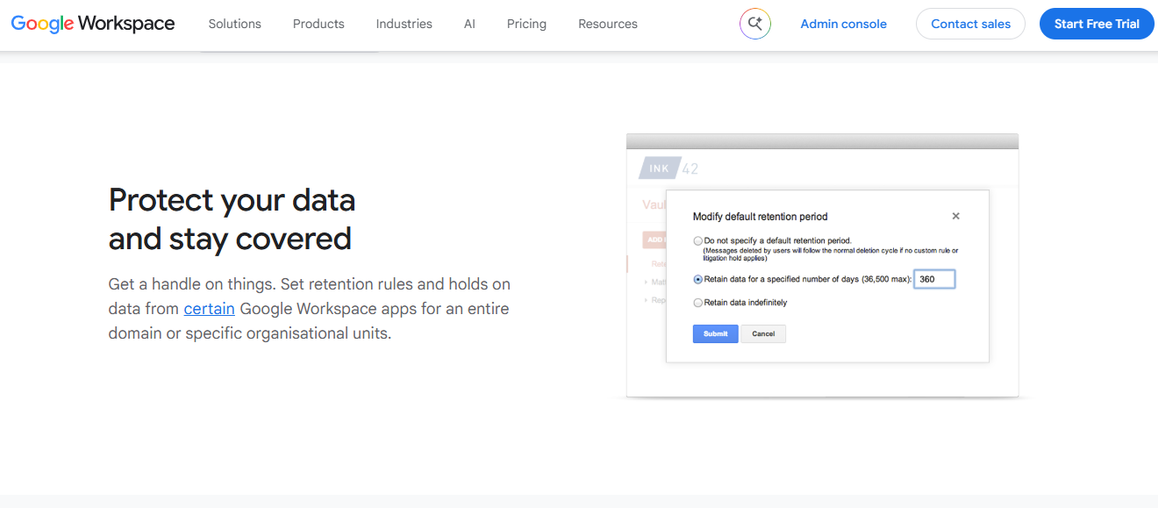
If the reporting dashboard is the visible layer, Google Vault is the one most workers have never heard of until it matters. Vault is Google’s built-in eDiscovery and retention tool, designed to preserve, search, and export data from Gmail, Drive, Chat, and Voice. Google’s3 own product page describes it as a way to “set retention rules and holds on data from certain Google Workspace apps for an entire domain or specific organizational units”, and to retrieve information even from accounts that have already been suspended.
The detail that stops people cold, once they learn it, is the drafts. Keeping.com4 notes plainly that the tool saves unsent drafts, so that even if you composed something and never hit send, your “employer will still be able to view it when they search Vault”. Think about what that means in practice. The angry email you wrote at midnight and deleted before morning. The résumé cover letter you started and abandoned. None of it necessarily disappears the way you think it does, provided Vault is switched on and holding your account.
Vault holds are usually framed around litigation, and often they are exactly that: a company preserving records ahead of a lawsuit or a regulatory inquiry. Legal teams describe placing a “matter” in Vault, tying custodians to it, and applying holds that can run for months or years. One recent analysis by Factually5 even walks through how Vault’s reach now extends to a new frontier, noting that when a company deploys Gemini inside its Workspace tenant, an administrator with the right privileges can create a legal hold that “preserves employees’ Gemini conversations by creating a matter and applying holds or retention rules”. The AI assistant you chat with at your desk is not a private notebook. It is one more custodian in someone else’s matter.
None of this is secret, exactly. It is disclosed, in the sense that a EULA is disclosed. Whether it is understood is a different question entirely, and the forums suggest the answer is no.
I spent a few days reading through worker forums, the places people go when they cannot ask HR directly. Team Blind, the anonymous professional network popular in tech, is full of the kind of unresolved paranoia that surveillance creep produces. In one thread about whether Blind6 itself is truly anonymous, a user worried aloud about whether companies could use work email access to identify people “critical of management, and use that as a metric for targeting employees”.
The user added:
Feels like they could make a lot of money selling that kind of insight — and it could easily be used as a metric for targeting employees.
Another poster in the same thread pushed back, arguing the business model would collapse if that were true. Nobody in the thread actually knew. That uncertainty is the point. When workers cannot tell where the line sits, they self-police anyway, which is a cheaper outcome for the employer than any dashboard.
Another Blind7 thread, this one from a Google employee asking whether installing the work Gmail app on a personal iPhone carried risk, got an answer that split the difference between reassurance and warning.
The writer asked:
Will my private browsing be visible to employer (Google)? I am considering installing only the gmail app that comes with chat and google meet on my iPhone to be more responsive.
Multiple replies noted the company can see activity within its own app but that installing something like a calendar app carries no real exposure, while one commenter simply advised:
“Don’t mix business and pleasure because you are lazy.”
That is not a policy. That is folk wisdom standing in for one, because nobody wrote the actual policy down anywhere an employee could find it.
Zoom out from the tech-industry forums and the confusion is older than Gmail itself. A 2004 post from Stanford’s Center for Internet and Society, written back when Google first floated free email with ads targeted from message content, argued that workplace email monitoring predates any of this by decades. Cyberlaw8 recalled an office manager who would “drop little reminders to lawyers that he was reading their email”, treating the surveillance itself as a management tool, a way of keeping people quietly aware they were being watched without ever formalizing it. Twenty years later, the tool is a browser tab instead of a manager’s smirk, but the psychological mechanism, the ambient awareness that someone might be looking, has not changed. What has changed is the volume of what there is to look at.
A Market Built on the Gaps
Google will tell you, accurately, that the Admin console is built for compliance and device management, not for reading your diary. That framing is true and also beside the point, because an entire cottage industry exists specifically to do what Google’s tools do not. One product called MonitorWorkspace9 advertises itself directly to IT admins with a pitch that could not be plainer: “track employee email, chat, users, groups, and licenses in one dashboard”, sold as time saved rather than trust spent.
Further down the market, things get less polite. One Gumroad10 listing sells a fifteen dollar training pack aimed at Workspace super admins, promising to teach buyers how to set up BCC rules and shadow copies so they can get a “shadow copy of all company emails without complex setups or endless documentation”. This is not a Google feature. It is a workaround, sold openly, built on the permissions Google already grants a domain administrator, no special exploit required. The line between “legitimate compliance tooling” and “quietly BCC-ing your coworkers’ inboxes” turns out to be thinner than most employees would like to believe, and it runs directly through the admin seat that IT already holds.
The forums confirm the demand is real. A frequently cited how-to post answering the question of whether an admin can read employee email walks through several legitimate mechanisms, including Vault, content compliance rules, the Audit API, and old-fashioned delegation, before landing on a piece of advice that doubles as a warning: given how many ways admins can access mail, the writer’s own recommendation is to use your Gmail assuming that your employer can access your emails. That is not legal advice. It is triage. Assume the worst and write accordingly, because nobody is going to tell you which worst-case applies to your specific company.
Email was always going to be the easy part to justify. Where Workspace surveillance gets genuinely uncomfortable is in the device and access layer, a feature set Google calls Context-Aware Access. In plain terms, it lets an administrator set rules for who can reach company data based on identity, device compliance, network, and location. Promevo11 describes the feature as something that lets businesses restrict access based on whether an employee is using a “managed device and logging in from approved locations”. Google’s12 own updates blog describes the same capability in its plainer form, letting admins restrict Admin console access itself based on “IP address, minimum device operating system version, and more”.
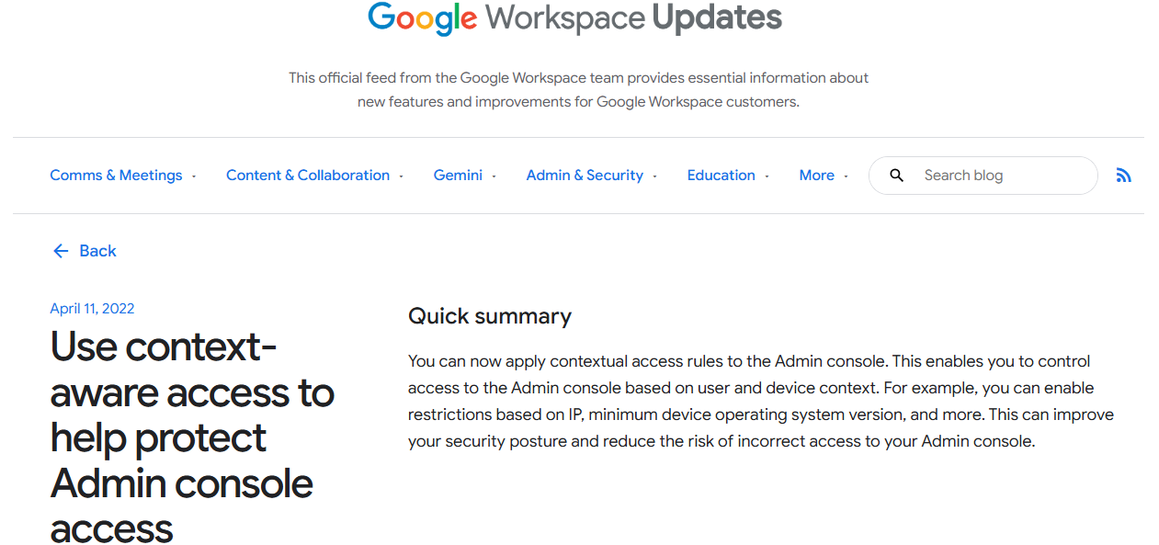
Layer that against device management tools that can remotely wipe a laptop, force sign-outs, and track compliance status across a fleet of company-owned machines, and you have something considerably more invasive than a shared drive. None of these tools were built as spyware. They were built to stop a stolen laptop from leaking a client database. But a system that can tell whether you are logging in from home or from a coffee shop three states away is, definitionally, a location-tracking system, whatever internal name it goes by. The security purpose is real. So is the side effect.
I want to be fair to a genuinely difficult tension here. Companies have real reasons to want visibility: data loss prevention, regulatory compliance, protecting client information, catching account compromise before it becomes a breach. None of that is fiction. But the scale of what has actually been built, across Workspace and its rivals, has outgrown any of those original justifications, and the research bears that out with uncomfortable precision.
A Gartner survey of large corporations found that the share using employee monitoring tools jumped from thirty percent before the pandemic to sixty percent afterward, a doubling inside a couple of years. More recent tallies put the number even higher. WorkWatch Insights13 cites Gartner figures showing that “71% of employees are now digitally monitored, up from just 30% in 2024”. Whatever the exact figure, the direction has been consistent and one-way since March 2020.
The human cost side of the ledger is where the numbers stop being abstract. Softwareseni14 found that forty-two percent of monitored employees said they planned to leave their jobs within a year, compared with twenty-three percent of their unmonitored peers, and that “seventy-two percent said monitoring did not improve their productivity at all”. Read that as a business case, not just a civil liberties one. Companies are buying tools that make their own people want to leave, in exchange for productivity gains that most of the monitored workers say never materialized.
Regulators have started to notice the gap between justification and effect. The Electronic Frontier Foundation’s15 2022 year-in-review noted that both the Department of Labor and the National Labor Relations Board began signaling real interest in the problem, and that the NLRB’s general counsel called on regulators to protect workers against “unlawful electronic surveillance and automated management practices”. EFF’s own position, stated flatly in the same piece, is one word: agrees.
The Law is a Patchwork, and the Patchwork Favors the Employer
Here is the part that surprises people who assume there must be a federal answer somewhere. There mostly isn’t. The primary statute governing this territory, the Electronic Communications Privacy Act, dates to 1986, written for a world of answering machines and dial-up modems. It generally bars unauthorized interception of electronic communications, but it carves out two exceptions large enough to drive a fleet of managed Chromebooks through: employer consent, typically buried in an employment agreement nobody reads closely, and what the law calls the ordinary course of business, a phrase flexible enough to cover almost anything a company decides to call routine.
A recent legal explainer summarizing this landscape for employers put it about as directly as a law firm ever will, noting that under the ECPA, if a company provides the computer, it counts as company property and an employer is generally allowed to monitor all activities employees carry out on it. Some states have started layering their own notice requirements on top. Connecticut, Delaware, and New York require some form of disclosure before monitoring begins. But disclosure is not the same as limitation. A company can tell you, in a document you sign on day one and never think about again, that it may monitor everything you do, and then do exactly that for years without another word said.
Every vendor in this space, Google included, leans on the same defense when pressed. Transparency. Tell people monitoring exists, get their consent buried in an onboarding packet, and the ethical box is checked. A piece written for businesses running Google Vault makes this argument directly, stating that yes, employees should be told Vault is enabled and that audit logs are running, because transparency builds trust. I do not disagree with the sentiment. I disagree with the assumption baked into it, which is that a disclosure delivered once, on day one, to a nervous new hire who is mostly focused on where the bathroom is, counts as meaningful consent to years of ongoing preservation.
Consider what actually happens in most workplaces. A new employee signs an acceptable use policy alongside a stack of tax forms and a parking permit application. Nobody walks them through what Context-Aware Access means for their commute, or explains that Vault holds unsent drafts, or clarifies which AI chats might be preserved under a legal matter opened eighteen months later for reasons that have nothing to do with them personally. The disclosure exists. The comprehension does not. And companies know the difference matters, because if it didn’t, they would not need entire compliance departments dedicated to managing the gap between what was technically disclosed and what employees actually understand.
There is also a colder, more structural reason transparency alone cannot fix this. The tools keep expanding faster than any single notice can keep pace with. Google adds new Context-Aware Access hooks to its own APIs, extending admin control to third-party applications that touch Workspace data, and each expansion technically falls under the same broad consent an employee signed years earlier, for a product that did not yet do half of what it does now. Consent granted for version one of a surveillance system is being stretched, quietly, to cover version six. Nobody re-signs anything. The permission just grows to fit the new capability, the way water finds every crack in a foundation without anyone having to pour it there.
I want to be careful here not to overstate the case into something conspiratorial. I do not think a product manager at Google sat down and designed a surveillance platform disguised as a productivity suite. I think something more mundane and, in its own way, more concerning happened. Feature by feature, ticket by ticket, a reasonable security team built a reasonable set of controls, and the sum of those reasonable parts turned out to be a domain administrator who can, if they want to, reconstruct a remarkably complete picture of an employee’s working life without that employee ever knowing to ask.
What I keep Coming Back to
Here is my honest read, after sitting with all of this for longer than I expected to. The word doing the most work in this entire story is “compliance.” Compliance is a word that makes surveillance sound procedural, almost bureaucratic, something that happens to paperwork rather than to people. Nobody markets Vault as a tool for reading unsent drafts. They market it as information governance. Nobody markets Context-Aware Access as a way to know where you were standing when you opened Slack. They market it as a security posture. The language launders the intent, and the intent, most of the time, really is security rather than malice. That is almost the more unsettling version of this story, not a villain twirling a mustache in an IT closet, but a perfectly reasonable compliance officer clicking through a wizard that happens to also make total visibility trivially easy.
What gets lost in that framing is scale. A single admin, in a single afternoon, with no special technical skill and no need to explain themselves to anyone, can turn on a feature that preserves every draft, tracks every login location, and flags every file share across an entire company. That capability existed in fragments for decades. What Workspace did was consolidate it into one login screen and call the whole thing convenience.
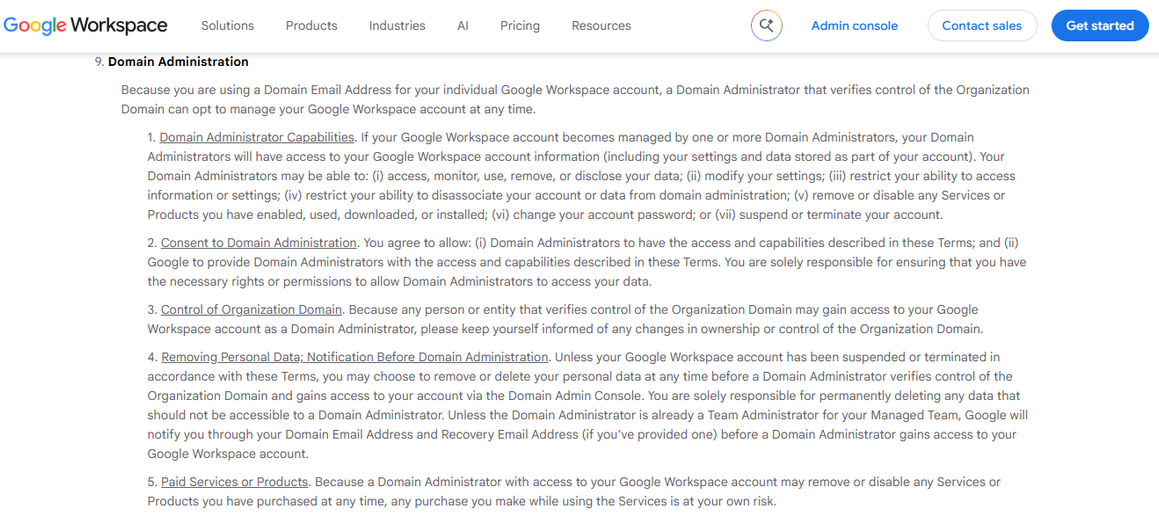
I do not think the answer is to abandon collaborative software and go back to fax machines. That ship left decades ago and it was never coming back. But I do think workers deserve to know, in language that is not buried in a fortieth clause of an individual terms of service page, exactly what is being preserved and exactly who can see it. Google’s16 own terms for individual accounts under a verified domain lay out the administrator’s reach in stark, almost clinical language, stating that domain administrators may “access, monitor, use, remove, or disclose your data” once they verify control of the organization domain. That sentence is sitting in a terms of service page right now, doing exactly what it says, for millions of people who have never read it.
Somewhere in every company running Workspace, there is a person with an admin seat who has more visibility into your professional life than your closest coworker does. Most of the time, that person will never use it for anything more dramatic than resetting a forgotten password. The infrastructure for something worse sits there anyway, quiet, fully functional, waiting on nothing but a decision. I am not sure that is a comforting thought, and I am not sure it is supposed to be.
Sources
- “Monitor usage & security with reports | Reports & monitoring | Google Workspace Help” Google Workspace Help, knowledge.workspace.google.com/admin/reports/monitor-usage-and-security-with-reports. Accessed 3 Oct. 2026. ↩︎
- “Manage and secure Workspace with Admin console” Google Workspace, workspace.google.com/intl/en_sg/products/admin/. Accessed 3 Oct. 2026. ↩︎
- “Google Vault: Data Loss Prevention & Retention” Google Workspace, workspace.google.com/products/vault/. Accessed 3 Oct. 2026. ↩︎
- “Introduction to Google Vault for Businesses” Keeping, 27 Sept. 2023, www.keeping.com/content/google-vault/. Accessed 3 Oct. 2026. ↩︎
- Factually, factually.co/fact-checks/technology/preserve-gemini-chats-legal-hold-workspace-admin-5e5a75. Accessed 3 Oct. 2026. ↩︎
- “Your Anonymous Workplace Community” Blind, www.teamblind.com/post/do-you-think-blind-is-really-anonymous-li52nsc6. Accessed 3 Oct. 2026. ↩︎
- “Your Anonymous Workplace Community” Blind, www.teamblind.com/post/google-does-installing-work-gmail-app-on-iphone-pose-any-risk-lwdepyvr. Accessed 3 Oct. 2026. ↩︎
- Rader, Elizabeth. 8 Apr. 2004, cyberlaw.stanford.edu/blog/2004/04/privacy-pebkac. Accessed 4 Oct. 2026. ↩︎
- MonitorWorkspace, www.monitorworkspace.com/. Accessed 4 Oct. 2026. ↩︎
- “Get Set Go with Google Workspace Master Total Email Access in Minutes Google Workspace Admin Secrets Revealed!” Gumroad, elitesol.gumroad.com/l/google-admin-secrets. Accessed 4 Oct. 2026. ↩︎
- “How to Deploy Context-Aware Access in Google Workspace” Promevo, 2 Sept. 2025, promevo.com/blog/how-to-deploy-context-aware-access-in-google-workspace. Accessed 4 Oct. 2026. ↩︎
- “Google Workspace Updates: Use context-aware access to help protect Admin console access” 11 Apr. 2022, workspaceupdates.googleblog.com/2022/04/context-aware-access-admin-console.html. Accessed 4 Oct. 2026. ↩︎
- “WorkWatch Insights – Computer Monitoring & Productivity Tools” WorkWatch Insights, www.nwchem-sw.org/bossware-laws-employee-rights-2026. Accessed 4 Oct. 2026. ↩︎
- Softwareseni, www.softwareseni.com/understanding-employee-monitoring-software-and-the-rise-of-workplace-bossware-in-2026/. Accessed 4 Oct. 2026. ↩︎
- Tsukayama, Hayley. “Privacy Shouldn’t Clock Out When You Clock In: 2022 in Review” Electronic Frontier Foundation, 26 Dec. 2022, www.eff.org/deeplinks/2022/12/privacy-doesnt-stop-when-you-clock-2022-review. Accessed 4 Oct. 2026. ↩︎
- “Google Workspace Individual Terms Content” workspace.google.com/intl/en_sg/terms/individual_terms. Accessed 4 Oct. 2026. ↩︎