
There is a photograph on my phone from 2017. It shows a vast field just outside my city, the vibrant green stretching toward the horizon, captured in a moment of perfect, natural light. I took it on a Sony camera: twenty-four megapixels, a clean RAW file. Then I backed it up to Google Photos, the same way hundreds of millions of people back up their lives. For years, I assumed that photograph was safe. Preserved exactly as I had captured it.
- The Promise That Started It All
- A Name Change That Changed Nothing, and Everything
- What the Compression Actually Does
- The Storage Counter That Lies
- The “Recover Storage” Button and the Cliff It Hides
- The MPF Format Problem Nobody Warned Anyone About
- The EXIF Metadata Layer
- The Last Free Loophole, Now Closed
- Is This a Dark Pattern?
- What the Numbers Mean in Human Terms
- What You Should Actually Do Right Now
- The Longer View
It was not.
What I had actually done, without fully understanding it, was hand Google permission to run that image through a compression algorithm that permanently threw away pixel data, stripped fine detail, and downsampled the file. The original was gone. What remained was a facsimile, good enough on a phone screen, acceptable on a monitor, but something fundamentally different from the high-fidelity shot I intended to save.
This is the story of how Google Photos became the world’s most trusted photo backup service while quietly operating a quality-reduction machine that most of its users still don’t fully understand.
The Promise That Started It All
Google Photos launched in May 2015 with an offer that felt almost too good to be true: unlimited free storage for “High Quality” photos and videos. As Android Police1 wrote when the app turned ten years old, the unlimited High Quality offer was “the perfect lure” for millions of users who just wanted somewhere safe for their memories without worrying about costs. It worked. People came in their hundreds of millions. They uploaded weddings, birthday parties, funerals, first days of school, last days of travel.
The catch was always there, buried in the fine print. “High Quality” was never actually high quality in the conventional sense. It was compressed. According to Phone Arena2, photos larger than 16 megapixels would be resized down to 16MP, and videos over 1080p would be knocked down to 1080p resolution. The compression involved was lossy, meaning it permanently discarded data from your files. It was not a reversible zip. It was a rewrite.
For years, this was the default. People who never changed their settings, which is most people, were uploading compressed versions of their lives while believing they were keeping the originals.
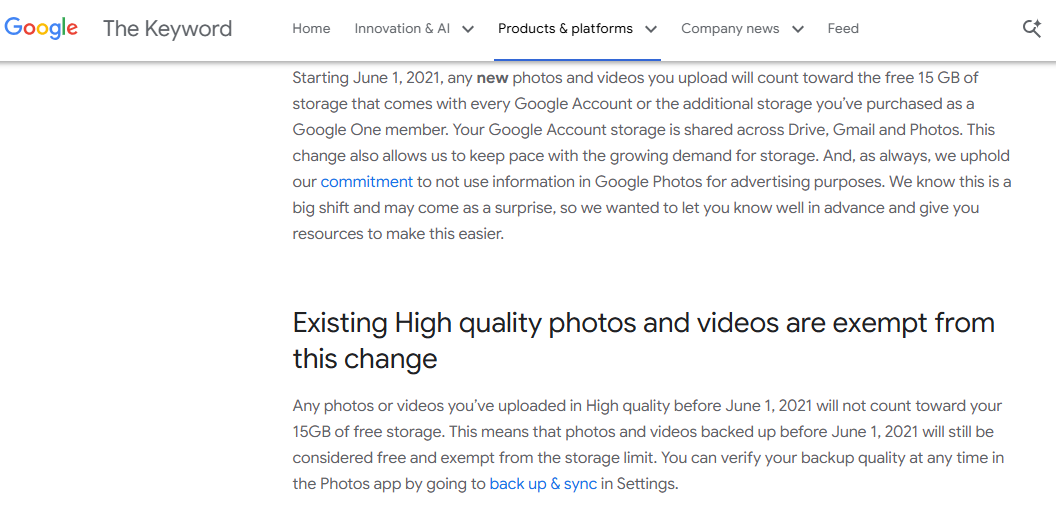
Then in November 2020, Google3 announced that the free ride was ending. From June 1, 2021, all newly uploaded content would count against users’ 15GB of free Google Account storage, which is shared across Gmail, Drive, and Photos. The era of unlimited free cloud memory was over.
At the same time, Google renamed “High Quality” to “Storage Saver”, a change it described as making options “easier to understand.” There was, Google confirmed, no underlying technical change. The compression was the same. Only the label changed.
A Name Change That Changed Nothing, and Everything
The rename from “High Quality” to “Storage Saver” is worth sitting with for a moment. For six years, Google had been telling users they were storing their photos in “High Quality.” It sounds good. It sounds like the photos are fine. It does not sound like a compression pipeline that permanently throws away image data.
“Storage Saver” is more honest, in the narrow technical sense. It signals that the purpose of the setting is to save storage, not to preserve quality. But the rename came at exactly the moment Google needed users to start paying attention to storage. Because suddenly storage cost money. The optics of relabeling a compression tier at the precise moment it began eating into users’ paid quotas were, at best, unfortunate.
Android Police’s4 review of the app’s ten-year history didn’t mince words:
“It’s hard to see this bait-and-switch as anything other than a savvy business move by Google to let us spend years uploading our memories to Google Photos, then forcing us to pay.”
That phrase “bait-and-switch” keeps appearing across tech forums, reviews, and user complaints. It is the phrase people reach for when they feel the ground move under them.
What the Compression Actually Does
Let me be specific about what Storage Saver actually does to your files, because the language Google uses tends toward the vague.
According to Yahoo!Tech5, the tech behind the space-saving is lossy compression. It means that data is permanently and irretrievably discarded from your files to make them smaller. When you upload under Storage Saver, photos bigger than 16 megapixels are resized down to 16MP. Videos over 1080p, including 4K footage, which is standard on any modern smartphone, are compressed and reduced to 1080p.
A 2GB 4K video becomes a 500MB 1080p file. That is not a rounding error. That is a 75% reduction in file size through the permanent removal of visual information.
For photos, the Storage Saver tier recompresses images and often downsamples them to reduce file size. It’s a lossy process that can alter detail, color, and sharpness. The effect is often invisible on a 6-inch phone screen. It becomes visible on a large monitor. It becomes obvious when you try to print. And it becomes devastating when you’re a photographer who shot in RAW and discovers that Google Photos automatically compresses and converts RAW files to JPEG or HEIC formats on upload, using lossy compression algorithms that permanently eliminate pixel data and fine details from the original. Converting 14-bit or 16-bit RAW files to 8-bit JPEGs also reduces dynamic range. Subtle highlight and shadow details get clipped or banded.
The damage is most visible in specific types of images: high-resolution camera RAW files and large JPEGs can develop blockiness or ringing when viewed at 100% or printed large; low light and high-ISO images can show accentuated noise and banding in gradients; and any photo you intended to crop heavily or edit extensively will reveal more artifacts when starting from a compressed source.
And once it’s done, it cannot be undone. Switch each device to Original Quality to stop future compression, but your past uploads can’t be restored.
The Storage Counter That Lies
The confusion does not stop at compression. There is a second layer of bewilderment built into the way Google counts storage. One that has been quietly misleading users for years.
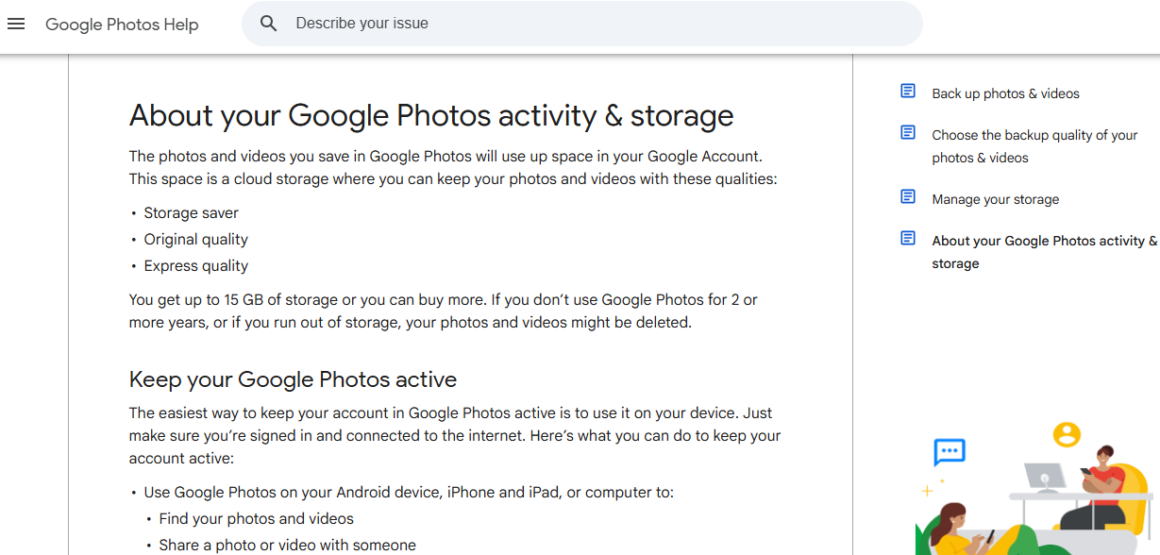
Google Photos6 uses the original size of the photos to determine how much storage they occupy on Google servers, regardless of the backup quality setting you choose. This means that if you upload a 36MB RAW file under Storage Saver, Google compresses it to perhaps 960KB on its servers. But still charges your storage counter 36MB.
A user on a Google Photos forum documented this precisely: they uploaded three 36MB RAW photos under the Storage Saver setting. The storage counter added 100MB against their account. But the photos they later downloaded were 960KB each. Google was counting the originals against their quota while actually storing only compressed copies.
That is not a trivial discrepancy. It means users who chose Storage Saver, specifically to save space, are being billed at original-file rates while receiving compressed-file quality. They pay in full for data Google will not actually preserve.
Google has acknowledged this issue. The storage counter is based on the original size of photos, not their compressed size. This can give users a false impression of how much storage they are using. Google said it was working on making the storage counter more transparent, but fixes have been slow.
The “Recover Storage” Button and the Cliff It Hides
If the compression defaults were the quiet part of this story, the “Recover Storage” button is the loud one. Loud in the worst possible way, after the damage is done.
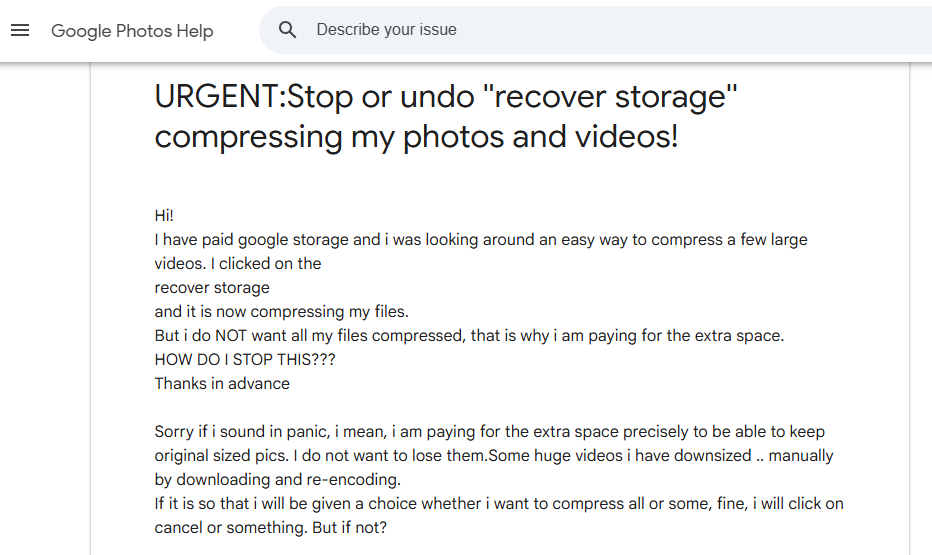
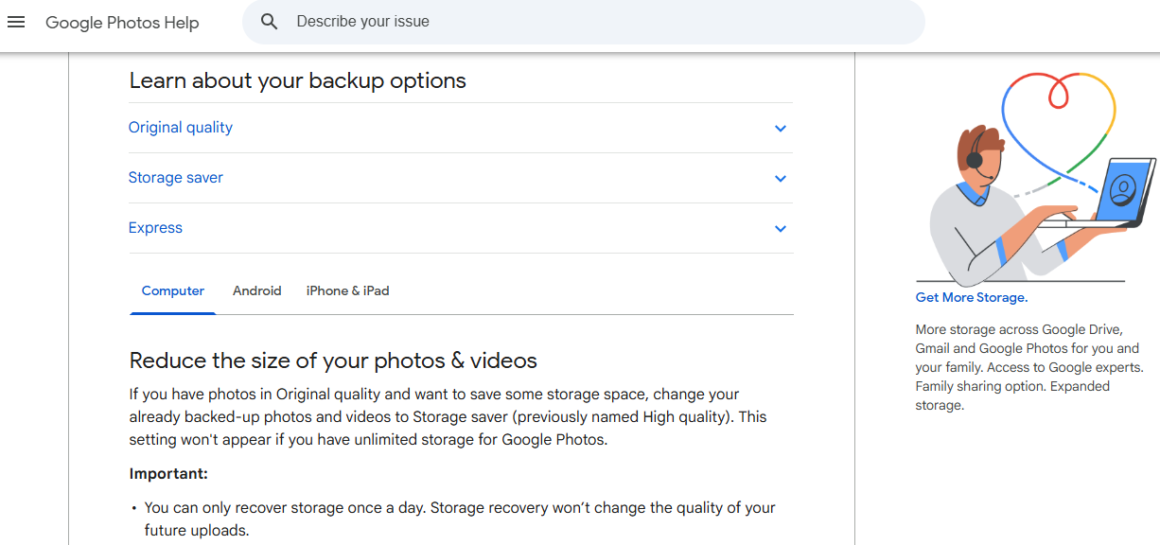
Go to your Google Photos settings and you will find a “Recover Storage” option. It offers to convert your existing Original Quality photos to Storage Saver, freeing up space. It sounds routine. It reads like a maintenance task. But compressing older files using this feature is irreversible. Once your photos are compressed, you cannot restore them to their original quality unless you have a separate backup.
According to Android Central7, the app does warn users that compressing photos “can’t be reversed.” But it is a single warning buried inside a process that many users click through without reading carefully. The interface makes recovery look like a space-saving chore rather than a one-way door.
The Google Photos8 help community has seen a steady stream of users who hit “Recover Storage” and then realized what they had done. The thread title “URGENT: Stop or undo ‘recover storage’ compressing my photos and videos!” says everything about the experience. Google’s answer, in every version of that thread, is the same: it cannot be undone.
The MPF Format Problem Nobody Warned Anyone About
The confusion compounds further for users of modern Android smartphones. Many phones, particularly Samsung and other Android manufacturers, shoot photos in Multi-Picture Format (MPF), a JPEG variant that embeds additional data like depth maps for portrait mode bokeh, or Ultra HDR gain maps.
According to Android Headlines9, Google Photos cannot compress MPF files using the Storage Saver algorithm. These photos are always uploaded at their original file size. That sounds like a good thing, until you consider the storage implications.
A user who chose Storage Saver specifically to save space finds that a significant portion of their library, all those portrait mode shots, all that HDR content, is being stored at full size anyway, burning through their 15GB quota faster than they expected. This is exactly where the confusion begins: there are users who expected all their photos to be uploaded in reduced resolution, and they don’t know why some or many are uploaded in original quality.
Google only added a “Not eligible for Storage saver” label to affected photos in May 2024. Nine years after the service launched and three years after Storage Saver became the primary tier.
The company acknowledged this was an attempt to “avoid any type of confusion regarding the quality with which your photos will be uploaded to the cloud.” The fix was real but late.
On community forums, a longtime Google Photos power user noted the cascading effect: the MPF exception meant that people who went all-in on Storage Saver to stretch their 15GB still found themselves hitting storage limits quickly, with no clear explanation of why. The compression they thought was happening was not happening for large parts of their library. The storage counter showed the full original file sizes regardless. The math never added up.
The EXIF Metadata Layer
There is yet another dimension of quality loss that most users never think about until they try to leave Google Photos: metadata.
When photos are backed up under Storage Saver, some metadata can be lost in the compression process. This includes information embedded in your image files about when a photo was taken, what camera settings were used, GPS location data, and other EXIF fields that modern photo management tools rely on heavily.
One user on Apple’s10 community forums described downloading their Google Photos library only to find that metadata had been stripped and stored separately in JSON sidecar files. Files that don’t automatically re-attach to images when you move to another service or import into a local photo app. The result is a library of thousands of photos without timestamps, or with timestamps showing the wrong year. Another commenter in the same thread noted that videos stored under Storage Saver are re-encoded to VP9 codec, which creates additional compatibility problems with non-Google software.
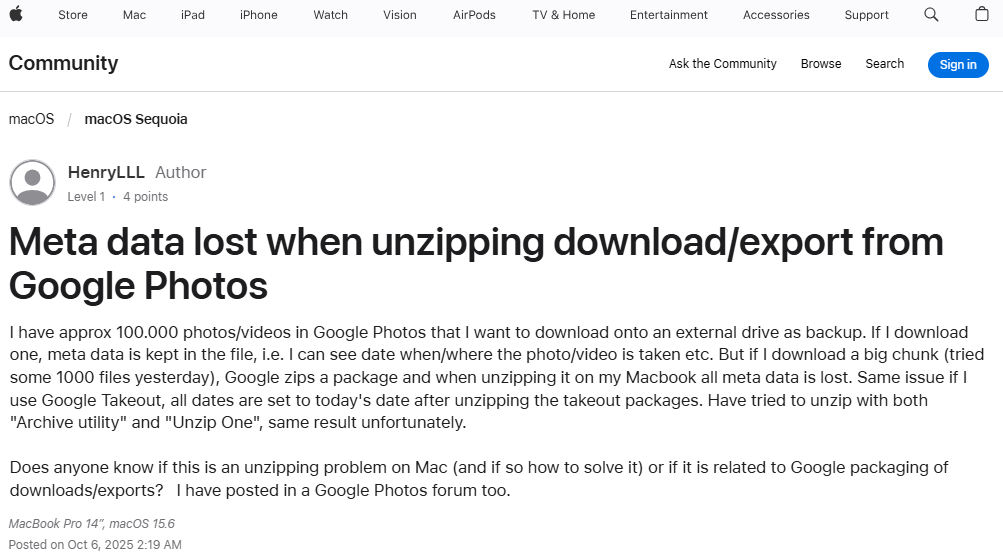
The developer community has responded by building workarounds: there are now dedicated tools to restore EXIF data and creation dates from Google’s JSON files, and blog posts walking users through Ruby scripts and ExifTool workflows to fix what Google’s export broke. This is a significant amount of technical labor demanded of users who simply wanted their photos backed up safely.
The Last Free Loophole, Now Closed
For years after the 2021 policy change, one escape hatch remained. In April 2022, T-Mobile launched an exclusive Google One 2TB plan that included unlimited Google Photos storage that didn’t count against quotas. The last remaining way to get truly unlimited Google Photos backup anywhere.
T-Mobile11 stopped accepting new enrollments on September 30, 2025, and on March 31, 2026, all remaining subscribers were migrated to Google-managed billing. The era of unlimited Google Photos storage is now completely, officially over. Every photo, every video, every portrait-mode bokeh shot counts against your quota.
The timing closed out a decade-long arc. Google spent six years building the world’s largest photo library on the promise of unlimited free storage. It then ended that promise, renamed the tiers to obscure the quality trade-off, and built a storage-counting system that charges users at original file rates while storing compressed files. The last free loophole lasted three more years before it too disappeared.
Is This a Dark Pattern?
The regulatory concept of “dark patterns,” user interface designs that manipulate users into actions against their own interests, has been gaining legal momentum. The FTC defines dark patterns as design practices that trick or manipulate users into making choices they would not otherwise have made and that may cause harm. The California Privacy Rights Act, effective January 2023, strengthened protections by defining dark patterns explicitly and finding agreements obtained through their use as non-consensual.
Google’s own history with interface manipulation has already cost them money. According to OAG12, in December 2022, Google paid $9.5 million to resolve allegations that it deceived consumers to gain access to location data, including making it nearly impossible for users to stop their location from being tracked.
I am not suggesting Google Photos violates any current law. I am suggesting that the design choices around Storage Saver have consistently made it harder, not easier, for users to understand what they were agreeing to. Calling lossy compression “High Quality” for six years is not neutral language. Putting a “Recover Storage” button on a page without front-loading the irreversibility warning is not user-friendly design. Charging storage quotas at original file sizes while storing compressed copies is not transparent accounting.
The Digital Services Act in Europe already bans manipulative interface design, particularly for platforms targeting vulnerable users. As regulatory scrutiny of tech company UI practices intensifies globally, the question of whether Google Photos’ design choices meet a legal threshold for deception seems increasingly worth asking.
What the Numbers Mean in Human Terms
Let me bring this back to something concrete, because the technical layers can make the human stakes easy to lose.
Google Photos has over one billion users. A significant portion of those users have been on Storage Saver, either by choice or by default, for years. For the users shooting with high-end DSLR cameras or mirrorless bodies, the compression is genuinely damaging. For the vast majority shooting on smartphones, the on-screen quality difference is often invisible.
But “invisible on screen” is not the same as “no quality lost.” The data is permanently gone. When someone decides in 2035 that they want to print a large-format version of a photo from 2019, they will discover their 24MP original is a 16MP compressed JPEG. When someone tries to do serious post-processing on a family portrait from 2022 and discovers it is an 8-bit compressed file rather than the 14-bit RAW they thought they had kept, the limitation is real.
And for video, just one minute of 4K footage can be over 1GB, and Storage Saver trims that down to 1080p at a fraction of the original file size. For anyone who has been recording children growing up, family events, or any footage they intended to keep permanently, the resolution downgrade is a real and irreversible loss.
What You Should Actually Do Right Now
The situation is not hopeless. There are concrete steps anyone can take.
First, check your current backup setting. On the Google Photos mobile app, tap your profile picture, go to “Photos settings,” then “Backup,” then “Backup quality.” If it says “Storage saver,” your future uploads will be compressed. Change it to “Original quality” if you care about preserving full resolution. But understand this will consume your Google Account storage faster.
Second, do not use the “Recover Storage” option unless you have local backups of all your original files elsewhere. This step cannot be reversed. Google13 warns users in-app, but the warning is easy to dismiss.
Third, for photos that matter most, irreplaceable moments, professional work, anything you might ever want to print large, keep a separate backup. Google Photos should not be the only copy of something that cannot be recreated. An external hard drive or a secondary cloud service with true original-quality storage is worth the investment.
For photographers specifically, Amazon Photos with a Prime subscription offers unlimited full-resolution photo storage including RAW file support at no extra cost. Currently the closest practical replacement for what Google Photos once was.
Finally, understand your device’s exception status. According to Photo Workout14, Pixel phones from 2016 (original Pixel) and earlier still receive unlimited original quality storage. Pixels 2 through 5 receive unlimited Storage Saver uploads. Pixel 6 and later get no special storage benefits. If you own a Pixel 1, your photos are still being stored at full resolution for free. This is the rarest of Google Photos edge cases.
The Longer View
There is a reasonable argument to be made for Google’s position. Unlimited free cloud storage at original quality was never economically sustainable. Servers cost money. Bandwidth costs money. Running the search, AI, and facial recognition features across a billion user libraries costs extraordinary amounts of money. The reality is that someone has to ultimately bear the cost of storing petabytes of data.
I accept that argument. The problem is not that Google introduced limits. The problem is the years of comfortable obscurity that preceded the limits, the language choices that softened the reality of compression, the storage counter that counts full prices for compressed goods, and the interface decisions that made it easy to irreversibly compress your entire photo library by tapping a button that sounds like routine housekeeping.
According to Forbes15, Google’s own Anil Sabharwal, who led Google Photos, promised that High Quality storage offered “near-identical visual quality” when compared to original photos. Then, when Google wanted users to switch to paid Original Quality plans in 2021, it sent emails showing how damaging High Quality compression actually was. With side-by-side comparison images demonstrating visible degradation. The same compression Google had marketed as “near-identical” for six years was now being shown as visibly inferior. You cannot have it both ways.
The photograph of that field is still in Google Photos. It looks fine on my phone. But the original, the actual 24MP file with its full shadow detail, its RAW latitude, its uncompressed precision, is gone from the cloud. I have it on an external drive because I back up obsessively, but most people don’t. Most people trusted Google Photos and assumed “back up” meant “preserve.”
That gap, between what users understood “backup” to mean and what Google was actually doing, is where every genuine grievance in this story lives.
Sources
- Gilbert, Jon. “How Google Photos earned my trust through ten years of constant updates” 15 June 2025, www.androidpolice.com/how-google-photos-changed-for-better-or-worse-over-10-years/. Accessed 15 May 2026. ↩︎
- Yanachkov, Milen. “Google Photos “High quality” vs “Original”” PhoneArena, 1 June 2021, www.phonearena.com/news/Google-Photos-High-quality-vs-Original-Whats-the-difference-and-should-you-care_id93938. Accessed 15 May 2026. ↩︎
- Meaney, Tommy. “Updating Google Photos’ storage policy to build for the future” 11 Nov. 2020, blog.google/products-and-platforms/products/photos/storage-changes/. Accessed 15 May 2026. ↩︎
- Gilbert, Jon. “How Google Photos earned my trust through ten years of constant updates” 15 June 2025, www.androidpolice.com/how-google-photos-changed-for-better-or-worse-over-10-years/. Accessed 15 May 2026. ↩︎
- Aguilar, Jorge A. “PSA: Google Photos is lowering the quality of your memories” 2 Nov. 2025, tech.yahoo.com/apps/articles/psa-google-photos-lowering-quality-170018868.html?guccounter=1. Accessed 15 May 2026. ↩︎
- “About your Google Photos activity & storage” Google Account Help, support.google.com/photos/answer/10100180?hl=en. Accessed 26 May 2026. ↩︎
- Diaz, Nickolas. “Google Photos on Android seems primed to pick up a ‘recover storage’ option” Android Central, 11 Apr. 2024, www.androidcentral.com/apps-software/google-photos-app-recover-storage-spotted. Accessed 26 May 2026. ↩︎
- “URGENT:Stop or undo ”recover storage” compressing my photos and videos!” Google Photos Community, support.google.com/photos/thread/220387396/urgent-stop-or-undo-recover-storage-compressing-my-photos-and-videos?hl=en. Accessed 26 May 2026. ↩︎
- “Safeguarding Your Website — BigScoots” www.androidheadlines.com/2024/05/google-photos-storage-saver-feature-becoming-more-intuitive.html. Accessed 26 May 2026. ↩︎
- “Security Verification” discussions.apple.com/thread/256157477. Accessed 26 May 2026. ↩︎
- “Google One” T-Mobile Support: Help with Devices, Plans, Billin, www.t-mobile.com/support/plans-features/google-one. Accessed 26 May 2026. ↩︎
- “AG Racine Announces Google Must Pay $9.5 Million for Using “Dark Patterns” and Deceptive Location Tracking Practices that Invade Users’ Privacy” 30 Dec. 2022, oag.dc.gov/release/ag-racine-announces-google-must-pay-95-million. Accessed 26 May 2026. ↩︎
- “Choose the backup quality of your photos & videos” Google Photos Help, support.google.com/photos/answer/6220791?hl=en&co=GENIE.Platform%3DDesktop. Accessed 26 May 2026. ↩︎
- PhotoWorkout, www.photoworkout.com/google-photos-unlimited-storage-dead/. Accessed 26 May 2026. ↩︎
- Monckton, Paul. “Google Issues Quality Warning For Millions Of Google Photos Users” 27 Feb. 2021, www.forbes.com/sites/paulmonckton/2021/02/27/google-issues-quality-warning-for-millions-of-google-photos-users/. Accessed 26 May 2026. ↩︎