

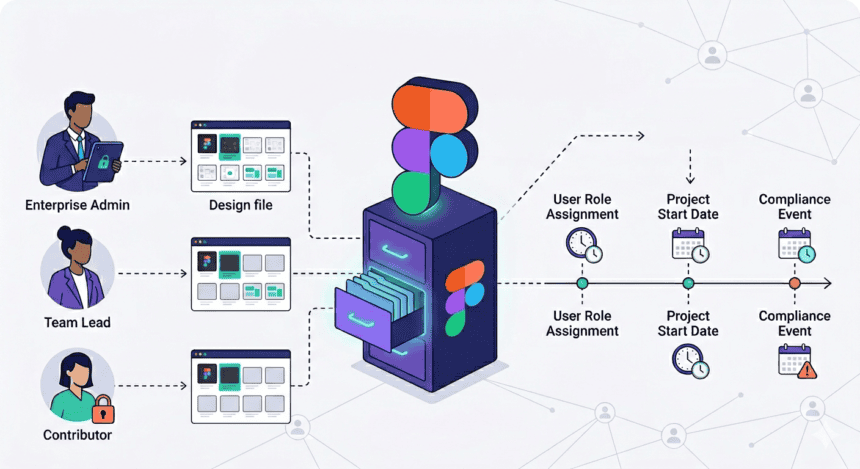

Who can see your design history, when they can see it, and what Figma isn’t telling you plainly enough.
There is a moment every designer knows. It is late. The file is open. You are trying something that might not work. You are scrapping ideas, moving frames around, making the kind of tentative, embarrassing moves that are part of the job but that you would not necessarily want anyone to watch. In Figma, those moves are saved. Every thirty minutes, automatically. They are saved, timestamped, and made available to anyone who has edit access to your file. In an enterprise workspace, that might include your manager. It might include an admin you have never met.
The question of who can see your design history in Figma is not a simple one to answer, and that ambiguity is worth examining closely. Figma is the dominant design tool for enterprise product teams. Millions of designers work inside it every day. But the company’s approach to data access, version history visibility, and administrative surveillance has generated real confusion and real concern among the people who use it most.
This is a story about that confusion. It is also a story about what lies underneath it.
The Basics That Are Not That Basic
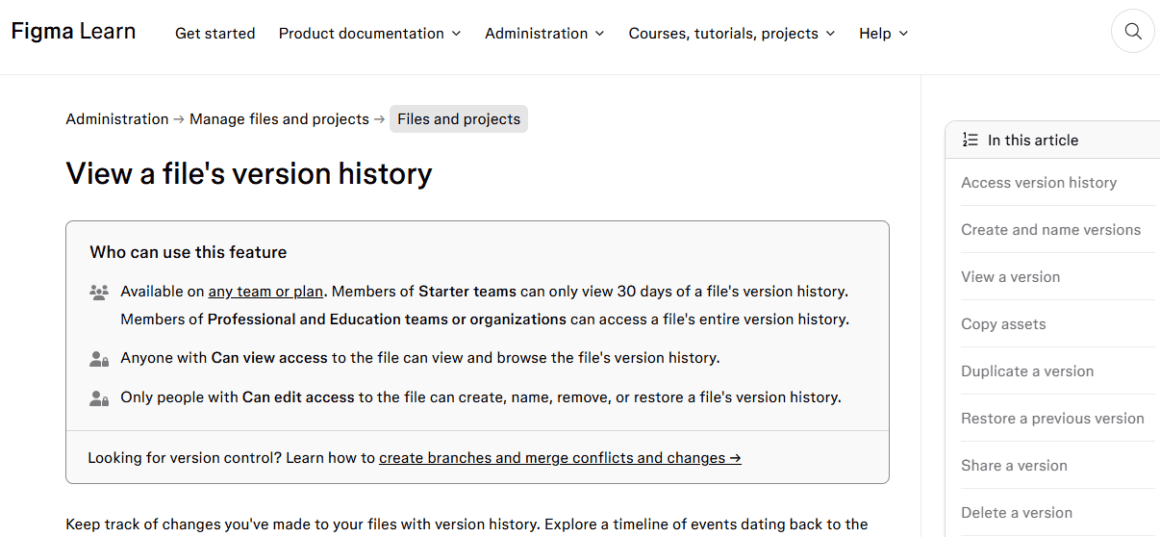
Start with what Figma says. According to the company’s own help documentation, anyone with “can view” access to a file can browse its entire version history. Anyone with “can edit” access can create, name, remove, or restore versions. This is simple enough on its face, but inside an enterprise organization, the permissions tree is deep, and the defaults are not always what you would expect.
Figma’s help center1 explains that version history checkpoints are added automatically every thirty minutes. These are not just named milestone saves. They are a continuous, dense record of your work, including what you tried, what you discarded, and when you were online. For a paid team on the Professional, Organization, or Enterprise plan, that history extends all the way back to the file’s creation date. There is no expiry. There is no way to hide it from people who have access to the file.
A feature request posted to Figma’s community forum2 in March 2025 made the issue blunt. A user named Radhika1 wrote that “currently, when a Figma design file is shared, its entire version history is automatically accessible.” The user asked for access controls that would let file owners share work without sharing the full trail of how they got there. Figma currently offers an option to disable version history entirely, but that stops recording changes altogether. The idea of keeping a private record while sharing a clean current version does not yet exist in the product.
“Instead of disabling version history, introduce access controls that allow file owners to retain recorded history while deciding whether or not to share it. This way, internal experiments and drafts remain private, but the version history can still be accessed if needed.” — Figma Forum, March 2025
What sounds like a minor product refinement is actually something more fundamental. The design process is iterative and messy. The final file is a cleaned-up artifact. The version history is the process itself, the abandoned directions, the wrong turns, the rough thinking. In knowledge work, we generally accept that people have some privacy around their drafts. In Figma, that privacy is narrower than most designers realize.
The Admin Problem
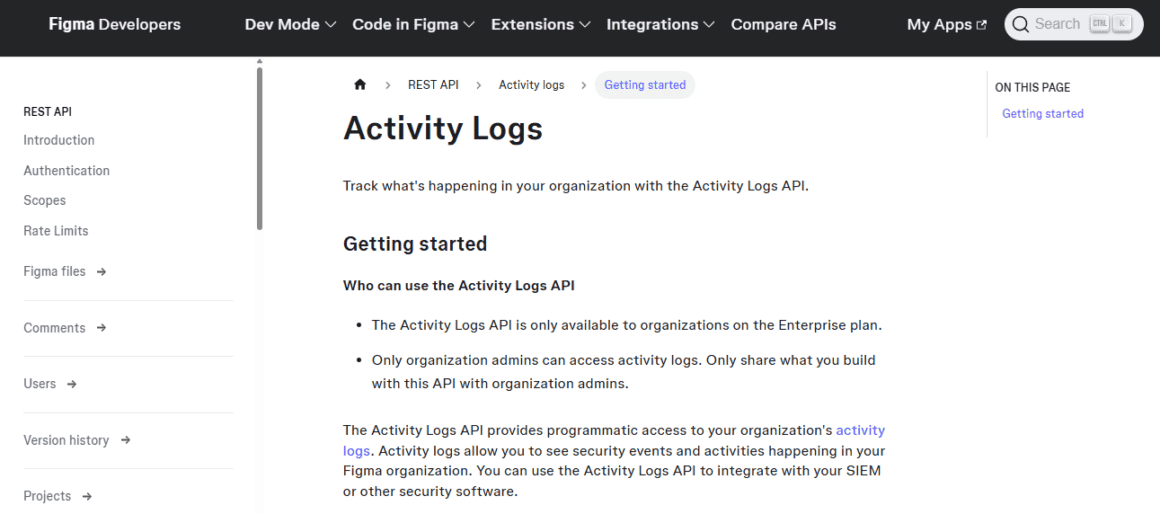
The question becomes more pointed when you move from file-level access to organizational administration. Enterprise-tier customers pay for a suite of administrative controls. Among those controls is a powerful activity log system. According to Figma’s documentation, organization admins can see who accessed what file, who copied it, who shared it, who changed permissions, and when all of it happened. The logs are available through the admin interface and through a dedicated API that can be integrated with corporate security software.
Figma’s developer documentation3 describes the Activity Logs API as a tool to “see security events and activities happening in your Figma organization” and notes that enterprise organizations can pipe this data directly into their SIEM systems. Security Information and Event Management platforms are the same tools used to monitor network intrusion and flag suspicious behavior. The fact that Figma’s design activity logs can feed into one, says something about how the company frames this capability.
What can an admin actually see? The logs track file opens, prototype views, permission changes, link shares, copy events, and administrative actions. Combined with the fact that any admin can grant themselves edit access to any team file they manage, you have a system where an administrator, if sufficiently motivated, could reconstruct a detailed picture of what a designer was working on and when.
A post on the Figma forum4 in August 2025 illustrates the frustration from the other direction. An enterprise administrator complained that the platform did not give admins enough access, noting that the lack of full file visibility could lead to “data leakage, compliance issues, or loss of valuable IP.” The administrator argued this should not be a feature request but a security requirement. For people writing from that seat, the problem is that admins see too little. For the designer sitting at the other desk, the concern is the opposite.
Both concerns are legitimate. They just point at the same underlying problem: Figma has not been transparent enough about exactly what administrators can and cannot see, and under what circumstances.
The Drafts Paradox
Drafts occupy a strange middle ground in Figma’s permission model. They are described as private until shared. The help documentation says explicitly that draft files are private by default. And yet.
Figma’s organization plan5 documentation states that “drafts are owned by the organization” and that when a member leaves, the organization can claim ownership of those draft files. It also states that admins cannot access active employees’ drafts during their employment. Only after someone is removed from the organization do those drafts become accessible.
A Figma community moderator6 confirmed this in a thread from April 2025:
“It’s not possible to access an employee’s drafts — these remain private by default.”
But the same thread includes a response from another enterprise admin who called this a “real risk” in secure environments.
“Everything they make on their work device or work Figma account will belong to the company anyway,” the user wrote.
The paradox here is real. Figma tells designers their drafts are private. It tells administrators that the organization owns all files, including drafts. These two statements are not technically contradictory, but they create very different expectations depending on who is reading them. A designer who believes their draft exploration is private may be operating in good faith under a misapprehension. The company owns the data. The admin just cannot access it yet.
This matters in practice. Designers routinely use Figma drafts for exploration that is not ready for scrutiny. Concept work for pitches not yet approved. Personal project sketches. Early ideation that would read poorly out of context. The formal privacy of the draft folder provides a kind of psychological safety that the terms of service, read carefully, do not entirely guarantee.
The Governance+ Expansion
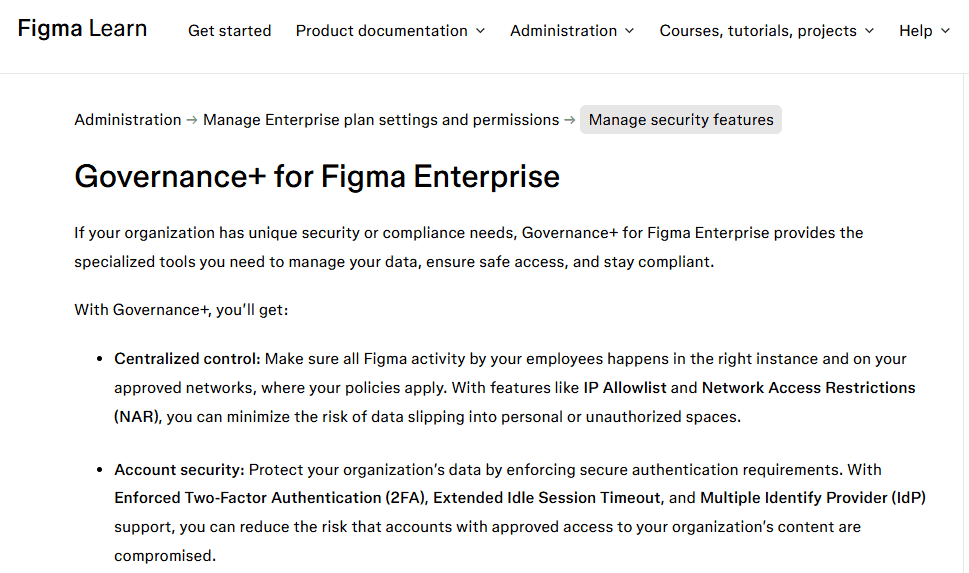
If the standard enterprise toolset raised questions, the arrival of Figma’s Governance+ add-on pushed the issue further. Governance+ is available on the Enterprise plan and is marketed primarily to legal and compliance teams. Among its features is something called the Discovery Pipeline.
According to Figma’s own documentation7, the Discovery Pipeline “logs all text edits, including user-authored portions of prompts to AI features, in Figma files to meet electronic communication retention requirements.” This is a comprehensive text-edit record of everything written inside a design file. It is designed to help regulated industries comply with e-discovery obligations. It is also, from a designer’s perspective, a system that logs what you write, including what you write to an AI tool, inside your design environment.
Figma8 announced Governance+ to support organizations in “meeting electronic communication retention policies and supporting legal discovery requirements.” The language is deliberately enterprise-facing and framed around compliance and security. But the mechanism is a surveillance layer on the design environment.
I want to be careful here. Tools like this exist for legitimate reasons. Financial services firms, healthcare organizations, and government contractors have genuine obligations to retain and produce communications. Figma is trying to serve those customers. That is not inherently wrong.
The problem is disclosure. A junior designer joining a company using Governance+ may have no clear idea that every annotation, every prompt sent to an AI feature, and every text edit is being logged and retained. Figma does not appear to require that organizations notify their employees when this pipeline is active. The notification obligation, if any, falls on the employer. And employers are not always forthcoming.
A Real Incident, A Real Warning
In October 2024, a designer posted to Reddit’s r/FigmaDesign9 community about a breach in their freelance contract. The designer had shared a file with a client and later discovered that the client had accessed not just the current design but the entire version history, scrolling through the complete iterative record of the work. The user described it as creepy. They wrote that they were pursuing legal action and that the experience made them reconsider using Figma at all.
“I hope this creates awareness for people in similar situations but also remind you to go back and check previous designs and old clients hoping you won’t find creepy out of nowhere members.” — r/FigmaDesign, October 2024
This incident points to something Figma has not adequately addressed: the gap between what designers intuitively believe they are sharing and what they are actually sharing. When you hand someone a link to a Figma file with view access, you are handing them a complete historical record of everything you did in that file, going back to its creation. Most clients do not know this. Most designers do not think to warn them. And Figma does not prompt you at the sharing modal to make a decision about history access.
The Viewer History Layer
According to Design Systems Surf10, in 2025, Figma added another layer to the visibility stack: viewer history for files. This feature logs every team member and invited guest who opens a file, recording the timestamp of their most recent visit. It is visible to anyone who has access to the file.
Figma’s documentation11 describes it as a tool to “confirm who has seen your file” and help teams “collaborate asynchronously.” The feature has a global opt-out in account settings. If you opt out, you stop being recorded as a viewer on any file. You also stop being able to see your teammates’ view history. It is an all-or-nothing toggle with no per-team or per-file granularity.
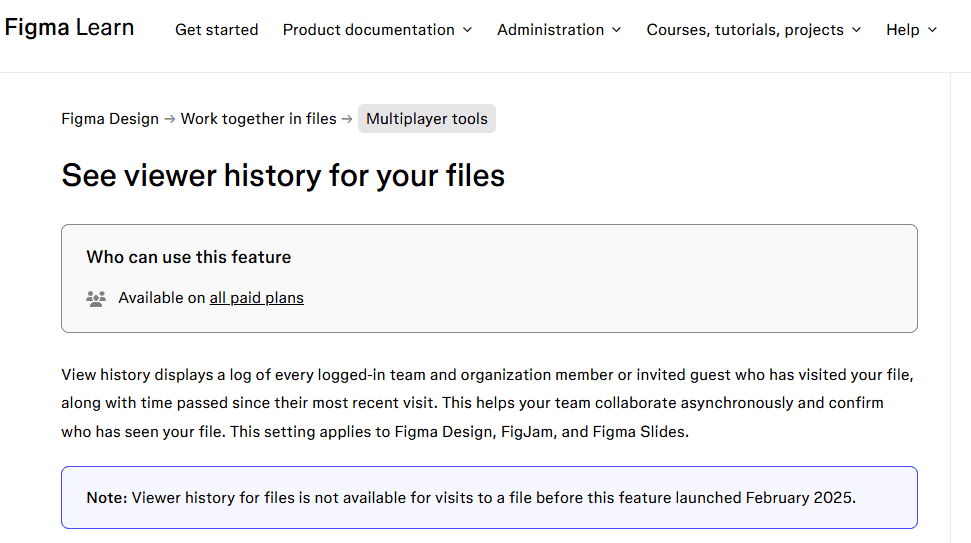
The view history feature is benign in most contexts. Knowing who has seen a file is useful for project coordination. But layered on top of activity logs, version history access, and Governance+ text retention, it becomes part of a surveillance ecosystem that is more complete than most designers are aware of. Your manager, with appropriate permissions, can know which files you opened, when, how often, what you wrote in them, and what the entire history of the file looked like on any given day.
These are all technically legitimate use cases for enterprise software. They are also the kind of monitoring that, in other professional contexts, would come with disclosure obligations, consent frameworks, and union negotiations.
The AI Training Fault Line
According to CNBC12, the data access conversation gained a new dimension in 2024 when Figma announced plans to use customer content for AI training. The company sent emails notifying users that their designs might be used to improve AI features, with an opt-out by default. The backlash was significant.
A widely read analysis by Medium13 laid out the concerns plainly. An opt-out default on AI data use meant that most users would passively consent without realizing it.
In 2025, Reuters14 reported that the company was sued for allegedly misusing client content. Figma eventually adopted a clearer opt-in approach for training on customer content after the controversy. But the episode exposed the gap between what the company would do with design data and what users expected. In a design environment where every save is a data point, the data use question is not abstract.
In November 2025, the question moved from editorial to legal. According to Mitrade15, a proposed class action was filed in the U.S. District Court for the Northern District of California, alleging that Figma had secretly used customers’ proprietary design files, layer properties, text, and images to train its generative AI models without proper permission. Figma denied the claims. A company spokesperson stated that they do not use customer data for training without permission, and that even with permission, they eliminate identifying details.
Litigation proves nothing on its own. But the pattern that led to the lawsuit, opt-out defaults, limited disclosure, and a data architecture that collects everything and explains its use in terms most users will not read, is the same pattern driving the design history confusion. Figma is not a malicious company. It is a company that has consistently prioritized product velocity over disclosure clarity.
The Organizational Ownership Clause
At the center of all of this is a single sentence buried in Figma’s organization plan documentation:
“The organization has ownership over all the files created within the organization. This includes files within a member’s drafts.”
This is the load-bearing sentence. It is the clause that makes every other ambiguity downstream. A designer’s Figma files, their draft explorations, their version history, their annotations and AI prompts, all of it belongs to the organization. Not to the designer. Not even, in any meaningful operational sense, to the individual. To the entity paying for the seats.
This is not unusual in enterprise software. The same principle applies in Google Workspace, in Microsoft 365, and in Slack. Work product made on company tools belongs to the company. The difference with Figma is that the product is a creative process. The version history is not just a record of completed outputs but a record of thinking, of hesitation, of failed ideas. Treating that record as organizational property is legally consistent and creatively invasive.
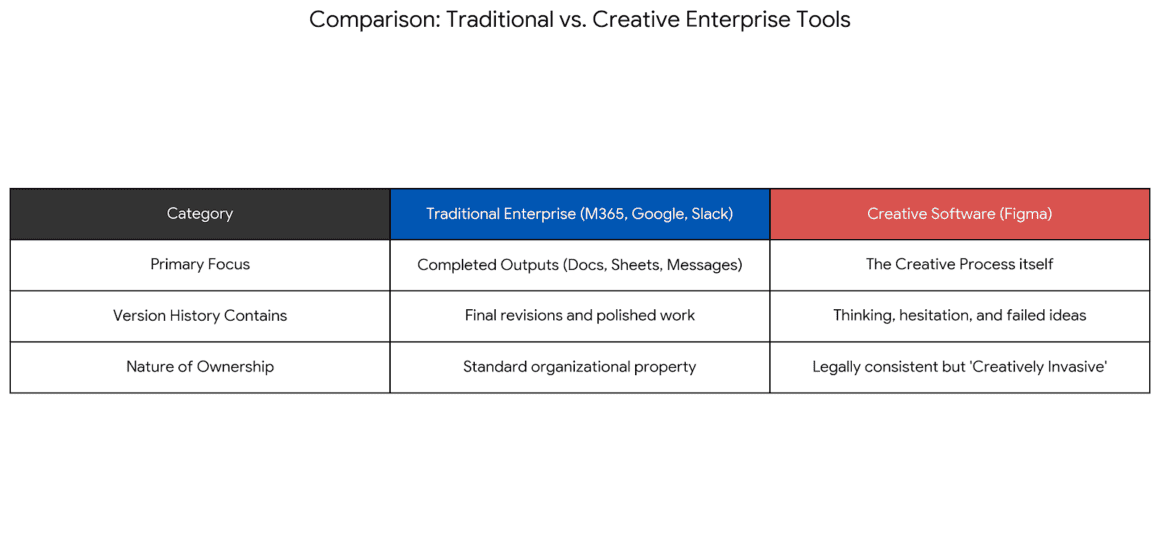
Designers who work on sensitive projects, who use Figma to explore directions that are not approved, or who think of their digital workspace as a creative sketchbook, are operating in an environment where that assumption of privacy is not supported by the platform’s architecture.
What Figma Could Do Better
None of this requires dramatic regulatory intervention or the abandonment of collaborative tools. It requires disclosure and choice. Three things would materially improve the situation.
First, Figma should surface version history access at the sharing modal. When you share a file, you should see a clear statement about what you are sharing, including whether the recipient will have access to the full version history. There should be a way to share a file without sharing its history, without requiring the workaround of duplicating the file. This is not a difficult product change. It is a matter of transparency choice.
Second, Figma should publish a plain-language summary of what enterprise administrators can see about their team members’ activity. The current documentation is accurate but requires you to read across multiple help articles, the privacy policy, the enterprise plan overview, and the Governance+ feature page to get the full picture. A single, honest page titled something like “What your administrator can see” would serve designers and administrators alike.
Third, Figma should require organizations to affirmatively notify employees when Governance+ features like the Discovery Pipeline are enabled. The pipeline logs text at a level of granularity that most employees would not expect. Deploying it without notification is legally permissible in many jurisdictions. It is not consistent with a company that markets itself as a place where great work gets made.
The design process is iterative and messy. The final file is a cleaned-up artifact. The version history is the process itself. Treating that record as purely organizational property is legally consistent and creatively invasive.
What Designers Can Do Now
While Figma works out the disclosure question at its own pace, there are practical steps that change the calculus for individual designers and freelancers.
If you are sharing a file with a client or external collaborator, duplicate it first and share the copy. The copy contains no version history, because it is new. It is inconvenient. It is the only clean option available right now.
If you want to explore ideas you are not ready to have others see, keep those explorations in a personal account outside your organization’s workspace. The organizational ownership clause does not reach your personal Figma account. Once you are ready to move work into the organization, import it. This creates a break in the record.
If you are concerned about Governance+ and text logging, ask your company directly whether it is enabled. This is a reasonable question. If HR or your manager cannot answer it, ask the person who manages your organization’s Figma account. You have a right to know what tools are collecting data about your work behavior.
If you are an administrator, read the documentation honestly from the designer’s perspective. The controls you have are real. Many designers do not know you have them. Transparency about what the admin role can access builds trust in ways that vague assurances about privacy do not.
Figma is not uniquely bad. Google, Slack, Notion, and every enterprise SaaS product face the same tension: the company needs to serve paying organizational customers, and paying organizational customers want control and visibility. The individual user inside those organizations is not the customer. They are the user. The distinction matters.
What makes Figma’s situation worth examining is the nature of the product. Other enterprise tools log communication and document access. Figma logs the creative process. The version history is not just a file backup. It is a record of how someone thinks, how they work, and how they solve problems. Giving employers broad visibility into that process without giving employees clear disclosure is a different kind of intrusion than logging who sent which email.
Designers are knowledge workers. The tools they use to think are as much a part of their professional identity as anything they produce. A tool that promises collaboration and creative freedom while quietly maintaining a surveillance capability that most users do not know about is not living up to its own product promise.
The version history question does not need to be a crisis. It needs to be a conversation, one that Figma has been slow to have plainly. The documentation exists. The features exist. What is missing is the kind of honest, upfront communication that would let every designer who opens a file understand exactly who can see what they have made, all the way back to the beginning.
That conversation starts with one honest question. If everyone in your enterprise workspace knew exactly what your administrator could see, would anything about the way people work change? If the answer is yes, then something about the disclosure is not working.
Sources
- “View a file’s version history” Help Center, help.figma.com/hc/en-us/articles/360038006754-View-a-file-s-version-history. Accessed 17 Apr. 2026. ↩︎
- “Feature Refinement Suggestion: Optional Version History Sharing at Figma File level” Figma Forum, 5 Mar. 2025, forum.figma.com/suggest-a-feature-11/feature-refinement-suggestion-optional-version-history-sharing-at-figma-file-level-38214. Accessed 17 Apr. 2026. ↩︎
- “Activity Logs” Developer Docs, developers.figma.com/docs/rest-api/activity-logs. Accessed 17 Apr. 2026. ↩︎
- Jeff, Buchanan. “Enterprise Admin Access to All Files – A Critical Security Oversight” Figma Forum, 6 Aug. 2025, forum.figma.com/report-a-problem-6/enterprise-admin-access-to-all-files-a-critical-security-oversight-43645. Accessed 17 Apr. 2026. ↩︎
- “Organization plan overview” Help Center, help.figma.com/hc/en-us/articles/13839486673559-Organization-plan-permissions. Accessed 17 Apr. 2026. ↩︎
- “View user’s Drafts as an Enterprise Admin” Figma Forum, 23 Apr. 2025, forum.figma.com/suggest-a-feature-11/view-user-s-drafts-as-an-enterprise-admin-39529. Accessed 17 Apr. 2026. ↩︎
- “Governance+ for Figma Enterprise” Help Center, help.figma.com/hc/en-us/articles/31825370509591-Governance-for-Figma-Enterprise. Accessed 17 Apr. 2026. ↩︎
- “Figma Expands Support for India with Local Data Hosting and New Governance Tools” Figma Blog, 5 Dec. 2025, www.figma.com/blog/india-local-data-hosting/. Accessed 17 Apr. 2026. ↩︎
- Reddit, www.reddit.com/r/FigmaDesign/. Accessed 17 Apr. 2026. ↩︎
- “Figma’s 2025 Release: New Tools for Designers and Updates” 3 June 2025, designsystems.surf/articles/one-stack-to-rule-them-all-figma-s-2025-power-suite-and-what-it-means-for-your-workflow. Accessed 17 Apr. 2026. ↩︎
- “See viewer history for your files” Help Center, help.figma.com/hc/en-us/articles/29638316371479-See-viewer-history-for-your-files. Accessed 17 Apr. 2026. ↩︎
- Ginsky, Kaya. “Figma CEO says it is ‘eating cost’ of AI upgrade for customers in 2024” 27 June 2024, www.cnbc.com/2024/06/27/figma-ceo-says-its-eating-cost-of-ai-for-customers-in-2024-upgrade-.html. Accessed 17 Apr. 2026. ↩︎
- Medium, medium.com/@adnanmasood/inside-the-great-ai-data-grab-comprehensive-analysis-of-public-and-proprietary-corpora-utilised-49b4770abc47. Accessed 17 Apr. 2026. ↩︎
- “Reuters.Com” www.reuters.com/legal/government/figma-sued-allegedly-misusing-customer-data-ai-training-2025-11-21/. Accessed 17 Apr. 2026. ↩︎
- “Class action alleges Figma used user designs to train AI tools” Insights, 22 Nov. 2025, www.mitrade.com/insights/news/live-news/article-3-1286694-20251122. Accessed 17 Apr. 2026. ↩︎


