
The email arrived on a Tuesday morning at 7:14 a.m. It was brief. It said spending on one Azure subscription had been forecast to exceed its monthly budget. The budget was set at £70. The projected amount: £758. The user, a developer in the UK running a small switched-off virtual server, had done everything right. They had set the alert. They had monitored the cap. They had, in the language of Microsoft’s own documentation, followed the process. It made no difference.
- The Confusion at the Heart of Azure Billing
- What the Anomaly Alert Actually Does
- The September 2025 Incident: When the System Itself Failed
- Pay-as-You-Go and the Architecture of Exposure
- Enterprise Agreements: The Other Side of the Problem
- Why the Model Fires When It Shouldn’t
- The Gap Between Notification and Action
- What a Well-Configured Setup Actually Looks Like
- The Trust Problem
- What Needs to Change
- The Alert Is Not the Lock
This was not a freak event. In forums across the internet, in Microsoft’s own Q&A boards, on Hacker News and Reddit threads, a specific kind of dread surfaces again and again. People wake up to Azure budget alerts that show numbers they cannot explain. Sometimes the numbers are wrong, the product of a Microsoft forecasting glitch. Sometimes the numbers are devastatingly real. Either way, the common assumption that setting a budget inside Azure’s Cost Management tool will stop charges is, in most configurations, simply false.
This piece investigates why. It looks at what Azure’s alerting system actually does, why the machine learning model underneath it misfires, and why the fundamental architecture of cloud billing makes hard spending limits nearly impossible for the platform’s most common subscription types. It also looks at the human cost: the student with a £242 bill for three days of learning, the startup founder delaying hiring after a $2,800 marketplace surprise, and the solo developer who deleted entire resource groups in a panic rather than wait to find out what the final number would be.
The Confusion at the Heart of Azure Billing
There is a distinction inside Azure that is crucial and almost universally misunderstood. It is the difference between a budget and a spending limit. These two things sound like they do the same job. They do not.
A spending limit is an actual ceiling on spending. When you hit it, Azure shuts your services down. It is available only on certain subscription types that carry pre-loaded credits, such as free accounts and some Visual Studio subscriptions. According to Microsoft1, for ordinary pay-as-you-go customers, the spending limit feature does not exist. You cannot turn it on. It is simply not available for the subscription type that most commercial developers and small businesses use.
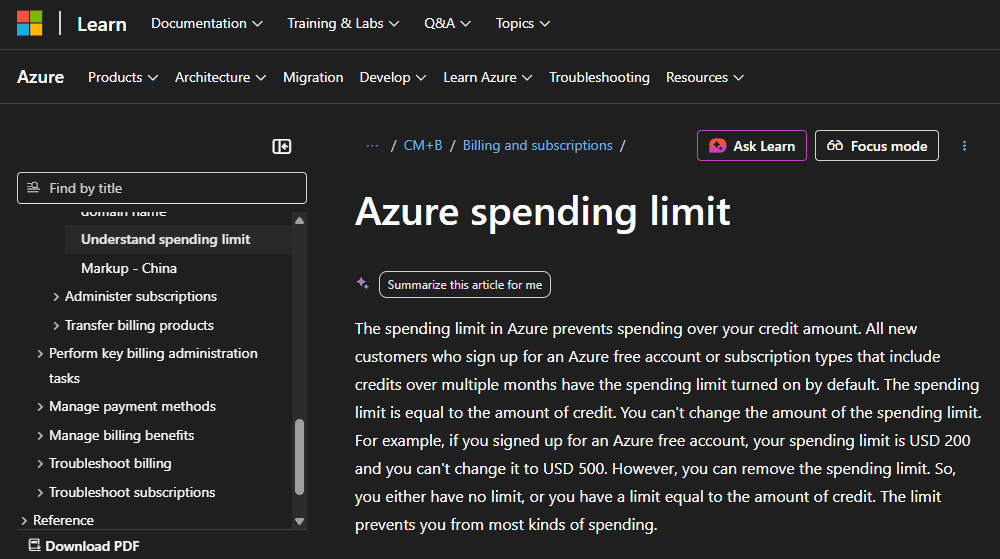
A budget, by contrast, is a notification mechanism. Microsoft’s own documentation is candid about this: “when a budget is reached, the services do not automatically stop.” This distinction is explicitly documented, but it is buried in technical reference pages that most users never read. The portal’s budget-creation interface looks like you are setting a constraint. You are not. You are setting an alarm that will sound after the ceiling has already been broken.
“Azure does not provide a direct mechanism to automatically cap spending or disable resources when the limit is reached.” — Microsoft Q&A2, official answer
This is not a loophole or an oversight. It is a deliberate design choice rooted in the economics of cloud infrastructure. Microsoft, like all hyperscalers, prefers to bill for resources that run rather than halt them and risk losing a workload to a competitor. For enterprise customers running production applications, having Azure automatically kill services at a budget threshold would be catastrophic. An e-commerce site going dark because a developer misestimated the month’s data transfer costs is not something Microsoft wants on its support queue.
But that enterprise logic has seeped into every tier. A university student learning Azure on a pay-as-you-go account carries the same architectural exposure as a Fortune 500 company. The difference is that the Fortune 500 company has a FinOps team watching the dashboards.
What the Anomaly Alert Actually Does
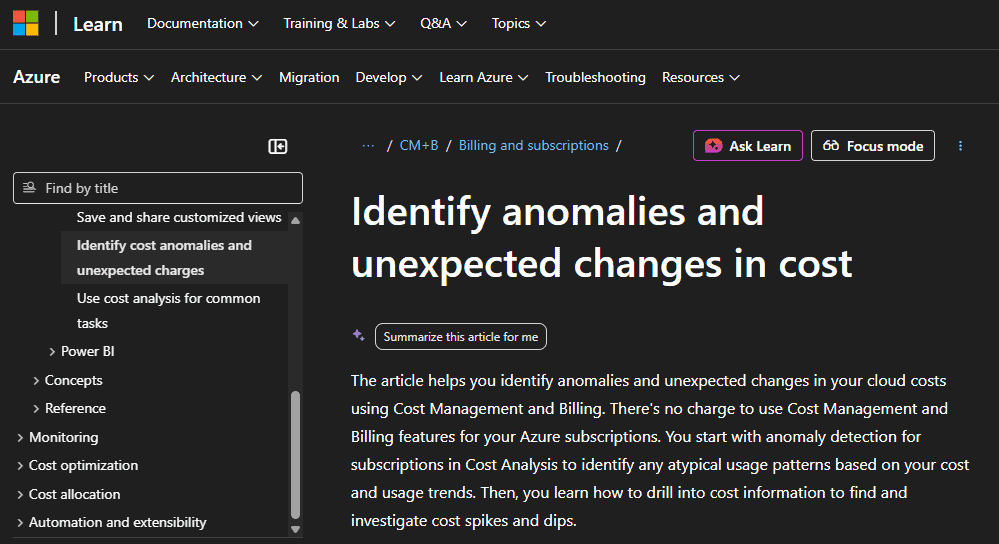
Azure’s cost anomaly detection is a separate system from budgets, and understanding it requires some patience with the underlying technology. According to Microsoft’s official documentation3, the anomaly detection model is a univariate time-series system that uses 60 days of historical spending to train a deep learning algorithm called WaveNet, originally developed by Google for audio generation. The system runs 36 hours after the end of each UTC day, compares actual spending against its projected range, and flags any usage that falls outside its confidence interval.
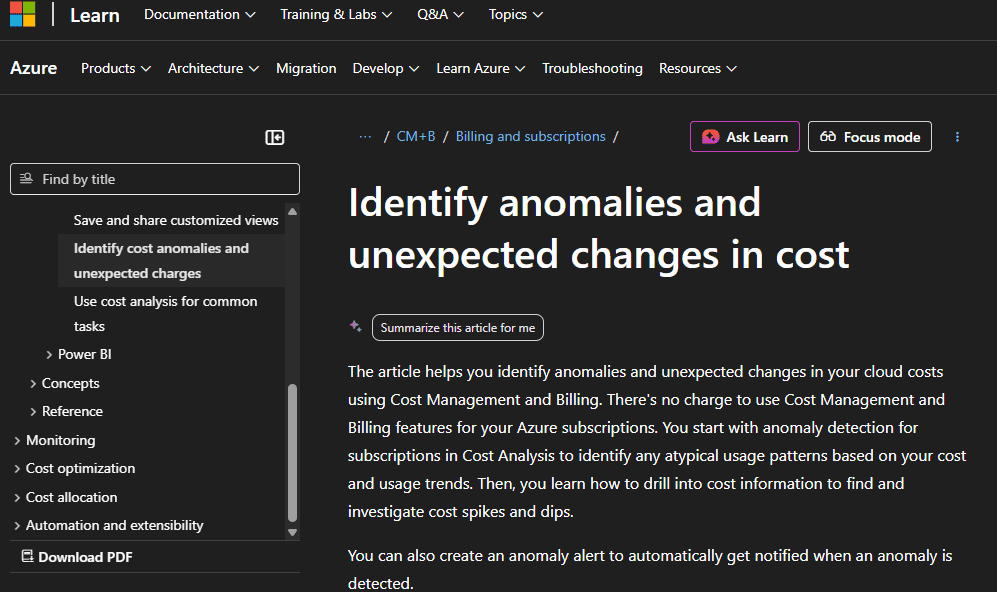
When the model spots a deviation, it sends one email. Just one. It does not, by default, stop anything. It does not freeze resources. It tells you something looks unusual and asks you to investigate. As Ternary4, Azure offers less flexibility than competing cloud platforms here. You cannot set the scope of the anomaly alert or calibrate the threshold. The system either fires or it does not, with no middle ground for users who want graduated warnings.
The system also has a documented weakness that becomes obvious under certain conditions: it is trained purely on historical data. If your Azure environment has just scaled up, taken on a new workload, or migrated accounts, the model has no context for what normal now looks like. It will compare your new, higher spending against your old, lower baseline and flag the difference as an anomaly, even if the increase was entirely planned. As the FinOps5 Foundation has noted in its guidance on anomaly management, systems that lack future awareness generate substantially more false positives because they have no knowledge of scheduled events, migrations, or deliberate scale-ups.
Microsoft’s own internal research papers have tackled this problem directly. A 2024 paper6 from the Azure Core team acknowledged that a manual filtering approach “yields a lot of anomalous/fault points” and described efforts to reduce false positives without losing genuine detections. The internal target was ambitious: getting from thousands of anomalies detected per hour to somewhere between five and twenty that humans could act on. That gap between the raw output of the model and a useful human signal tells you something important about the state of the technology. Azure is selling anomaly detection to customers with the same model it is still actively trying to reduce the noise from internally.
The September 2025 Incident: When the System Itself Failed
If the structural issues with Azure cost alerting are chronic, the events of September 1, 2025 were acute. In the early hours of that morning, Azure users globally began receiving budget alerts showing their cloud costs had ballooned by hundreds of percent overnight. For many, it looked like a catastrophic billing event. It was, in fact, a system error.
According to reporting in WebProNews7, the incident was traced to a botched account migration process. Users who had recently transitioned their Azure accounts as part of Microsoft’s push to consolidate services under its Microsoft Account framework found their cost forecasts inexplicably inflated. One customer described receiving alerts predicting a 400 percent increase in monthly spending despite no changes whatsoever in workload or resource use. Microsoft acknowledged the glitch in a service health update, attributing it to “anomalies in forecast calculations post-migration.”
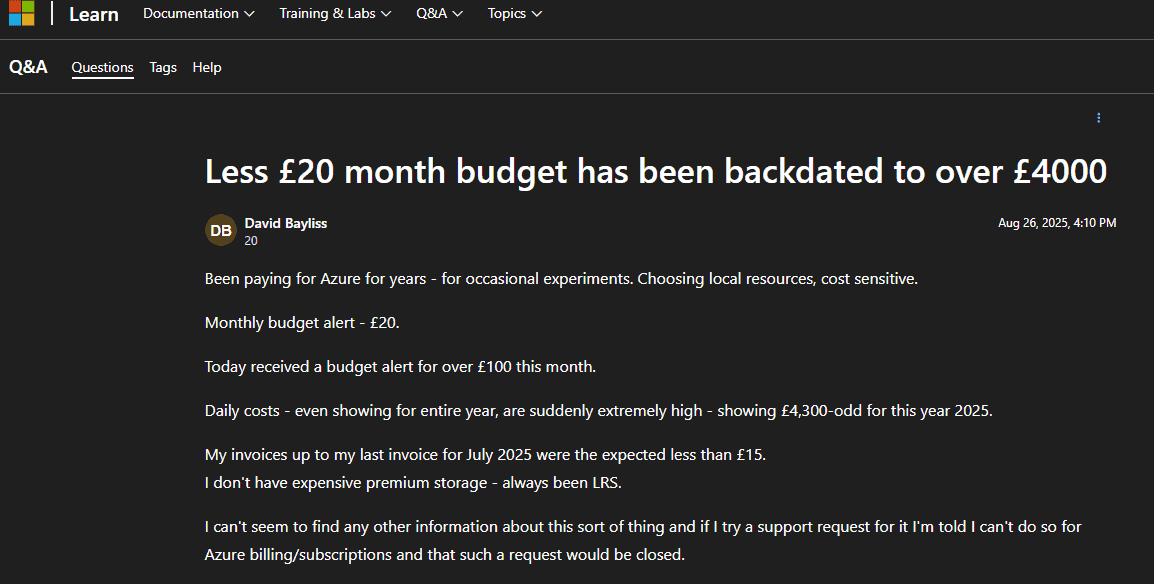
The fallout was immediate and human. IT teams across organizations spent hours auditing logs and calling support. Some users, unable to quickly verify whether the alerts were real, did the only thing that felt safe: they deleted their resource groups entirely. In a thread on Microsoft’s own Q&A forum8, one developer described receiving a notification that a year-to-date cost of under £15 had suddenly become £4,300.
“I’ve panicked and deleted the resource groups altogether,” they wrote. “If I’m suddenly charged these amounts I’ll become bankrupt. I don’t know where to go for support. I’m panicking. Literally, shaking, panic attacks.”
Another user in the same thread described a switched-off virtual server whose costs went from the expected £50-60 per month to a forecast of £758 in a single afternoon. The community response was sympathetic but honest about the structural reality:
“Looks to me like a structural problem, someone at Azure screwed up.”
What strikes me reading through these threads is not the scale of the technical failure, which was significant, but the asymmetry of information. Microsoft could see internally that the alerts were erroneous. Its systems had generated them. The users on the other end had no way to know that. All they had was an email telling them their bill had grown by a factor of ten, and a support infrastructure that, by multiple accounts, was difficult to reach quickly for billing questions.
Pay-as-You-Go and the Architecture of Exposure
The most vulnerable users in Azure’s billing ecosystem are on pay-as-you-go subscriptions. This is the tier that students, independent developers, and small teams gravitate toward. It is also the tier that has the fewest hard protections against runaway costs.
On a pay-as-you-go subscription, there is no spending limit available at all. Microsoft’s documentation9 confirms this explicitly. You can set a budget and configure alerts. You can trigger automation, in theory, to shut resources down when thresholds are crossed. But the automation has to be manually configured, requires specific role permissions to set up, and depends on webhook and Logic App infrastructure that a solo developer may not know how to build. In practice, most pay-as-you-go users set a budget number, check the email box for notifications, and assume that is sufficient protection.
It is not. A forum comment that drew significant upvotes on a Microsoft Q&A thread captured the feeling well:
“This is an unbelievable answer and irresponsible of Microsoft. We are talking bank accounts not ledgers.”
The consequences of this gap are real and recurring. A university graduate in the UK posted in late 2024 that after using Azure for two to three days of study, they had received a £200 charge they described as impossible to pay. A user who set up an Azure Machine Learning workspace, left resources running while taking a personal break, and returned to find a $600 invoice described the experience of trying to navigate support to dispute the charge:
“I can’t find a way to speak to the billing team.”
On Hacker News10, a developer recalled a $15,000 Azure bill accumulated without any visible resource appearing in the console.
“The offending process costing me money didn’t appear on the Azure console and I had no idea it was running,” they wrote.
Microsoft eventually waived the charge. But the experience was enough to permanently end that developer’s relationship with the platform.
Enterprise Agreements: The Other Side of the Problem
If pay-as-you-go users face the problem of no hard cap, enterprise customers on Azure Enterprise Agreements face a different but related trap: the overage.
Under an EA, companies make a monetary commitment to spend a certain amount on Azure in exchange for discounted rates. When consumption exceeds that commitment, the additional spending is an overage, and it may be billed at standard, undiscounted rates unless the customer has specifically negotiated overage pricing. As one analysis of EA structures puts it directly:
“Azure has no hard cap for EA subscriptions. You can use budgets and alerts, and even custom scripts, but no automatic shut-off exists for enterprise accounts.”
This means that even sophisticated organizations with dedicated cloud finance teams can find themselves staring at a year-end true-up that exceeds their planned commitment. The budget alerts fire. The anomaly detection runs. But nothing actually stops the meter.
The AI services layer has added a new dimension to this problem. In recent months, a billing controversy around Azure AI Foundry11 has surfaced repeatedly in startup communities. Founders discovered that third-party AI model charges processed through the Azure Marketplace bypassed standard credit systems entirely. Startups that had received up to $150,000 in Azure credits through Microsoft’s startup programs found the credits did not apply to marketplace AI purchases. Several reported invoices in the thousands of dollars they had not anticipated. One company described delaying hiring plans after a $2,800 invoice. Another spent weeks disputing charges instead of building product.
The root issue is architectural. Microsoft has confirmed that there is no supported way to enforce a hard spending cap specifically on Azure OpenAI and related AI services beyond managing token and request rate quotas. When those quotas are exceeded, the system throttles rather than blocks. The billing continues.
Why the Model Fires When It Shouldn’t
Setting aside system-wide glitches like the September 2025 incident, there are mundane, structural reasons why Azure’s anomaly detection will alert you on costs that are neither anomalous nor problematic.
The WaveNet model trains on 60 days of your actual spending history. This is a reasonable window for catching patterns in mature, stable environments. It is a terrible window if your environment is new, growing, or has just undergone any kind of structural change. A startup that doubles its infrastructure in month two will trigger anomaly alerts simply because month two looks nothing like month one. A team that runs a quarterly data processing job will see that job flagged as unusual every quarter, because the 60-day window has no memory of the quarter before.
The system also runs at subscription scope. If you have multiple teams, projects, or environments sharing a subscription, the model is trying to detect anomalies in the aggregated total of all their spending. A legitimate cost increase in one team’s workload can mask a genuine anomaly in another. And a perfectly normal deployment by one team can trigger an alert that arrives in the inbox of a manager who has no idea what that team was doing that week.
There is a deeper issue too. The WaveNet model, as described in Azure’s technical documentation12, is unsupervised. It has no feedback loop that learns from your dismissals. If you mark an anomaly as expected, the system has no way to incorporate that signal into future detections. You will see the same false positive the next time the same pattern occurs.
By contrast, AWS’s Cost Anomaly Detection allows users to set thresholds in both dollar amounts and percentage terms, assign alerts to specific service categories, and tag specific monitors to track subsets of spending. Google Cloud’s alerting system allows programmatic customization of alert conditions. Azure’s system is, at least in its native form, a single on/off switch. You get the alert or you do not, with no tuning in between.
The Gap Between Notification and Action
One of the core problems with Azure cost alerting is a gap in time that feels small in a technical diagram but enormous when you are watching a bill grow in real time. According to Microsoft13, budgets are evaluated every 12 to 14 hours. Anomaly detection runs 36 hours after the end of the day. This means that a cost spike that begins at midnight can generate charges for nearly two full days before any alert system has evaluated and notified you. At Azure’s pricing for compute-intensive workloads, two days can represent a significant sum.
This is not unique to Azure. All major cloud platforms bill on usage that has already occurred. But it collides poorly with user psychology. When you see a button that says “create a budget of $200,” you instinctively feel that you have drawn a line. The documentation that explains the line is advisory, not enforceable, and is several clicks deep and written in technical language that most non-specialist users never fully process.
Microsoft has made improvements. Forecasted cost alerts, now generally available, warn you when spending trends are projected to exceed a budget before you actually breach it. This is genuinely useful and represents a step toward meaningful protection. But the forecast is still a prediction, not a lock. If the forecast is wrong, which it will sometimes be, you still exceed the budget. The door is still open.
There is also the question of alert recipient lists. Budget alerts go to whoever was configured when the budget was created. In organizations where people change roles, leave companies, or move between projects, alert recipients can become outdated. An alert fires, reaches a departed employee’s inbox, and sits unread while the charges accumulate.
What a Well-Configured Setup Actually Looks Like
To be fair to Microsoft, a properly configured Azure cost management setup is substantially more protective than the default. The problem is that reaching it requires knowledge and effort that many users, particularly those coming to Azure for the first time, do not have.
An effective configuration combines several layers. First, budgets at multiple scopes: subscription-level, resource group level, and for AI workloads, potentially service-level budgets filtered to specific resource types. Second, both actual and forecast alerts at staggered thresholds, typically 50 percent, 75 percent, 90 percent, and 100 percent, so that you get advance warning rather than a notification that arrives after the fact. Third, and critically, budget alerts connected to Action Groups that trigger Logic Apps capable of actually shutting down or scaling back resources automatically. This third step transforms an advisory notification into something closer to a genuine control.
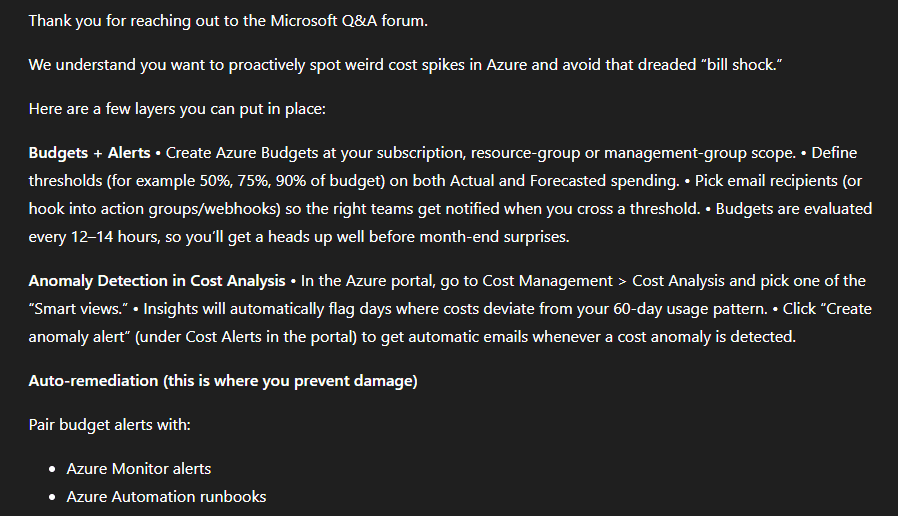
The anomaly detection layer adds an additional signal: it catches the unusual spikes that a budget based on historical averages might miss, because it is looking for deviations from expected patterns rather than absolute thresholds. The two systems are complementary rather than redundant: budgets catch gradual overspending, while anomaly alerts catch sudden spikes.
For organizations that need cross-cloud visibility or finer-grained control than native Azure tools provide, third-party FinOps platforms offer more. Tools from vendors like CloudZero, Ternary, and Turbo360 can set spending alerts at the team, environment, or application level, surface ownership information alongside anomaly alerts so the right person gets notified immediately, and build feedback loops that learn from dismissed alerts. The tradeoff is cost and complexity. Adding a FinOps platform to manage your Azure costs adds its own line item to the cloud bill.
The Trust Problem
Beyond the technical mechanics, there is a trust problem. Cloud billing is inherently opaque. Usage data flows through multiple systems before it is consolidated into a cost figure. There is typically a lag between when a resource runs and when that cost appears in the portal. Tags may be missing or inconsistent. Marketplace charges can flow through different billing pathways than first-party service charges. When an alert fires and the numbers do not match what you expected, you have to investigate rather than simply verify, because the system does not make verification straightforward.
The developer who posted in a Microsoft forum in 2025, having watched their annual Azure cost display jump from under £15 to over £4,300 overnight, said something that stays with me: “I’ve kinda lost any implicit trust.” That response, arriving in a forum full of sympathetic Microsoft employees trying to explain that this was a platform-side error, captures something true about the relationship between cloud users and cloud billing. You are running your infrastructure on a system you cannot fully see, billed in ways you cannot fully predict, protected by alerts that do not always do what they appear to do.
Microsoft is not uniquely villainous here. Every major cloud provider has stories like these. AWS has generated its share of five-figure accidental bills. Google Cloud has had its own billing controversies. The cloud billing model, across all providers, places the burden of cost governance on the customer in ways that marketing rarely emphasizes. But Azure’s specific design choices, particularly the absence of hard spending caps on pay-as-you-go accounts and the limited customizability of its anomaly detection system, make it harder than it needs to be to build genuine protection.
What Needs to Change
There is a reasonable case that Microsoft should extend some form of enforceable spending limit to pay-as-you-go accounts. The argument against it, that stopping services mid-month is disruptive and potentially damaging, is real. But a user-controlled option to enable a hard cap, with clear warnings about what that cap would do to running services, would give individual developers and small teams a tool they genuinely need. The fact that it is available on free accounts but not on paying accounts inverts the logic of customer protection.
The anomaly detection system needs a feedback mechanism. Right now, it learns nothing from the alerts it generates. A user who dismisses an alert as a false positive has no way to tell the model not to send the same alert next month. Building a simple thumb-up/thumb-down signal into the anomaly alert email would be a starting point. The model would become more useful the more it is used, rather than being static.
Azure should also close the clarity gap at the point of budget creation. When a user sets a budget in the portal, the interface should prominently state, in plain language, that this budget will not stop charges. Many users simply do not know this, and the documentation that explains it is not visible in the workflow where the misunderstanding forms.
The marketplace billing bypass that affected Azure AI Foundry users is a specific and fixable problem. If a user’s credits apply to Microsoft’s own AI services but not to third-party marketplace models, that distinction should be visible at the point of purchase, not discovered on the invoice.
The Alert Is Not the Lock
There is a version of Azure cost management that works well. It requires multiple overlapping layers of alerts, automated remediation through Logic Apps and Action Groups, disciplined resource tagging, regular manual reviews, and ideally a dedicated person or team responsible for watching the numbers. For an enterprise with that infrastructure in place, Azure’s cost controls are reasonably robust.
For everyone else, the system has a fundamental gap between what it appears to offer and what it actually delivers. The gap is not hidden. It is documented. But documentation that lives three pages deep in a technical reference is not the same as a platform designed to protect its users by default.
The bill that should not exist, the one that arrives despite the cap you set and the alert you configured, is not a mystery. It is the predictable output of a system where the notification and the control are two different things, and only one of them is turned on by default.
Until Microsoft addresses that gap, the safest assumption for any Azure user is this: the budget alert is a smoke detector. It will tell you the house is on fire. It will not put out the flames.
Sources
- “Azure spending limit” Microsoft Learn, learn.microsoft.com/en-us/azure/cost-management-billing/manage/spending-limit. Accessed 10 Apr. 2026. ↩︎
- “How to set a maximum limit of spending on azure” Microsoft Q&A, learn.microsoft.com/en-us/answers/questions/1194727/how-to-set-a-maximum-limit-of-spending-on-azure. Accessed 10 Apr. 2026. ↩︎
- “Identify anomalies and unexpected changes in cost” Microsoft Learn, learn.microsoft.com/en-us/azure/cost-management-billing/understand/analyze-unexpected-charges. Accessed 10 Apr. 2026. ↩︎
- Team, Ternary. “Anomaly detection comparison in AWS vs. Azure vs. Google Cloud” Ternary, 11 Mar. 2025, ternary.app/blog/anomaly-detection-comparison-aws-vs-azure-vs-gcp/. Accessed 11 Apr. 2026. ↩︎
- “Managing Cloud Cost Anomalies” www.finops.org/wg/managing-cloud-cost-anomalies/. Accessed 11 Apr. 2026. ↩︎
- “High Significant Fault Detection in Azure Core Workload Insights” arxiv.org/html/2404.09302v1. Accessed 13 Apr. 2026. ↩︎
- Webpronews, www.webpronews.com/microsoft-azure-glitch-sparks-false-budget-alerts-and-cost-spikes/. Accessed 13 Apr. 2026. ↩︎
- “Less £20 month budget has been backdated to over £4000” Microsoft Q&A, learn.microsoft.com/en-us/answers/questions/5534853/less-20-month-budget-has-been-backdated-to-over-40. Accessed 13 Apr. 2026. ↩︎
- “Spending limit to a Pay As you go Subscription” Microsoft Q&A, learn.microsoft.com/en-us/answers/questions/1048090/spending-limit-to-a-pay-as-you-go-subscription. Accessed 13 Apr. 2026. ↩︎
- “I once ran up a $15,000 bill on Azure completely by accident when trying to get …” Hacker News, news.ycombinator.com/item?id=28637647. Accessed 13 Apr. 2026. ↩︎
- Windows News, windowsnews.ai/article/microsoft-azure-ai-foundry-billing-controversy-startups-hit-with-unexpected-marketplace-charges.405297. Accessed 13 Apr. 2026. ↩︎
- “Identify anomalies and unexpected changes in cost” Microsoft Q&A, learn.microsoft.com/en-us/azure/cost-management-billing/understand/analyze-unexpected-charges. Accessed 13 Apr. 2026. ↩︎
- “Cost anomalies alerting to prevent bill shock in Azure” Microsoft Q&A, learn.microsoft.com/en-my/answers/questions/5826761/cost-anomalies-alerting-to-prevent-bill-shock-in-a. Accessed 13 Apr. 2026. ↩︎