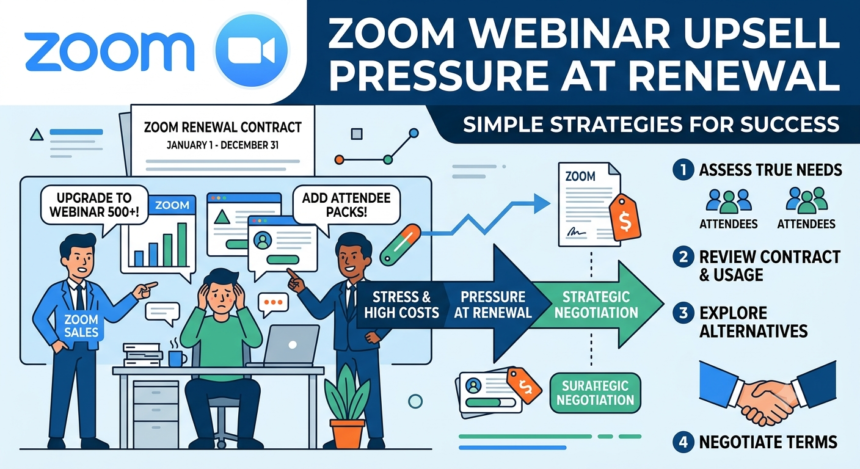

I found the thread by accident, the way I find most of these stories. A small business owner named qmcmullen posted to the Zoom Community forum1 in the summer of 2022 with a problem that sounded, at first, almost too clean to be true. He had paid $1,400 for a Zoom Webinar plan covering 500 attendees. Partway through the year, Zoom bumped him up to 1,000 attendees for free. No charge, no fine print he could see, just a nice little gift sitting in his account. Then his contract renewed. And it renewed at the 1,000-attendee price. Still $1,400. Except by then Zoom had quietly dropped the price of the 500-attendee plan to $690. He was paying double for a tier he never asked for, locked in the moment his card was charged, one day into a new contract he hadn’t agreed to review.
He tried to get out of it. He wanted to know if support would let him step back down to what he actually needed. What he got, in his own words, was a company that had “little interest in talking with customers”. Five months later, another user replied to the same thread with a nearly identical story: an invoice landing on the renewal date itself, no room to adjust, a request to shift the overage into next year’s plan that got flatly turned down.
That thread sat there, unresolved, for years. I went looking for it because I wanted to know if it was a fluke. It is not. It is a pattern, and once you see it, you start noticing it everywhere Zoom sells webinar capacity.
A Subscription Built to Expand, Not Settle
Zoom Webinars is not one product. It’s a ladder. The base Webinars tier starts around $79 to $83 a month for 300 to 500 attendees, according to the current Zoom pricing page2 and independent trackers like CostBench. Above it sits Webinars Plus, which adds simulive playback, single sign-on, and managed domains, for roughly $99 and up. Above that sits Zoom Events, built for multi-session conferences, starting near $149. And every single one of those tiers requires a paid Zoom Workplace Pro seat underneath it just to exist. You cannot buy a webinar license on its own. You buy the base subscription first, then you buy the capacity to actually use it for anything bigger than a staff meeting.
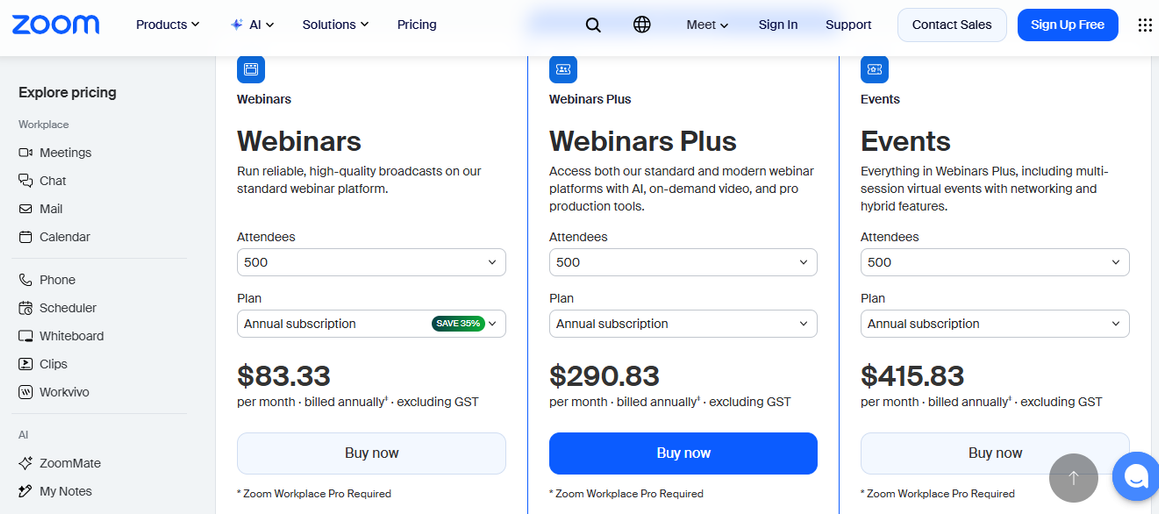
Each rung of that ladder has its own attendee cap, and every cap is a wall you eventually hit. Push past it during a live event and you need a Large Meeting add-on, which starts around $50 a month for 500 participants and keeps climbing for 1,000, 3,000, or 5,000. Go over your prepaid attendee count on a pay-per-attendee plan and Zoom charges an overage fee of roughly $2.50 per head, a number confirmed by CostBench’s pricing audit3. Fill up your cloud storage with recordings, which happens fast if you run webinars regularly, and the next 30 gigabytes costs another $10 a month, forever, for as long as those recordings sit on Zoom’s servers.
None of these costs show up on the sticker price. They show up later, in a bill that looks nothing like the number a sales rep quoted at signup. A cost breakdown from tech review site checkthat.ai4 put it about as bluntly as a vendor comparison ever does, warning that a rate as low as $13.33 a user can “quietly become $25 or more once you layer on phone, AI customization, and webinar capacity”. That’s not a hidden fee in the legal sense. Zoom will tell you, correctly, that all of this is disclosed somewhere in the pricing documentation. But disclosed and obvious are not the same thing, and the gap between them is exactly where the upsell pressure lives.
Where the Pressure Actually Sits: The Renewal Date
Here’s what I kept finding as I dug through complaints, reviews, and community threads. The upsell doesn’t happen when you sign up. It happens when you try to leave, or try to shrink, or try to simply stay the same size you already were.
Zoom’s contracts auto-renew by default. That’s standard in enterprise SaaS, not unique to Zoom, but the mechanics of how Zoom handles that renewal window is where things get uncomfortable. A billing dispute filed with the Better Business Bureau5 describes a customer charged a renewal fee with zero advance notice, who then hit a flat refusal when they asked for their money back. Zoom’s position, laid out in the company’s own reply, was
“There is no refund policy for these renewals”.
Another complaint on the same page tells a similar story, a card charged again weeks after a cancellation attempt, an escalation that ended with a billing team leader declaring the matter closed with no supporting documentation attached.
One more user said:
No customer should be boxed paying for months of service they have no intention of using. Since they provide no physical product the subscription is essentially a services credit or retainer. If it has no intention of being used ever and one’s whole account is being closed, that credit or retainer should be forfeited back to the customer. Anything less is theft.
I’m not going to pretend every one of these complaints is airtight. Billing disputes are messy, and companies this size process an enormous volume of transactions. But the shape of the complaints matters more than any single one of them. Across dozens of reviews aggregated by Trustpilot6, the recurring theme isn’t bad video quality or clunky screen sharing. It’s money. Unexpected renewals. Refusals to cancel cleanly. A support system that customers describe as rigid and hard to reach, one that routes billing disputes into a maze before a human ever looks at them.
The 500-to-1,000-attendee story from the Zoom Community forum fits neatly into that pattern because it shows exactly how the mechanism works. A free upgrade isn’t free. It’s a lever. Give a customer more capacity than they asked for, let them use it once or twice, and by the time the renewal date arrives, the system defaults to billing them for the bigger tier, not the one they originally chose. Cancelling that default requires the customer to notice, to act, and to act before the charge posts, which in qmcmullen’s case meant noticing on literally the first day of a new contract term. Miss that window and you’re stuck for a year.
I don’t think this is an accident, and I don’t think it needs to be a conspiracy either. It’s a business strategy, and Zoom has been fairly open about what that strategy is, at least on earnings calls where analysts are listening for exactly this kind of thing.
Back when Zoom was still riding the pandemic surge, CFO Kelly Steckelberg described the company’s approach plainly on a Q1 2020 earnings call, saying the plan was to “provide a generous free offering” and convert a share of those users into paying customers as their needs grew. That’s the acquisition side of the funnel. But growth from new users eventually slows, and every SaaS company eventually pivots to what analysts call expansion revenue, meaning more money extracted from the customers already in the door. A case study from pricing consultancy Monetizely7 traces exactly this pivot inside Zoom, describing a shift in what leadership measured on earnings calls, away from raw user counts and toward average revenue per user, upsell penetration on products like Zoom Phone and Zoom Events, and enterprise retention rates that Monetizely puts above 95 percent.
Zoom’s own SEC filings back this up in numbers. A Q3 fiscal 20228 earnings release reported that the number of customers contributing more than $100,000 in trailing revenue had grown 94 percent year over year, even as the free-user boom that built the brand was already cooling. That’s the tell. The company’s growth engine shifted from adding new accounts to squeezing more out of the accounts it already had, and webinar and events capacity, tucked behind a paywall on top of a paywall, is one of the cleanest levers available for doing exactly that.
CEO Eric Yuan used the word “upsell” himself, describing new AI monetization plays as giving the company an upsell path on top of products already sold into an account. He wasn’t talking about webinars specifically in that moment, but the language is telling. This is how the company talks about its own customer base internally, and on the record, to investors who are grading it on exactly this kind of expansion.
I want to be fair here. A blog post from marketing-tech site Miracuves9 lays out Zoom’s revenue playbook without much editorializing, and it reads almost like a syllabus: segmentation to filter users by spending capacity, upselling through large meeting upgrades and storage boosts, cross-selling through Phone, Rooms, and Events, multi-year contracts built to roll over automatically. None of that is illegal. None of it is even unusual for the industry. What makes it land differently for webinar customers specifically is that webinars are, almost by definition, a seasonal, spiky need. You don’t run the same size event every month. You need 500 seats in March for a product launch and maybe 150 the rest of the year. A pricing structure built around fixed annual tiers is a bad match for that kind of usage, and Zoom’s default renewal behavior, which locks in whatever tier you happened to touch most recently, makes the mismatch worse, not better.
The People Paying for It
Small businesses and nonprofits feel this hardest, because they have the least room to absorb a renewal surprise and the least leverage to negotiate one away.
A lecturer reviewing the product on TrustRadius10 put the core problem about as plainly as anyone I found, writing that colleagues had complained
“The price does not make sense considering how little we use it”.
That’s not a complaint about a specific dollar figure. It’s a complaint about a mismatch between cost and use, which is precisely what happens when a flat annual tier gets applied to an event calendar that isn’t flat at all.
Zoom does offer relief for nonprofits, and it’s worth saying so plainly. Through a program called Zoom Cares11, verified through a partner called Goodstack, eligible nonprofits can get half off Workplace Pro, Business, Large Meeting, and Webinar add-ons, according to a breakdown from AIToolPick12. That’s real money back for organizations under a $10 million budget threshold. But the discount only applies to annual billing, which means the same lock-in dynamic still applies, just at half price. And the older TechSoup partnership that used to route this discount ended in May 2025, which means some organizations that relied on that pathway had to find and requalify through the new one, a small but real piece of friction added at exactly the moment budgets are tightest.
Meanwhile, a cottage industry of competitors has sprung up specifically to court customers frustrated by Zoom’s webinar economics. A comparison from webinar platform eWebinar13 argues that Zoom’s webinar tool is fundamentally an add-on bolted onto a meetings product, not something purpose-built, and that the customization ceiling shows it. A vendor blog from Convay14 goes further, claiming three-year savings above $38,000 for large-scale deployments that switch away from Zoom. I’d take that specific number with real skepticism, since it comes from a company selling the alternative, and vendor math in head-to-head comparisons tends to flatter the vendor doing the math. But the fact that this comparison content exists at all, in volume, across multiple competitors, tells you something. Enough customers are frustrated enough by Zoom’s webinar pricing that an entire content marketing category has formed around poaching them.
The Volatility Problem Nobody Warns You About
Pricing on Zoom Webinars hasn’t just been high. It’s been unstable in a way that makes budgeting genuinely difficult. A pricing tracker from itsconvo.com15 documented a 45 percent price increase in July 2025, followed by a 37 percent decrease just seven months later in February 2026. Users on that same tracker reported renewal hikes ranging anywhere from 5 to 51 percent depending on the account. That’s not a typo. Two customers on functionally similar plans could see wildly different renewal outcomes depending on when their contract happened to land relative to Zoom’s latest pricing adjustment.
This volatility isn’t just an inconvenience. It’s structurally similar to what I’ve written about before in other corners of the subscription economy, where a platform holds enough pricing power that it can move the number underneath a customer without much warning, confident that switching costs and sunk investment in templates, workflows, and integrations will keep most of that customer base from actually walking. Zoom customers on the Community forum openly wrestle with exactly this calculation, weighing the hassle of migrating years of saved webinar templates against the annoyance of overpaying for another cycle. That calculation, more than any single feature or price point, is what keeps a lot of frustrated customers from leaving even when they feel taken advantage of.
Contract language backs this up. CostBench’s16 audit of Zoom Webinars terms notes that buyers must generally maintain their minimum committed quantity of services for the full term, with payments that are typically non-cancelable and non-refundable. A separate review confirms mid-term refunds simply aren’t available. If you overestimate your attendee needs at signup, or if your organization shrinks its event calendar mid-year, you’re stuck holding a subscription sized for a version of your business that no longer exists, until the renewal date finally rolls around and gives you one narrow window to fix it.
I think about that window a lot. A year is a long time for a small marketing team or a two-person nonprofit communications shop to remember exactly what they signed and why. People change jobs. Passwords get handed off. The employee who negotiated the original webinar tier leaves the company, and eighteen months later somebody new in finance is staring at an invoice with no context for how the number got that high. That loss of institutional memory isn’t Zoom’s fault exactly, but the billing architecture is built in a way that benefits from it. A once-a-year decision point, buried in a portal most people only open when something breaks, is not a design that rewards attention. It’s a design that rewards forgetting, and forgetting is exactly what keeps a customer parked on whatever tier they happened to be sitting on the day the invoice hit.
There’s a broader pattern here too, one I’ve run into again and again writing about subscription platforms that scaled fast during the pandemic years and then had to figure out how to keep growing once the surge ended. The free tier gets you in the door. The mid tier gets you comfortable. And the renewal clock becomes the moment the company quietly asks for more, betting that switching costs, saved templates, and plain inertia will do the rest of the work for them.
I’d be doing this story a disservice if I didn’t lay out the other side clearly, because there is one, and it’s not nothing.
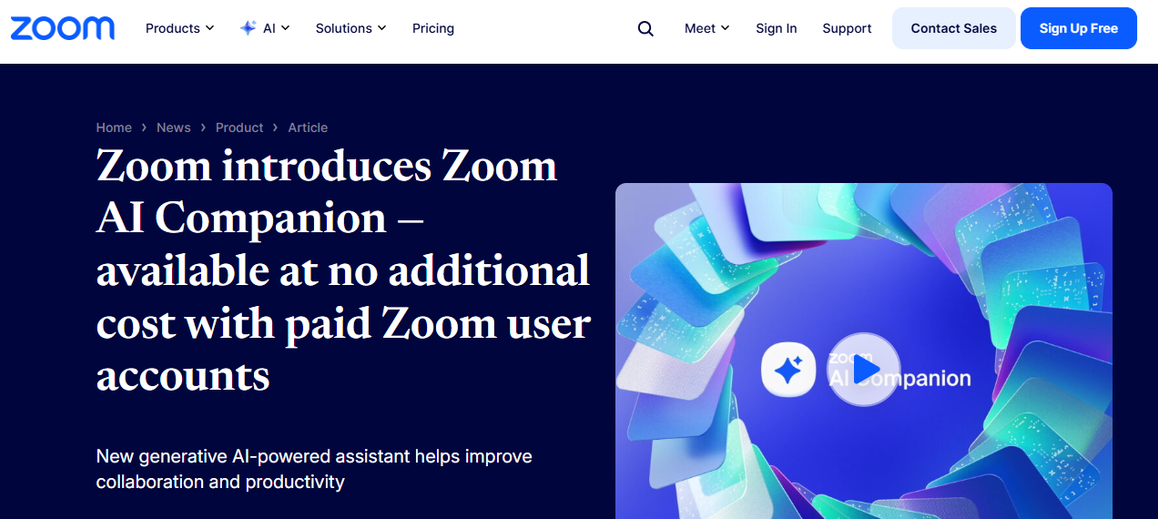
Zoom includes its AI Companion at no extra charge on paid plans, a real point of differentiation against competitors who charge $20 to $30 a month on top of a base subscription for equivalent functionality, according to the checkthat.ai17 cost analysis. The interface is close to universal at this point, which genuinely reduces the training burden on new hires and one-time attendees who’ve never used a competing platform. And Zoom Webinars does scale to audiences most dedicated webinar tools can’t touch, up to 10,000 view-only attendees on enterprise tiers, according to comparison data from WebinarNinja18. For an organization running one massive annual town hall or product launch, that ceiling matters more than a cheaper competitor’s tighter cap.
It’s also fair to note that auto-renewal with tiered upsells is close to industry standard, not some invention unique to Zoom. Competing platforms with comparable enterprise footprints run similar playbooks: multi-year commitments, renewal-window price hikes, add-ons stacked onto a base subscription. Singling out Zoom risks implying this is one company behaving badly in an otherwise clean market, when the more accurate picture is an entire industry that has converged on renewal timing as the moment to extract more revenue from an already-committed customer.
And Zoom does, when pushed, negotiate. Buyers with meaningful seat counts can bring competing quotes to the table, and CostBench’s own procurement research confirms that Zoom Webinars contracts are negotiable in practice, not fixed the way the public pricing page might suggest. The customers who get burned hardest tend to be the ones without the size or the leverage to have that conversation in the first place, which loops back to the same small business and nonprofit accounts already carrying the thinnest margin for error.
What Actually Helps, If You’re Stuck In This
I don’t think the answer here is to swear off Zoom, and I’m not going to pretend I have some tidy solution that makes the pricing ladder disappear. But a few things came up repeatedly in the research that seem worth saying plainly.
Turn off auto-renewal the moment you sign, not the week before your contract ends. Several pricing guides recommend this as a default move precisely because the renewal window is where the upsell mechanics activate, and once you’re inside that window, your leverage drops to almost nothing. Track your actual attendee counts across a full year before committing to a tier, since the whole point of a “free upgrade” is that it nudges your default usage upward without you consciously choosing it. And if a nonprofit discount or negotiated enterprise rate is available to you, apply for it before the renewal date, not after, because Zoom Cares discounts and negotiated seat pricing only apply going forward, never retroactively.
None of that fixes the underlying incentive. Zoom is a public company, and public companies answer to a growth number every quarter. Webinar and event capacity, layered behind a base subscription that’s already layered behind a free tier, is simply too clean a lever for extracting more revenue from an existing account for that incentive to disappear on its own. The forum thread I started with never really got resolved. Nobody from Zoom ever posted a real solution. It just sits there, a small, unglamorous record of one customer’s year, open-ended, the way most of these stories actually end.
Sources
- “Webinar 500 price change renewal complaint” Community, 15 June 2022, community.zoom.com/t5/Billing-Account-Management/Webinar-500-price-change-renewal-complaint/m-p/63636. Accessed 22 July 2026. ↩︎
- “Events and Webinars Pricing” Zoom, zoom.us/pricing/events. Accessed 22 July 2026. ↩︎
- “Zoom Webinars Pricing 2026: $5–$415.83/per month Compared” CostBench, 15 July 2026, costbench.com/software/webinar-software/zoom-webinars/. Accessed 22 July 2026. ↩︎
- Wartnaby, Saskia. “Zoom Pricing 2026: Plans, Costs & True TCO” CheckThat.ai, 30 Mar. 2026, checkthat.ai/brands/zoom/pricing. Accessed 22 July 2026. ↩︎
- BBB, Better Business Bureau, www.bbb.org/us/ca/san-jose/profile/video-conference/zoom-video-communications-inc-1216-415306/complaints. Accessed 22 July 2026. ↩︎
- Trustpilot, www.trustpilot.com/review/zoom.us. Accessed 22 July 2026. ↩︎
- “How Zoom Navigated from COVID Boom to Post-Pandemic Pricing Reality: A Strategic Case Study” 22 Dec. 2025, www.getmonetizely.com/articles/how-zoom-navigated-from-covid-boom-to-post-pandemic-pricing-reality-a-strategic-case-study. Accessed 23 July 2026. ↩︎
- “SEC.gov”, www.sec.gov/Archives/edgar/data/1585521/000158552121000292/zm-20211031ex991.htm. Accessed 23 July 2026. ↩︎
- Miracuves, miracuves.com/blog/zoom-revenue-model-2025/. Accessed 23 July 2026. ↩︎
- TrustRadius, www.trustradius.com/products/zoom-events/pricing. Accessed 23 July 2026. ↩︎
- Sales, Contact. “Zoom Cares (Zoom For Nonprofits)” Zoom, 13 June 2025, www.zoom.com/en/zoom-cares/. Accessed 25 Sept. 2026. ↩︎
- “Zoom for Nonprofits 2026: 50% Discount via Zoom Cares Explained” AIToolPick, 26 May 2026, aitoolpick.org/blog/zoom-for-nonprofits-2026/. Accessed 23 July 2026. ↩︎
- Lizarraga, Jake. “Best Webinar Platforms for Nonprofits” EWebinar, 18 June 2025, ewebinar.com/blog/webinar-platforms-for-nonprofits. Accessed 23 July 2026. ↩︎
- “Zoom Webinar Pricing 2025: Full Breakdown & Convay’s 20% Cheaper Alternative” Convay Blog, 3 Dec. 2025, blog.convay.com/zoom-webinar-pricing-2025-full-breakdown-convays-20-cheaper-alternative/. Accessed 23 July 2026. ↩︎
- Team, Convo. “Zoom Pricing 2026: Plans, AI Companion & Hidden Fees” Convo, www.itsconvo.com/pricing/zoom. Accessed 23 July 2026. ↩︎
- “Zoom Webinars Pricing 2026: $5–$415.83/per month Compared” CostBench, 15 July 2026, costbench.com/software/webinar-software/zoom-webinars/. Accessed 23 July 2026. ↩︎
- Wartnaby, Saskia. “Zoom Pricing 2026: Plans, Costs & True TCO” CheckThat.ai, 30 Mar. 2026, checkthat.ai/brands/zoom/pricing. Accessed 23 July 2026. ↩︎
- Srivastava, Vaibhav. “10 Best Webinar Software for Nonprofits That Actually Deliver” WebinarNinja, 5 June 2026, webinarninja.com/blog/best-webinar-software-for-nonprofits/. Accessed 23 July 2026. ↩︎